2014-03-24
30
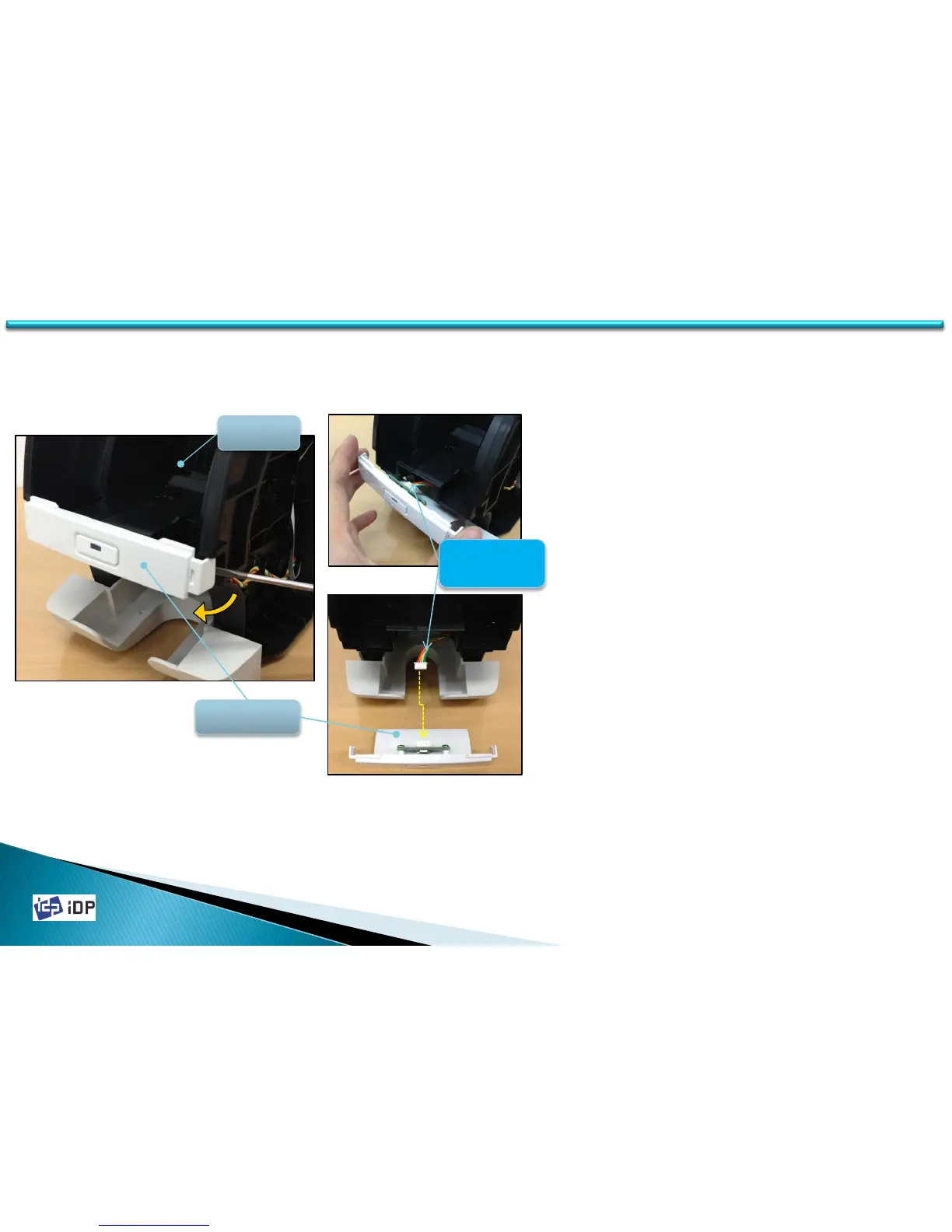
3.1.2 LED-Button Unit
3.1 Covers
1. Open the Front Cover.
2. Broaden the gab between LED-Button unit
and Main Frame using screw driver, and
then Hook is disassembled. At this time,
pull carefully the LED-Button unit to
disassemble it.
3. When pull out LED-Button unit, be cautious
not to make damage on the wire of LED-
Button unit.
4. Disconnect LED-Button Power wire from
LED-Button unit.
LED-Button
Unit
Button
Power wire
Front
Cover



 To Next Page