2014-03-24
36
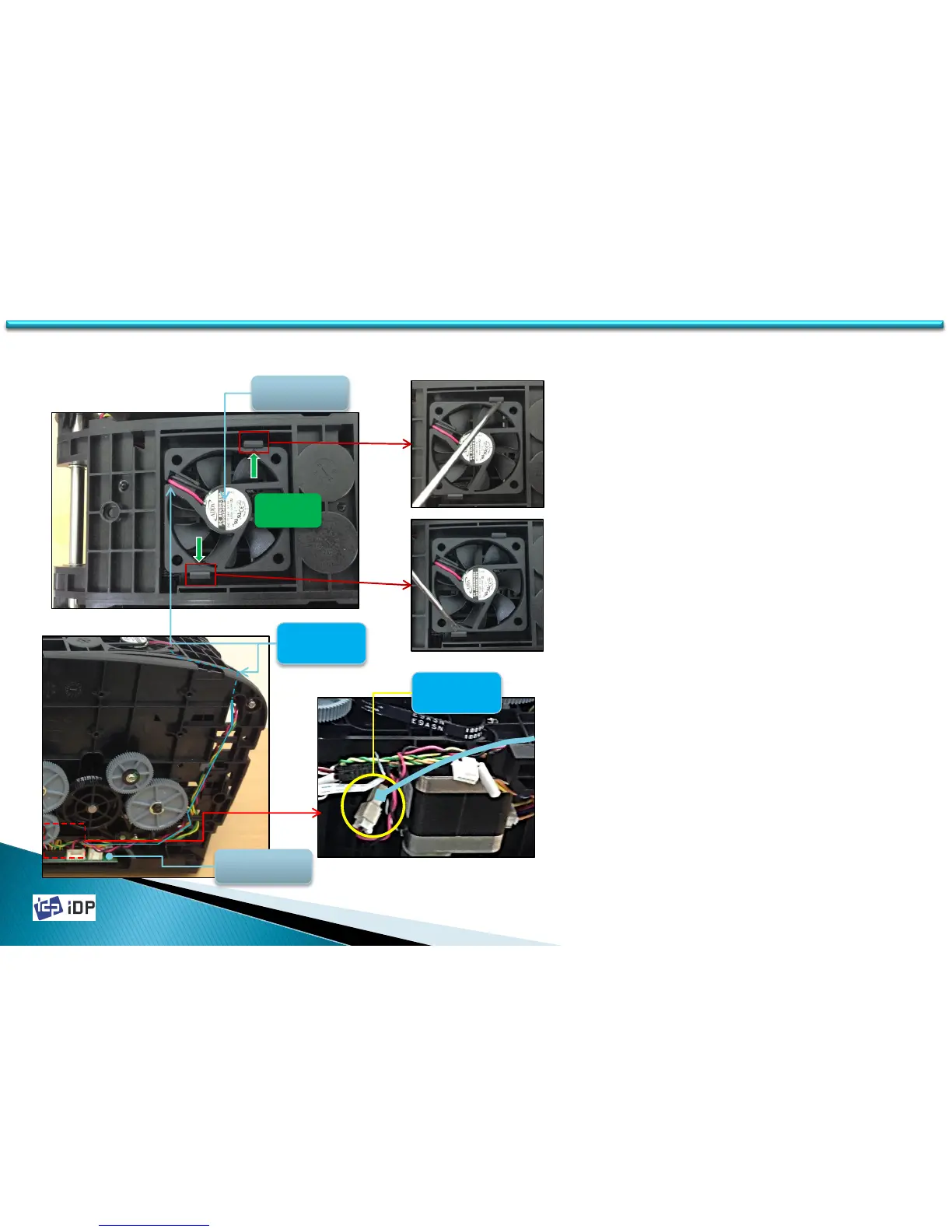
1. Cooling Fan is fixed on Top Cover Frame
by 2 Hooks.
2. Unlock Hooks using screw drive and
disassemble Cooling Fan.
3. Fan Wire is connected to Connector of
Main Board through inside of Printer.
4. Disassemble Bottom Frame from Printer
and disconnect Fan Wire from Connector.
5. Arrange Fan Wire and disconnect. Be
cautious not to peel it by Plate edge.
3.2.3 Cooling Fan
3.2 Top Cover Unit
FAN wire
M / B
Cooling FAN
FAN wire
Connector
Hook



 To Next Page