2014-03-24
174
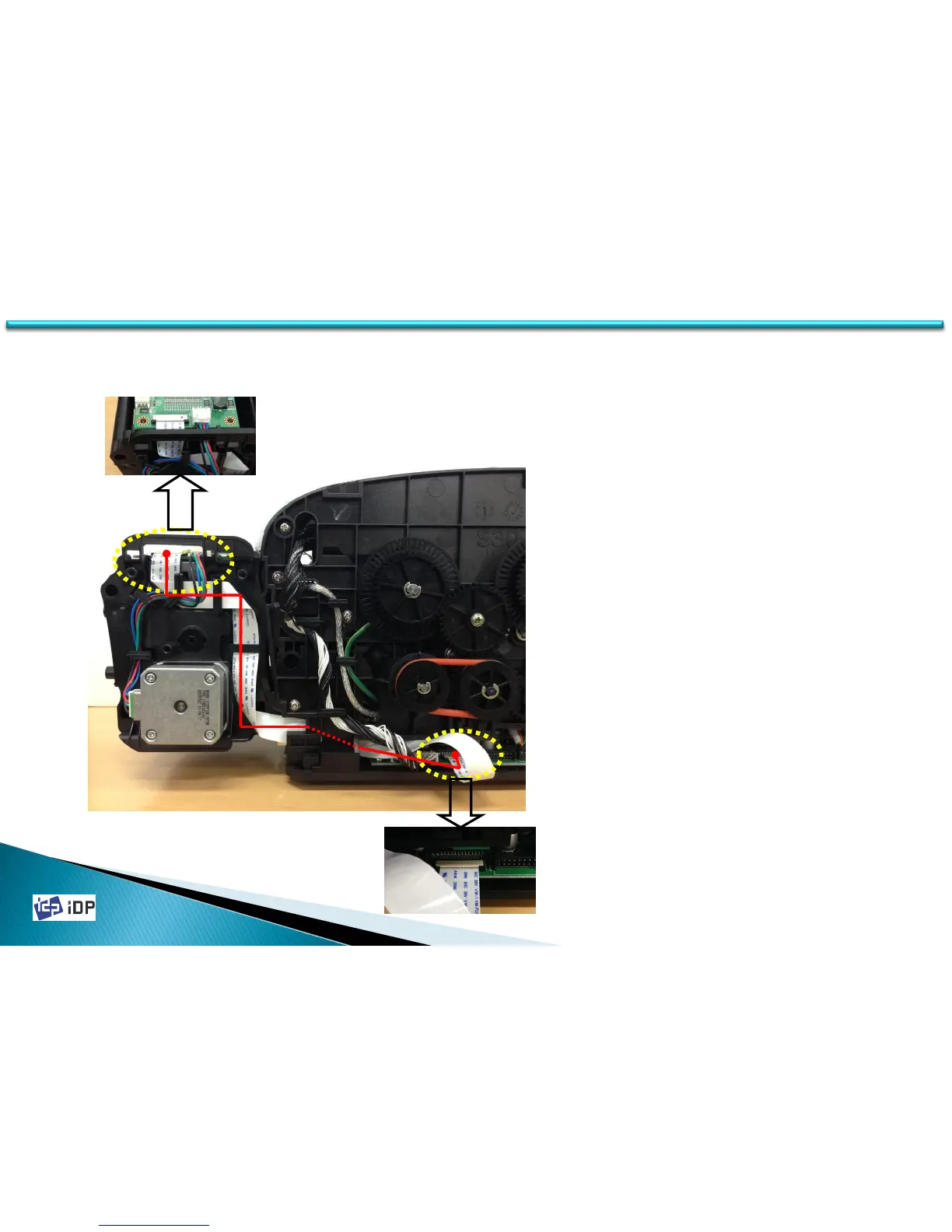
1. Flipper Unit is connected to Printer Main
Board using FFC Wire (- Red Line).
2. Assemble FFC Wire and hold it following
to Wire Holders consist of Grooves and
Hooks on Main Frame.
3. Connect FFC Wire to Printer Main Board
through Pinter Inside as picture.
4. Be cautious of the interruption between
FFC Wire and the moving mold parts.
FLIPPER Wiring
C.2 Flipper Option
174



 To Next Page