2014-03-24
62
B22001692615
2200169
2615
KPE
4.1.3.6 Thermal Print Head Replacement
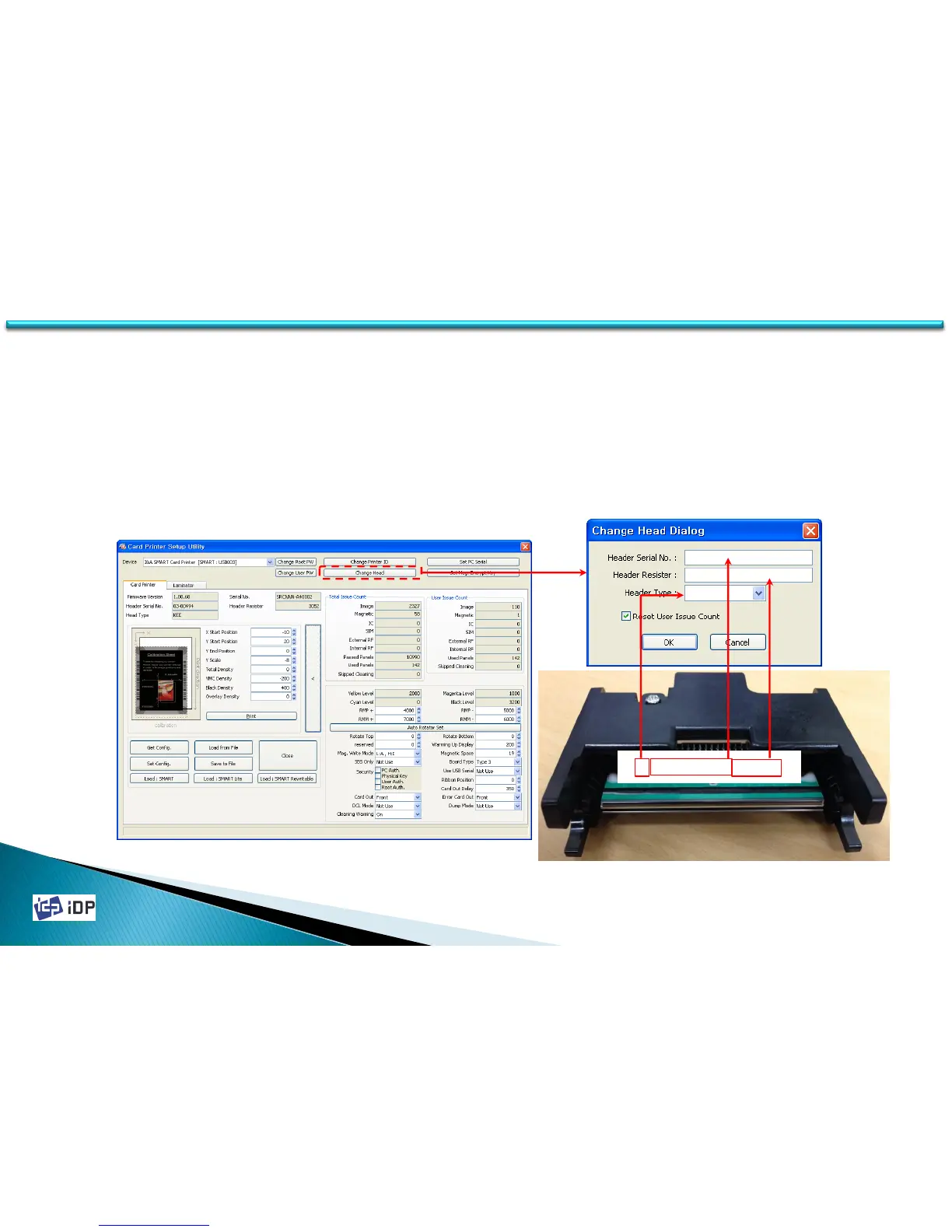
To change the print head, the print head module as below photo should be changed. After change the print head
module, its serial no. and register value should be registered. First press “>” button and click “Change Header”
and input the serial no. with the resister value which is described on the print head. “Reset User Issue Count” is
initialization of the printing number.
(After change the thermal print head, the printing position and thickness should be adjusted.)
(See 3.2.1. for Thermal Print Head Replacement mechanically)
4.1 Setup


 To Next Page