2014-03-24
71
4.1 Setup
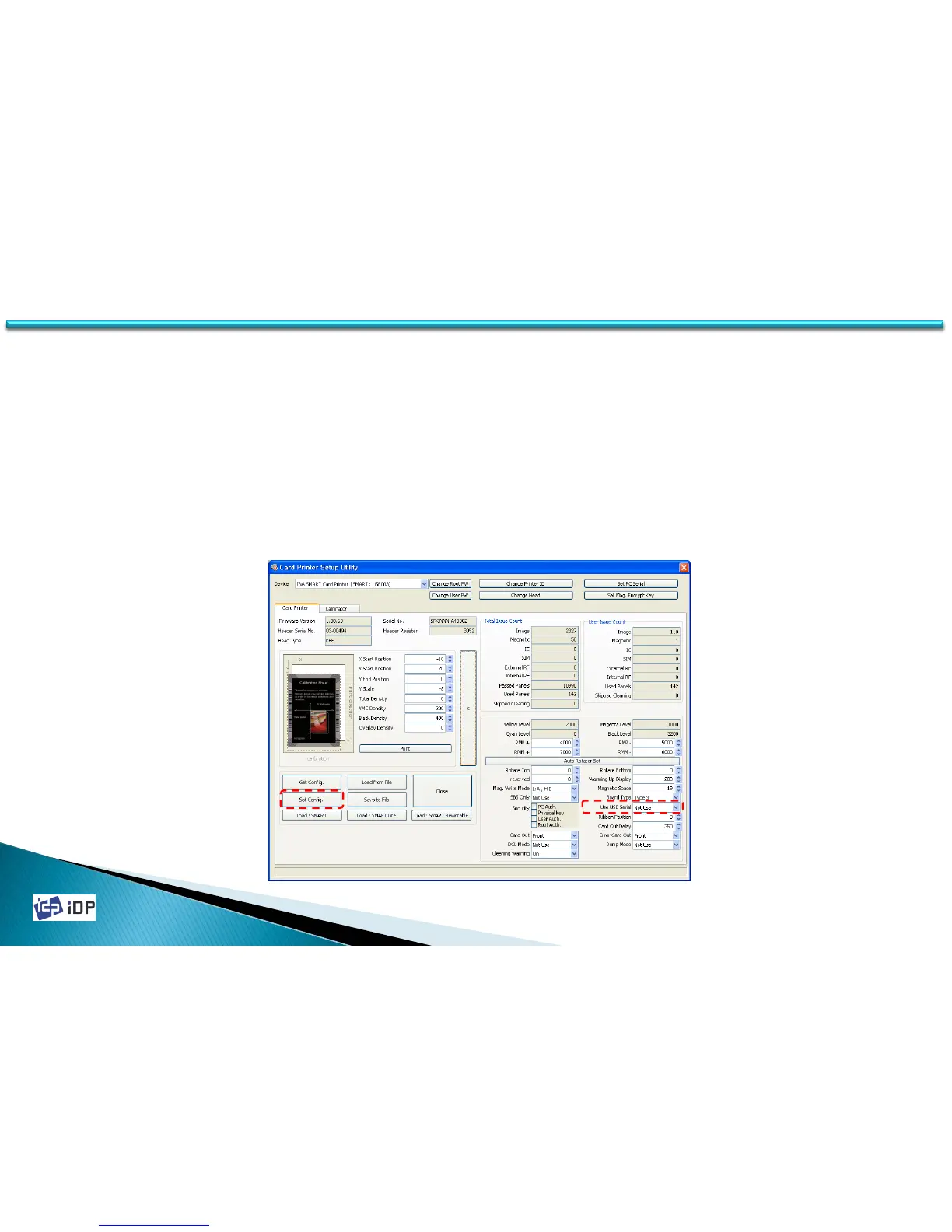
• Use USB Serial
In SMART-30 Card Printer, even if you change the USB port, you do not need to install the printer driver. This is
because their own ID is used in USB communication. Basically every printer have their own ID but considering the
general usage circumstance and the convenience of maintenance, it is set as same ID. So if want to use more than
one printer in one PC, you have set the different ID (this is not same as Printer ID we explained already). Use USB
Serial is ID which is used when the printer is recognized by USB and the serial no. of printer will be used as ID.
To activate Use USB Serial, change “Use USB Serial” to “Use” and press “Set Config.” button. This change will be
activated after SMART printer is reboot.
(When use more than one SMART printer in one PC, “Use USB Serial” should be set as “Use”. If not, PC might be not
working.)



 To Next Page