2014-03-24
64
4.1 Setup
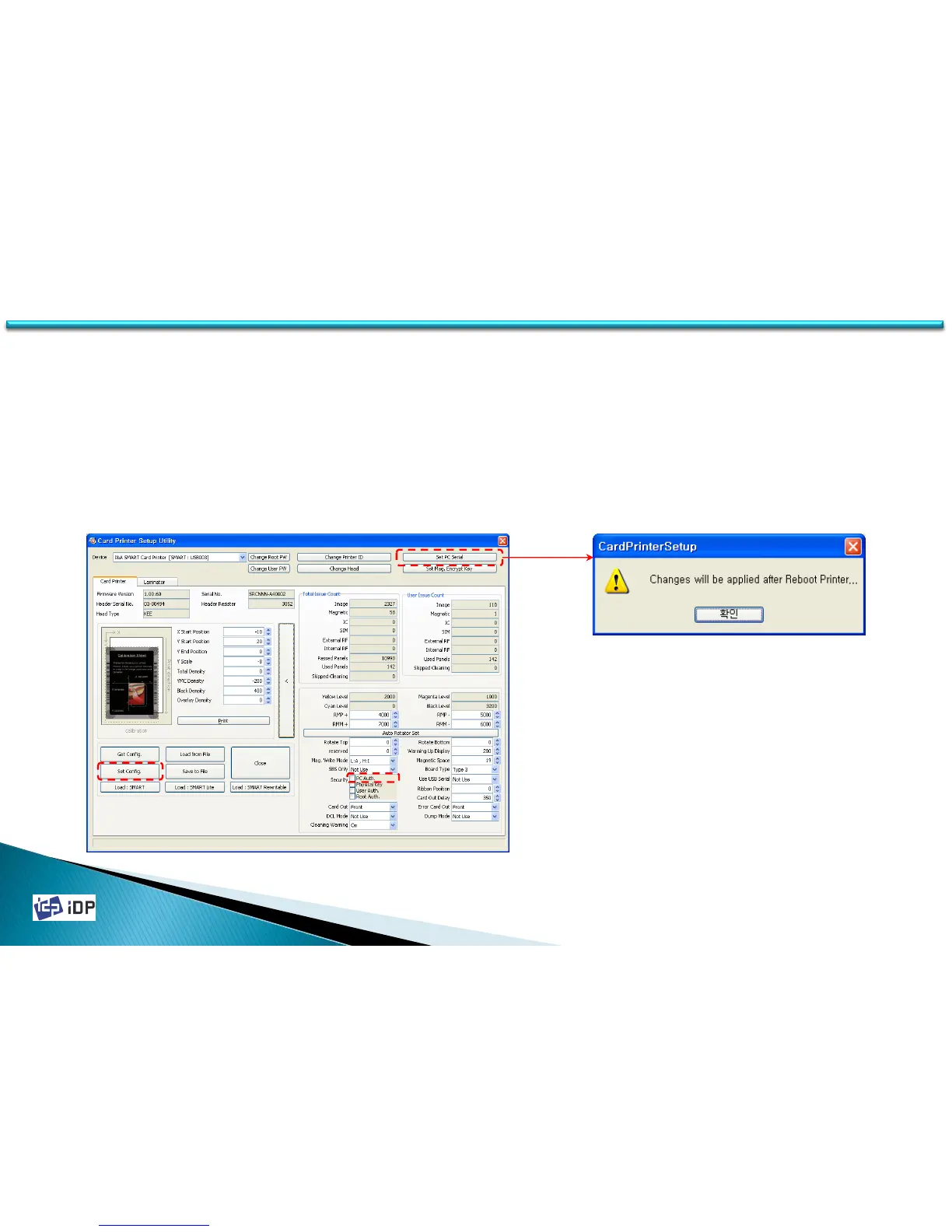
• PC Auth.
PC Auth. is a function to operate a SMART printer with specific PC. This is to prevent the access of unauthorized
person to print card with another printers. Please read as below.
1. In expansion mode, click “PC Auth.” and “Set Config.”
2. Click “Set PC Serial” and save the current PC information to the card printer.
PC Auth. will be activated after the printer’s rebooting. When connect SMART printer which is applied PC
Authentication to the other PC, “Verify Your PC” message will be displayed on the LCD (or Watchman).
(In case PC Witness is activated and PC is not found, please contact I&A system or your distributor.)



 To Next Page