2014-03-24
39
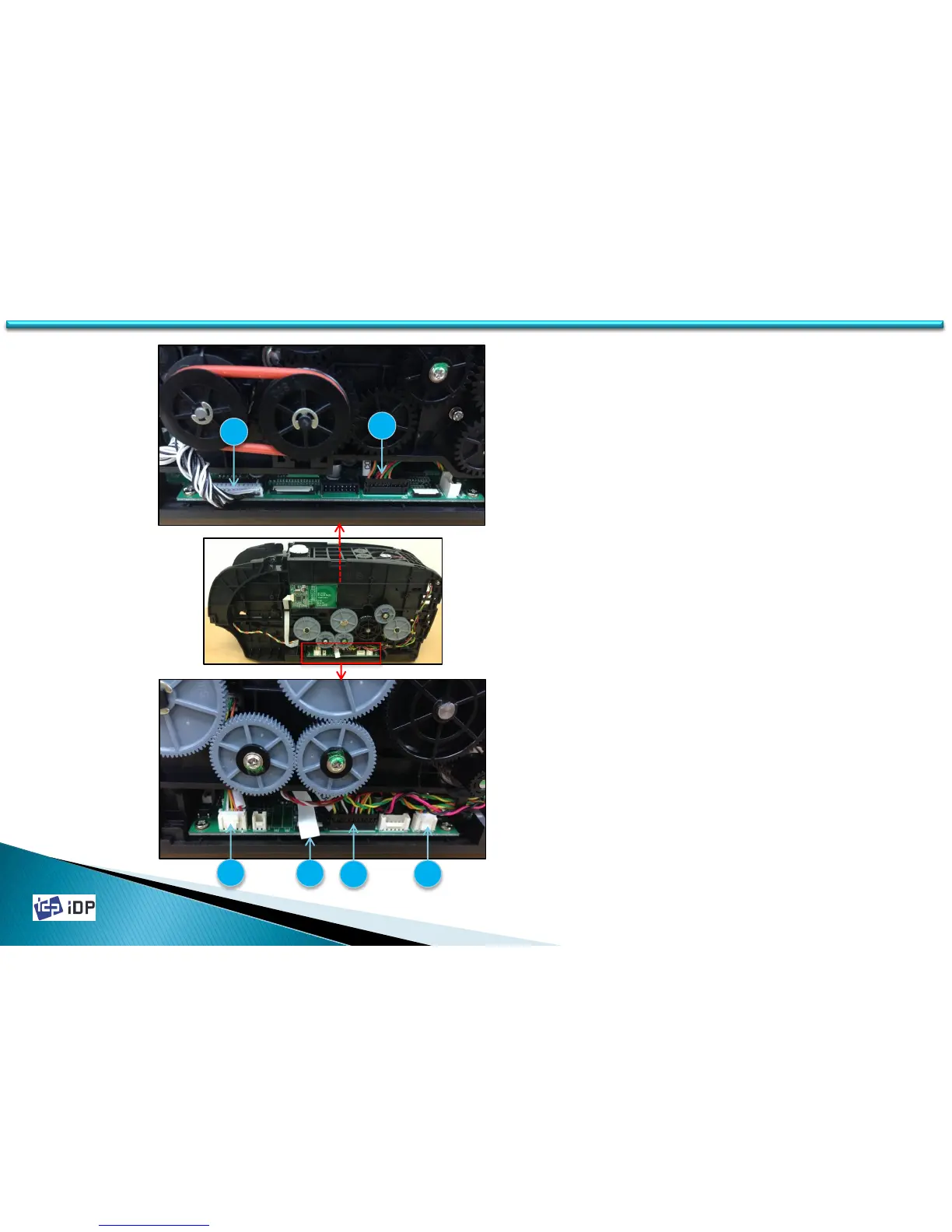
1. Before disassembling Main Board,
disconnect cables(T2, T3, T4, T5) on the
Right side.
( Be cautious not to make damage on T4
FFC)
2. T5 Wire is connected to LCD-Button unit.
On 3.1.2, when disassembling LCD-
Button unit, T5 was disconnected form
LCD-Button unit, but disconnect T5 Wire
to disassemble Main Board.
3. Disconnect cables(T1, T6) on the Left side.
Left View
Right View
T1
T3
T2
T4
T5
T6
3.3 Main PCBs



 To Next Page