FlexLine plus, Data Management
148
Export data
step-by-step
Only to USB memory stick: Road Data, Code, Format, Configuration,
Backup, Images
Job Select whether to export all job-related data or a single job data file.
Select Job Displays the selected job or road alignment file.
Format If Data Type: Format.
Select whether to export all formats or a single format.
Format Name If Format: Single Format.
Name of the format to be transferred.
Field Description
1. Press Cont in the Export screen after selecting the export details.
2. If export is to a USB memory stick, select the desired file location and press Cont.
3. Select the data format, enter the file name and press Cont or Send.
DXF: To export data from instruments without Communication side cover
using Instrument Tools. Fixed format (X/Y/Z).
DXF Custom: To export data using an USB stick. The DXF format is user definable.
Continue with step 4..
ASCII: American Standard Code for Information Interchange. Free format.
Use and order of variables and delimiter can be defined during import.
Continue with step 4..
GSI: Leica Geo Serial Interface. Fixed format. Select between three prede-
fined formats. Refer to "5.3 Data Settings" for an explanation of the
formats.
IDEX: Leica Independent Data Exchange Format. Fixed format.
XML: Extensible Markup Language. XML is a recommendation of the World
Wide Web Consortium. Fixed format.
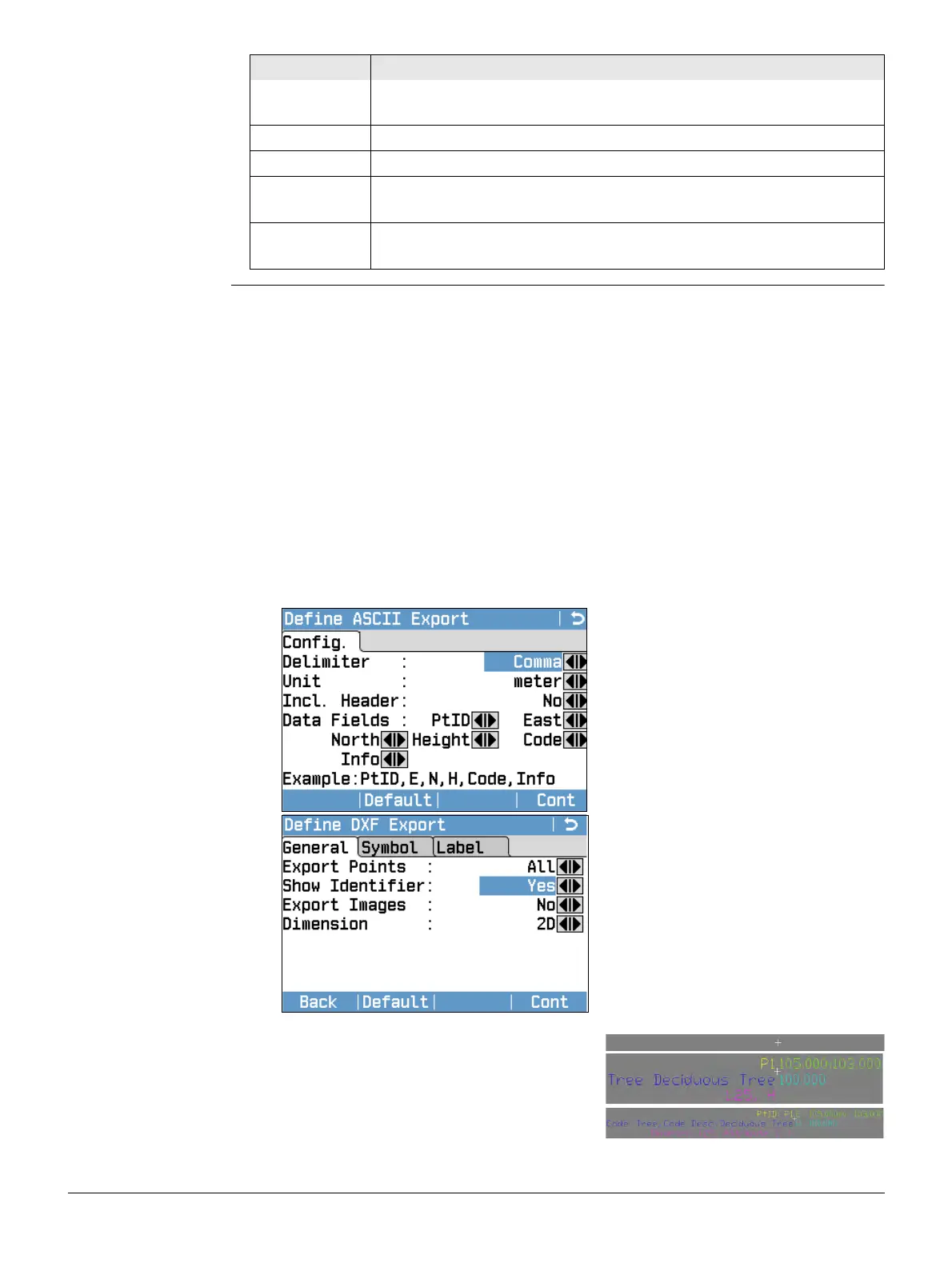
4. For data format is ASCII:
Define the delimiter value, the units
and the data fields of the file and
press Cont. Continue with 6..
5. For data format is DXF Custom:
Define the point type export, image
export, the X/Y/Z export, the size of
the point symbols and the labelling
plus coloring of additional point infor-
mation. Define if identifiers are
included for additional point informa-
tion. Press Cont.
Examples:
Exported points without labels:
Exported points with labels:
Exported points with labels and identifier:
6. A message will display confirming the successful export of data.



 To Next Page