FlexLine plus, Programs
68
Stakeout
B&Dist
To enter the direction and horizontal
distance to a stake out point.
Manual
To manually enter coordinates of a
point.
Survey
To switch to the Survey program. Press
ESC to return to the Stakeout screen..
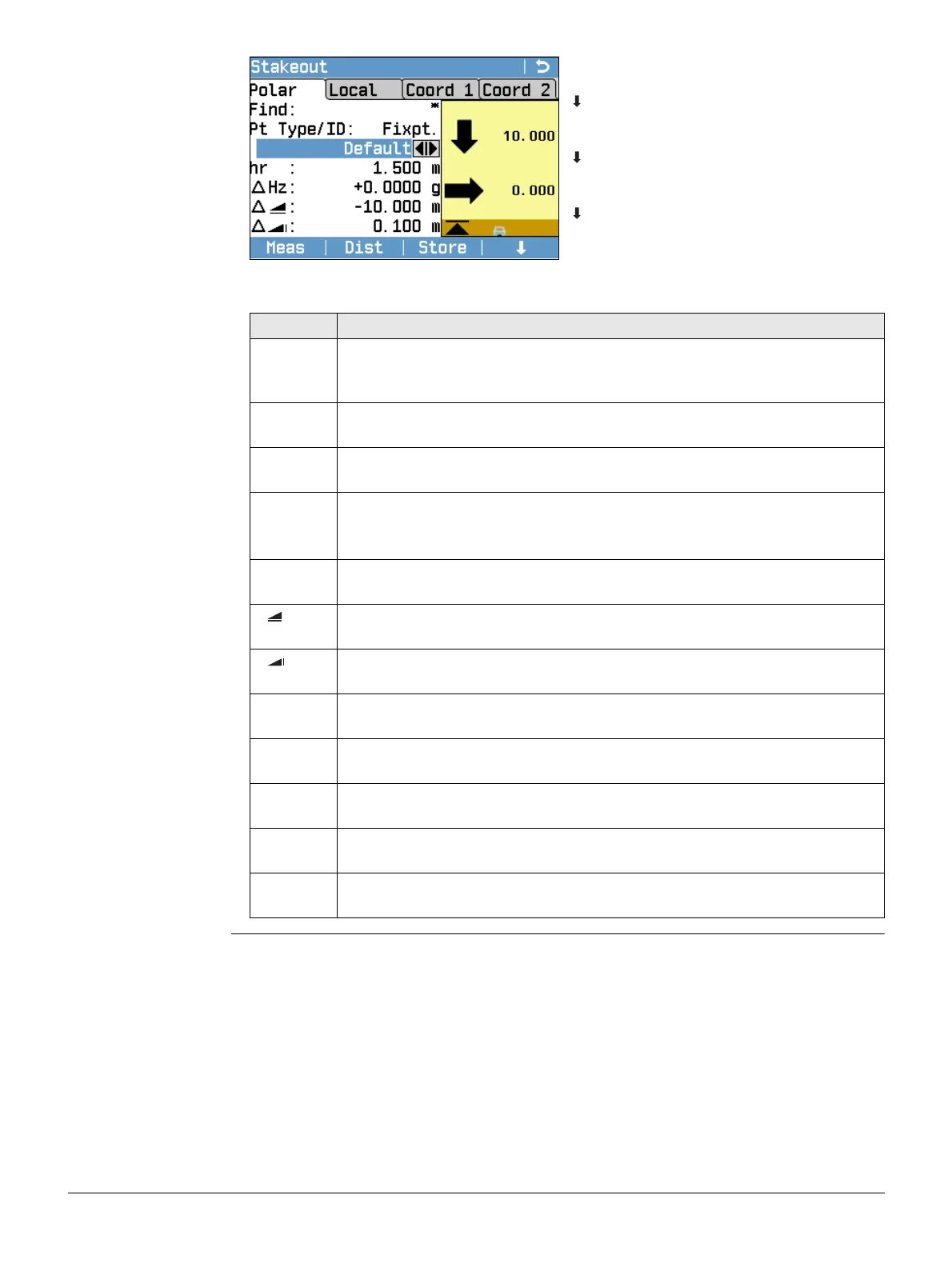
Refer to "3.7 Graphic Symbols" for a description of the graphic elements.
Field Description
Find Available when no filter is applied. Value for Point ID search. After entry,
the firmware searches for matching points, and displays these in PtID: If
a matching point doesn’t exist the pointsearch screen opens.
Radius Available when the point filter is active. the defined radius from a partic-
ular point.
Range Available when the range is active. The defined range of points. For long
point IDs, the last digits are be shown and the first digits are cut.
Pt
Type/ID:
Displays the type of point selected.
• Fixpt., or
• Meas.
∆Hz Angle offset: Positive if stake out point is to the right of the measured
point.
Horizontal offset: Positive if stake out point is further away than the
measured point.
Height offset: Positive if stake out point is higher than the measured
point.
∆L Longitudinal offset: Positive if stake out point is further away than the
measured point.
∆T Perpendicular offset: Positive if stake out point is to the right of the
measured point.
∆H Height offset: Positive if stake out point is higher than the measured
point.
∆E Easting offset: Positive if stake out point is to the right of the measured
point.
∆N Northing offset: Positive if stake out point is further away than the meas-
ured point



 To Next Page