94
2-5.2.4.2 Static Table
The section describes to configure the Static IP Source Guard Table parameters of the
switch. You could use the Static IP Source Guard Table configure to manage the entries.
Web Interface
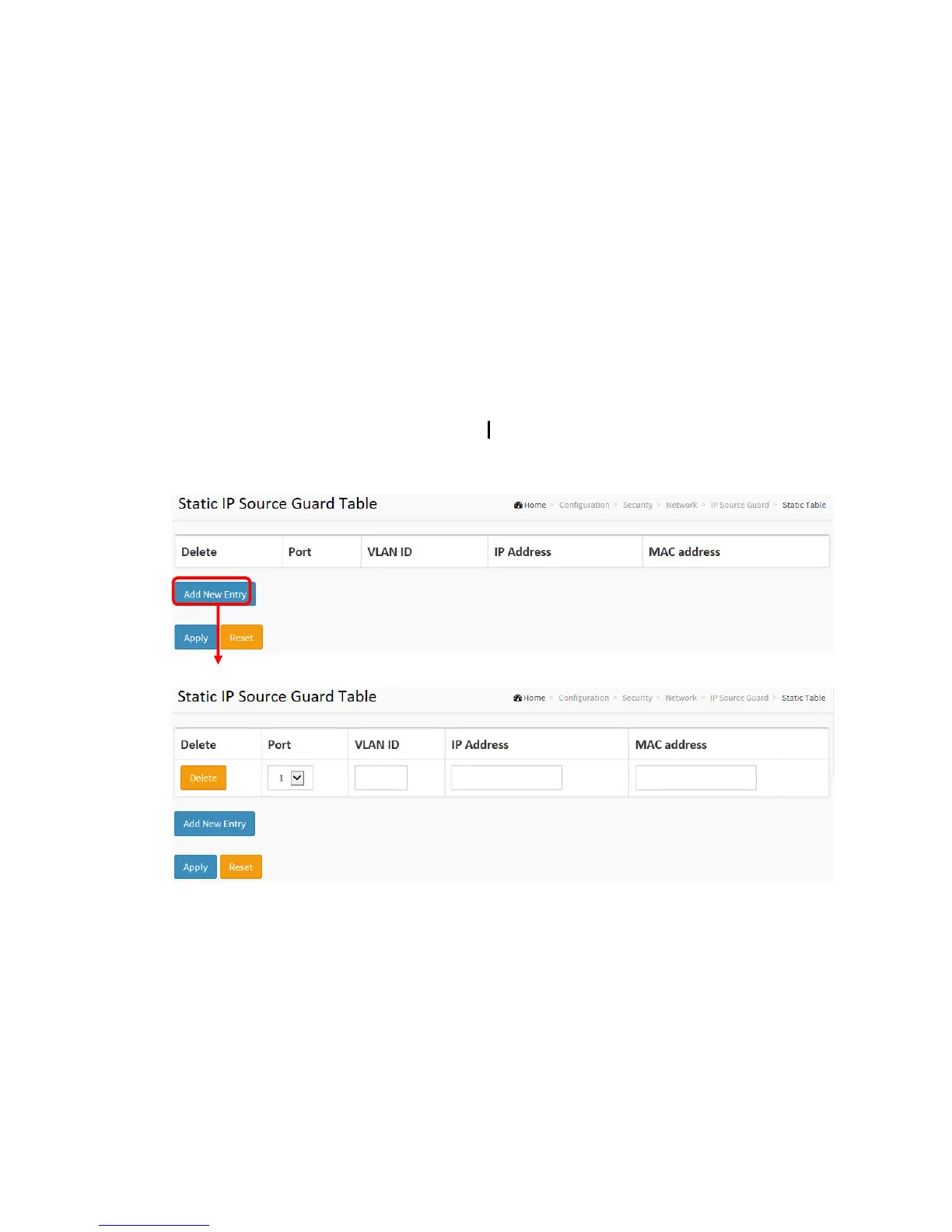
To configure a Static IP Source Guard Table Configuration in the web interface:
1. Click “Add new entry”.
2. Specify the Port, VLAN ID, IP Address, and MAC address in the entry.
3. Click Apply.
Figure 2-5.2.4.2: The Static IP Source Guard Table ////////
Parameter description:
Delete :
Check to delete the entry. It will be deleted during the next save.
Port :



 To Next Page