215
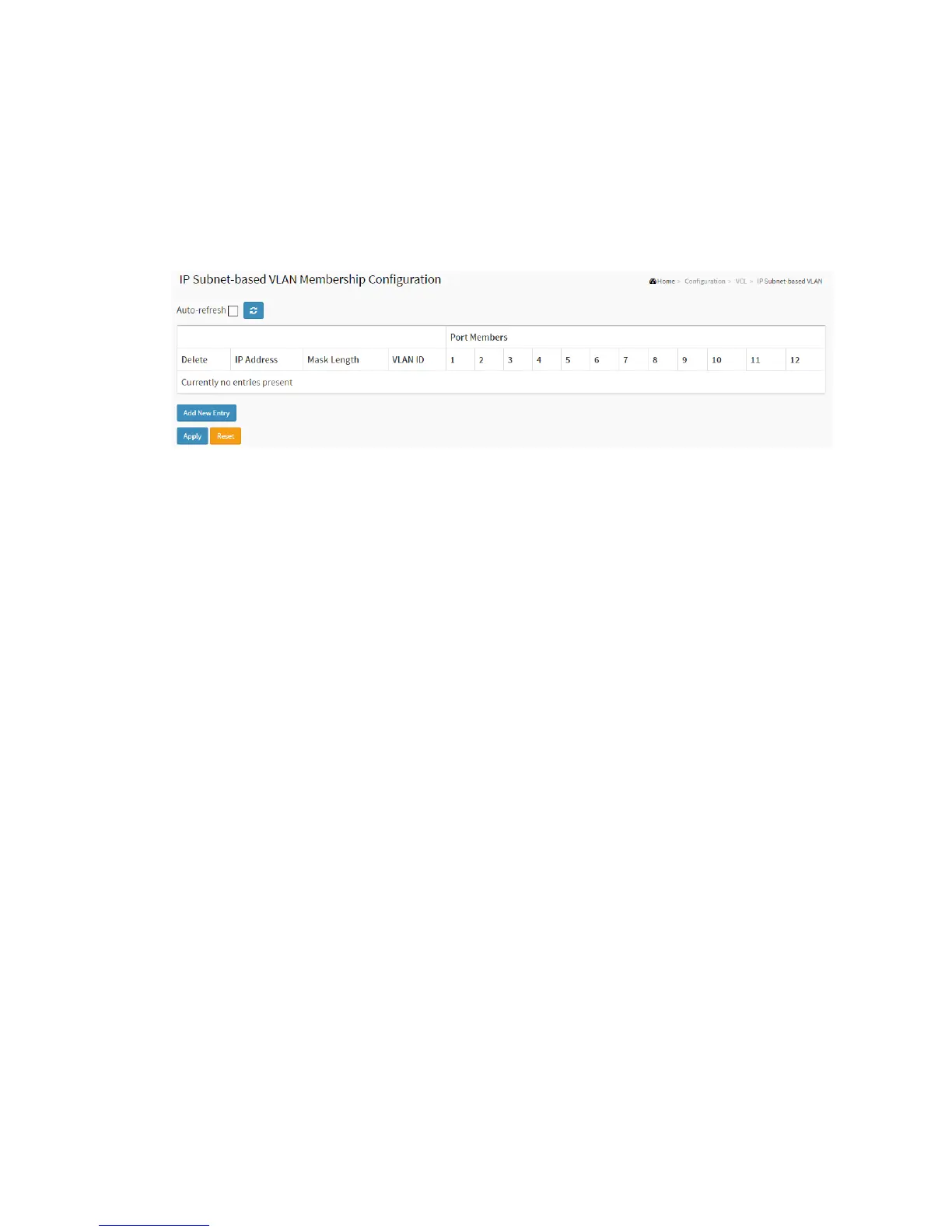
1. Click VCL, Group Name VLAN configuration and add new entry.
2. Specify the VCE ID, IP Address, Mask Length, VLAN ID and select Port Members.
3. Click Apply.
Figure 2-22.3: IP Subnet-based VLAN Membership Configuration
Parameter description:
Delete
To delete a IP subnet-based VLAN entry, check this box and press save. The entry
will be deleted on the selected switch in the stack.
VCE ID
Indicates the index of the entry. It is user configurable. Its value ranges from 0-128.
If a VCE ID is 0, application will auto-generate the VCE ID for that entry. Deletion
and lookup of IP subnet-based VLAN are based on VCE ID.
IP Address
Indicates the IP address.
Mask Length
Indicates the network mask length.
VLAN ID
Indicates the VLAN ID. VLAN ID can be changed for the existing entries.
Port Members
A row of check boxes for each port is displayed for each IP subnet-based VLAN
entry. To include a port in a IP subnet-based VLAN, check the box. To remove or



 To Next Page