83
Web Interface
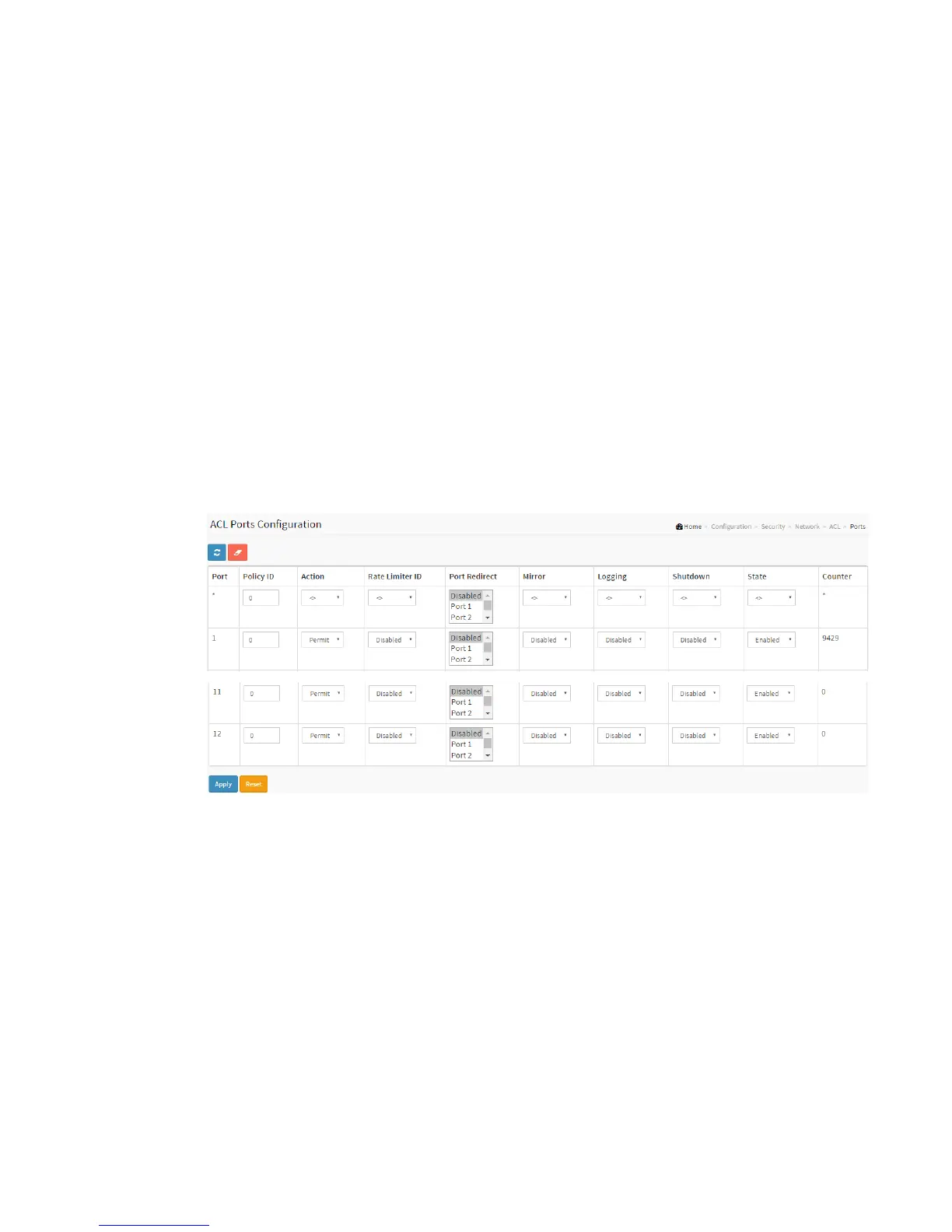
To configure the ACL Ports Configuration in the web interface:
1. Click Configuration, ACL, then Ports
2. To scroll the specific parameter value to select the correct value for port ACL
setting.
3. Click the save to save the setting
4. If you want to cancel the setting then you need to click the reset button. It will
revert to previously saved values.
5. After you configure complete then you could see the Counter of the port. Then
you could click refresh to update the counter or Clear the information.
Figure 2-5.2.3.1: The ACL Ports Configuration
Parameter description:
Port :
The logical port for the settings contained in the same row.
Policy ID :
Select the policy to apply to this port. The allowed values are 1 through 8. The
default value is 1.
Action :



 To Next Page