Page 132
MAINTENANCE
111
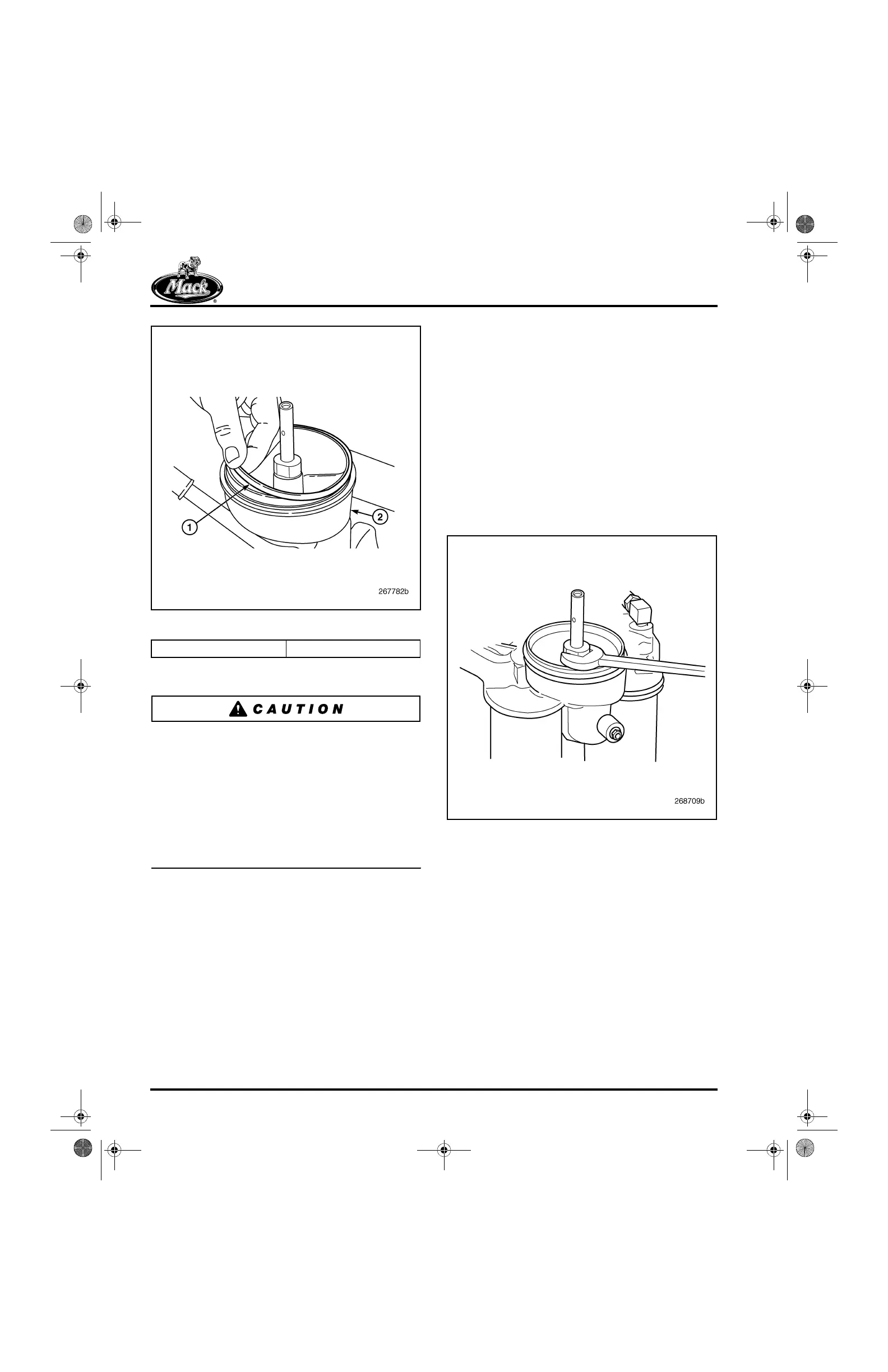
Figure 111 — O-Ring Installation
7. Install a new rotor over the spindle.
Use the correct rotor kit for the centrifugal filter
assembly application, 57GC2206 for Centri-Max
®
ULTRA and 57GC2231 for Centri-Max
®
ULTRA
PLUS. For easy identification, the ULTRA PLUS
rotor is black, whereas the ULTRA rotor is cream
color. If the ULTRA rotor is used in an ULTRA
PLUS application, the rotor bushings will be a
very loose fit on the smaller diameter shaft and
the rotor will not rotate, resulting in a
non-functioning centrifugal filter.
8. Install the cover assembly and tighten the
retaining nut to 19 lb-ft (26 N폷m).
9. Start the engine and check for leaks.
Centri-Max
®
ULTRA PLUS Spindle
Replacement (If Required)
The Centri-Max
®
ULTRA PLUS with the
two-piece spindle and new smaller diameter shaft
became the standard for all ASET™ engines in
the fourth quarter of 2003. This procedure covers
only this latest style filter arrangement.
1. Remove the cover assembly, rotor and
O-ring following the steps in the preceding
oil filter replacement procedure.
2. Using an open end wrench, remove the
lower shaft from the oil filter mounting
adapter.
112
Figure 112 — Removing Lower Spindle from Oil Filter
Mounting Adapter
3. Clean the spindle mating threads in the oil
filter mounting adapter with Loctite
®
Non-Chlorinated Parts Cleaner (or similar
type of safety solvent) and blow the area dry
with clean shop air.
4. Apply Loctite
®
271 to the threads on the
lower end of the new spindle.
1. O-Ring 2. Filter Base
5-111.bk Page 132 Monday, July 10, 2006 2:26 PM



 To Next Page