Spitfire – Maintenance Manual
89
AP-74096, Rev. 1.0, 09/06/05
Notes:
Use gloves and tweezers to change the absorbent in the flushing box.
Step 1 : Unlock the head (In User mode > SetupMenu 6/7)
*WiperClean*
F1 →
No Yes
← F2
(1/1)
Notes:
Following display will appear.
*WiperClean*
Changed Wiper?
→ Press ENTER
After job is done, press the ENTER key, and the head will lock again.
Step 2 : The carriage moves to the waiting position for replacing the flushing sponge.
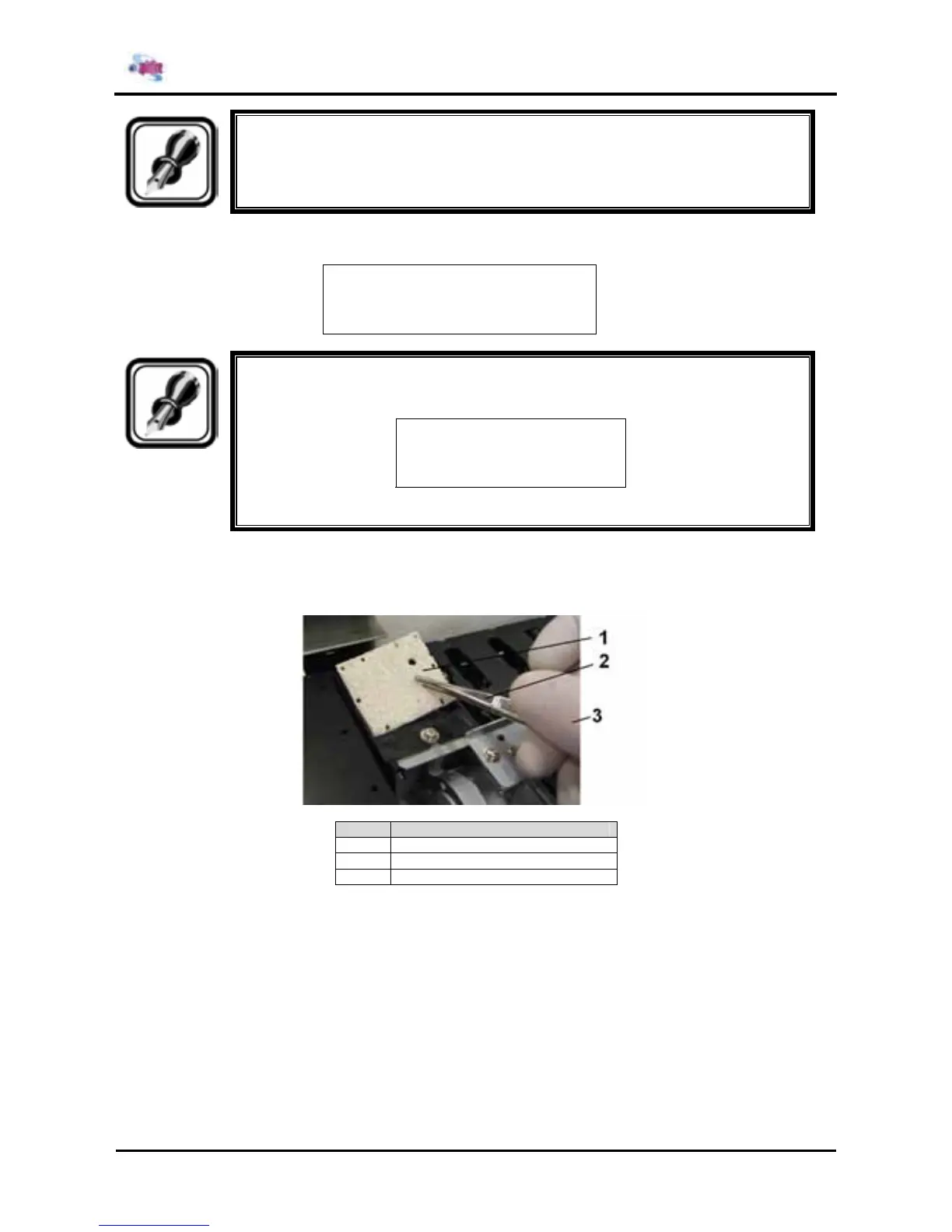
Step 3 : Remove the old absorbents with tweezers.
Nr. Part Description
1 Sponge (KY-42889)
2 Tweezers
3 Gloves
Step 4 : Install the new absorbents in the flushing box. Make sure that the 2 holes are on the right side of
the flushing box and that the pins of the black box are in the holes of the absorbent.















 To Next Page