-82-
5.6 Web Page Detail
All windows (except for the login window) display the following menus. Therefore, the user can easily
jump to any of these menus from any window.
5.6.1 Menu windows
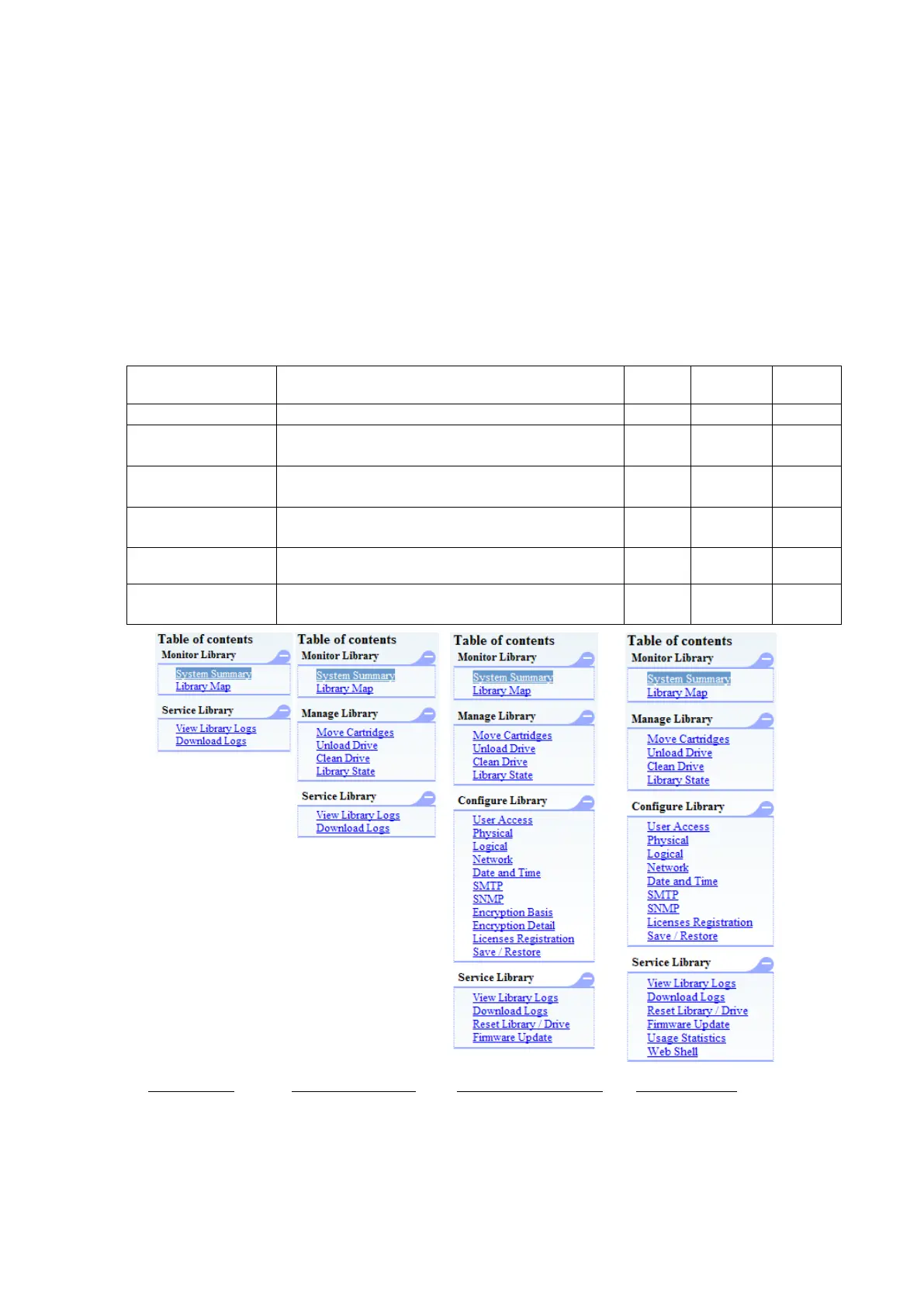
The following are the menus displayed in each window after login. When any of these menus is
selected, it changes to a color different from the color of the other menus.
Menus that are not available for the current user access level are not displayed.
See the following table for details.
Table 5-3 Menus available at various user access levels
Menu used to check the Library's status
Menu used to manage the Library
Menu used to enter Library settings
Menu used to download log information
Help information can be accessed for each menu.
Closes the Remote Manager Interface, and goes to
the login window.
Menus(User) Menus(Super user) Menus(Administrator) Menus(service)



 To Next Page