-147-
6.3.6 Clearing encryption information
You can clear encryption information in this Library, for example, when you dispose of the Library.
Once you clear the encryption information, the data can no longer be read from
previously encrypted tape medium. Be sure to back up the encryption
information (the KEY database) before clearing it.
6.3.6.1 To clear encryption information
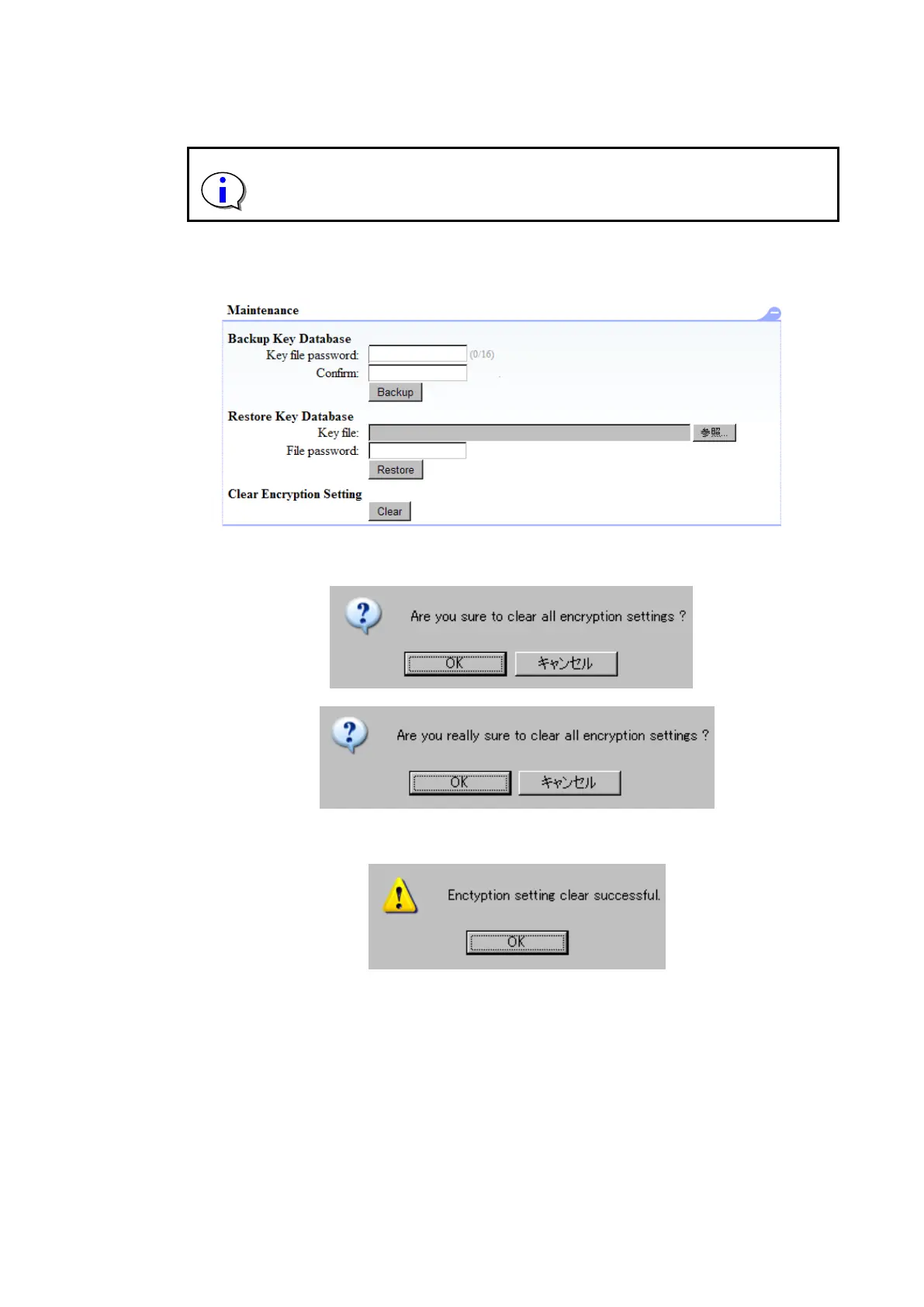
It executes it by confirming there is no tape medium in the drive and pressing the Clear button with
Clear Encryption Setting of Maintenance of Encryption Detail.
Figure 6-18 Clear of Encryption information
When you click “Clear”, the message below should appear. Click “OK”.
When you click “OK”, the message below should appear. Click “OK”.
When you click “OK”, the message below should appear. Click “OK”.
After click “OK”, the device reboots automatically



 To Next Page