-145-
6.3.4 Changing the Master Key
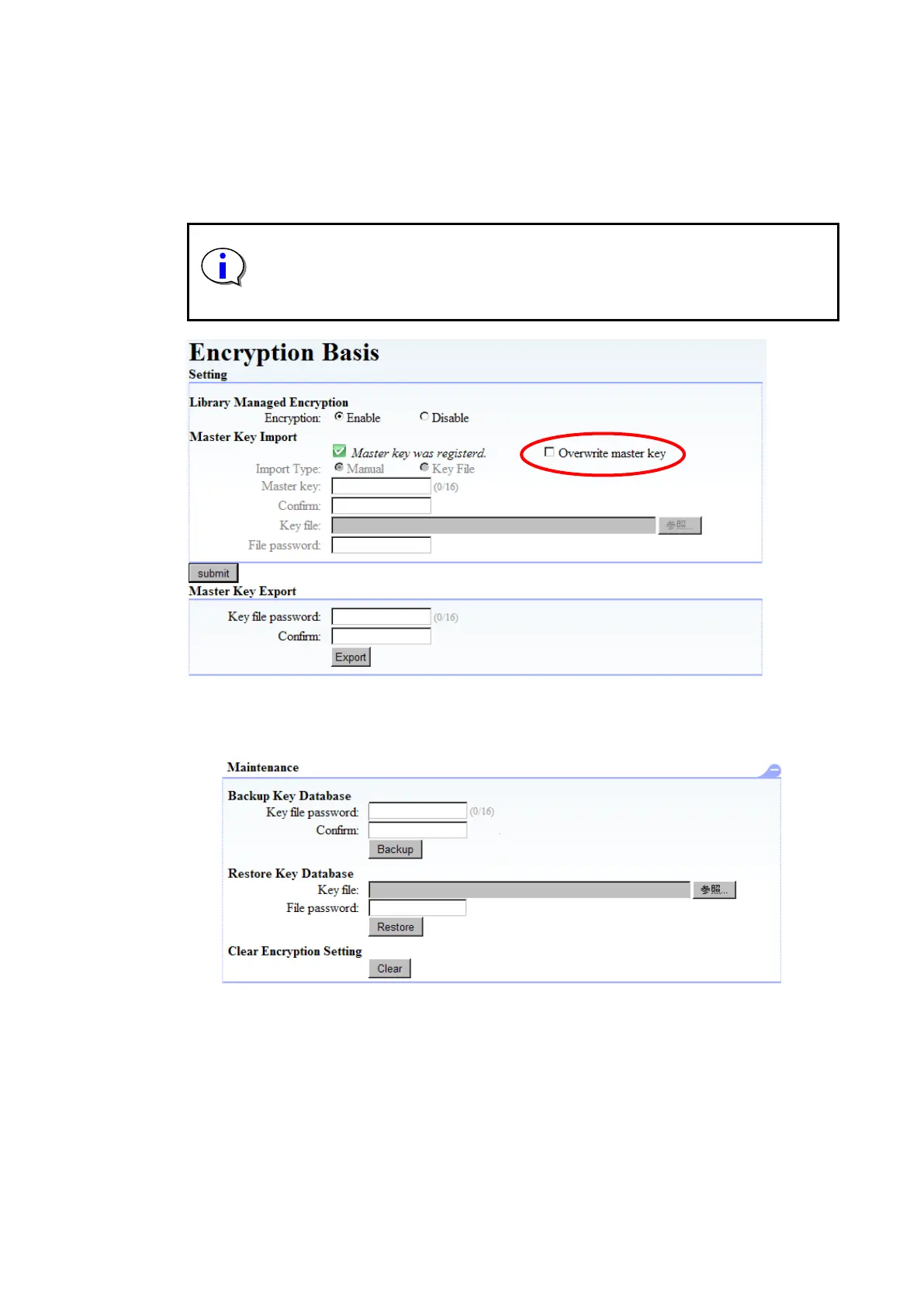
You can overwrite the master key by selecting the “Overwrite Master Key” checkbox in
[Encryption Basis] (under [Setting]).
The setting procedure after selecting the checkbox is the same as when you set the master key for
the first time. For details, see “6.2.1.4Registering (importing) the master key”.
When you change the master key, all automatically generated encryption keys are
changed and the previously created tape medium become unreadable. Therefore,
before changing the master key, please pay careful attention do not to lose old
encryption keys by, for example, exporting the encryption keys for each tape
medium.
Figure 6-15 Changing Master Key
6.3.5 Backing Up and Restoring the KEY Database
You can back up and restore the KEY database from [Encryption Detail].
Figure 6-16 Backup or Restore of KEY Database



 To Next Page