-37-
4.1.2.2 Drive State
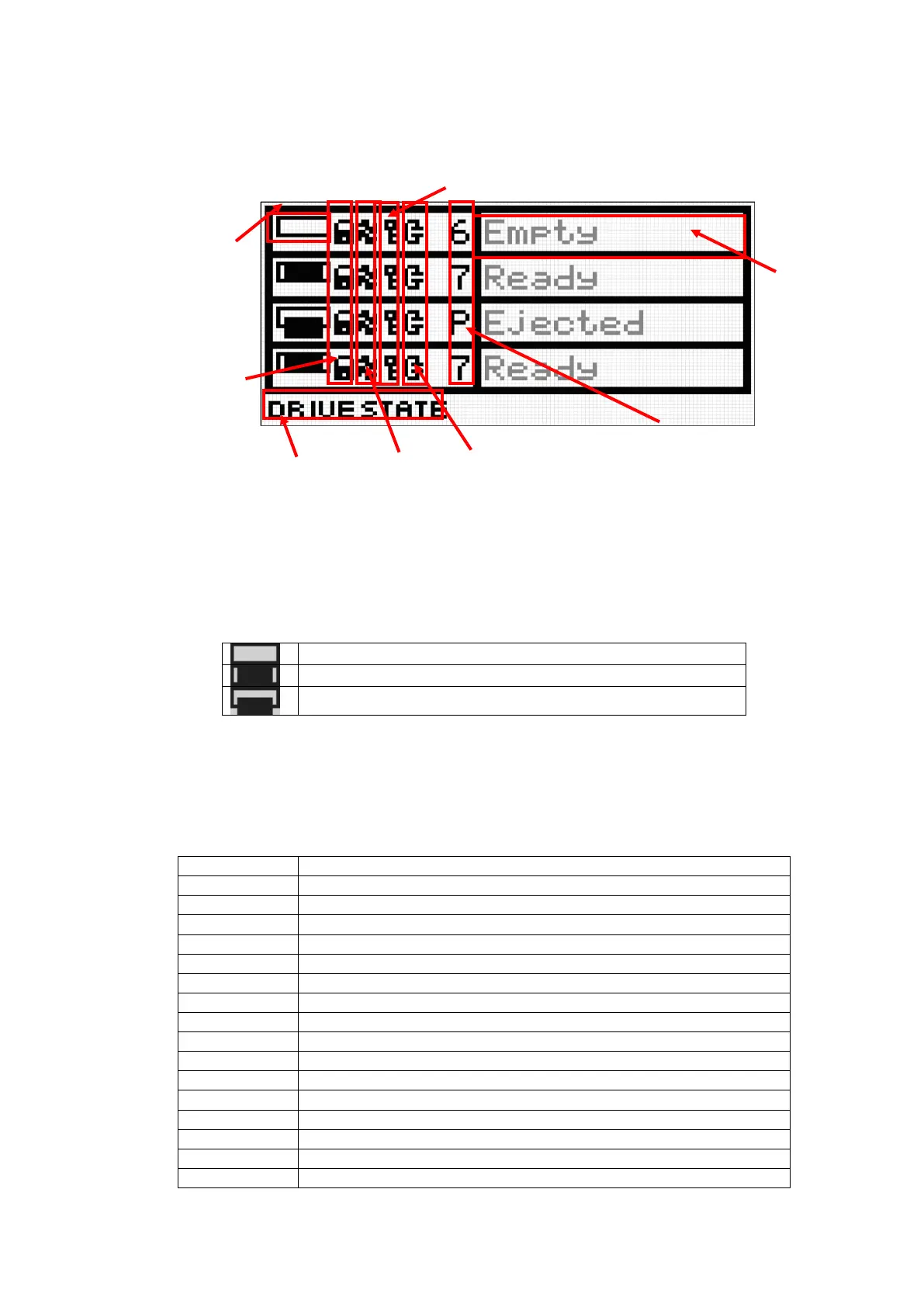
In this example, library state that installed four half-Height drives is displayed.
Drive State is composed of the following.
1. Drive Icon
Indicates the status of tape drive installed in the library unit.
Indicates whether a cartridge tape exists in the drive.
Table 4-3 Drive Status Icons
Indicates that no cartridge tape is inserted into the tape drive.
Indicates that a cartridge tape is inserted into the tape drive.
Indicates that the cartridge tape was ejected from the tape drive.
2. Drive message
Indicates the status of tape drive installed in the library unit.
The following terms are used to indicate the status of the drive.
Table 4-4 Drive Message
Indicates that a cartridge tape is inserted into the tape drive.
Indicates that the tape drive is initialing.
Indicates that no cartridge tape is inserted into the tape drive.
Indicates that the cartridge tape was ejected from the tape drive.
Indicates that the tape drive is loading a cartridge tape.
Indicates that the cartridge tape is unloading from the tape drive.
Indicates that the tape drive is rewinding a cartridge tape.
Indicates that the cleaning cartridge is cleaning the tape drive.
Indicates that the tape drive is reading data out from the cartridge tape.
Indicates that the tape drive is writing data into the cartridge tape.
Indicates that the tape drive is locating a cartridge tape.
Indicates that the tape drive is erasing data into the cartridge tape.
Indicates that the tape drive is formatting a cartridge tape.
Indicates that the tape drive is calibrating.
Indicates that the tape drive is offline.



 To Next Page