-131-
6.2.1.4 Registering (importing) the master key
Once you enable the encryption key management function, you can enter the master key.
The master key can be entered manually or by using a file.
・The master key is the most important information for this encryption key
management function. It is recommended to set a master key long enough (up to
16 characters) that third parties cannot easily guess it.
・Once you set the master key, change it as little as possible.
If you change the master key, the encrypted data previously created in the tape
media can no longer be read.
・If the master key is lost, you can no longer restore the encrypted data. Always
back up the master key at registration.
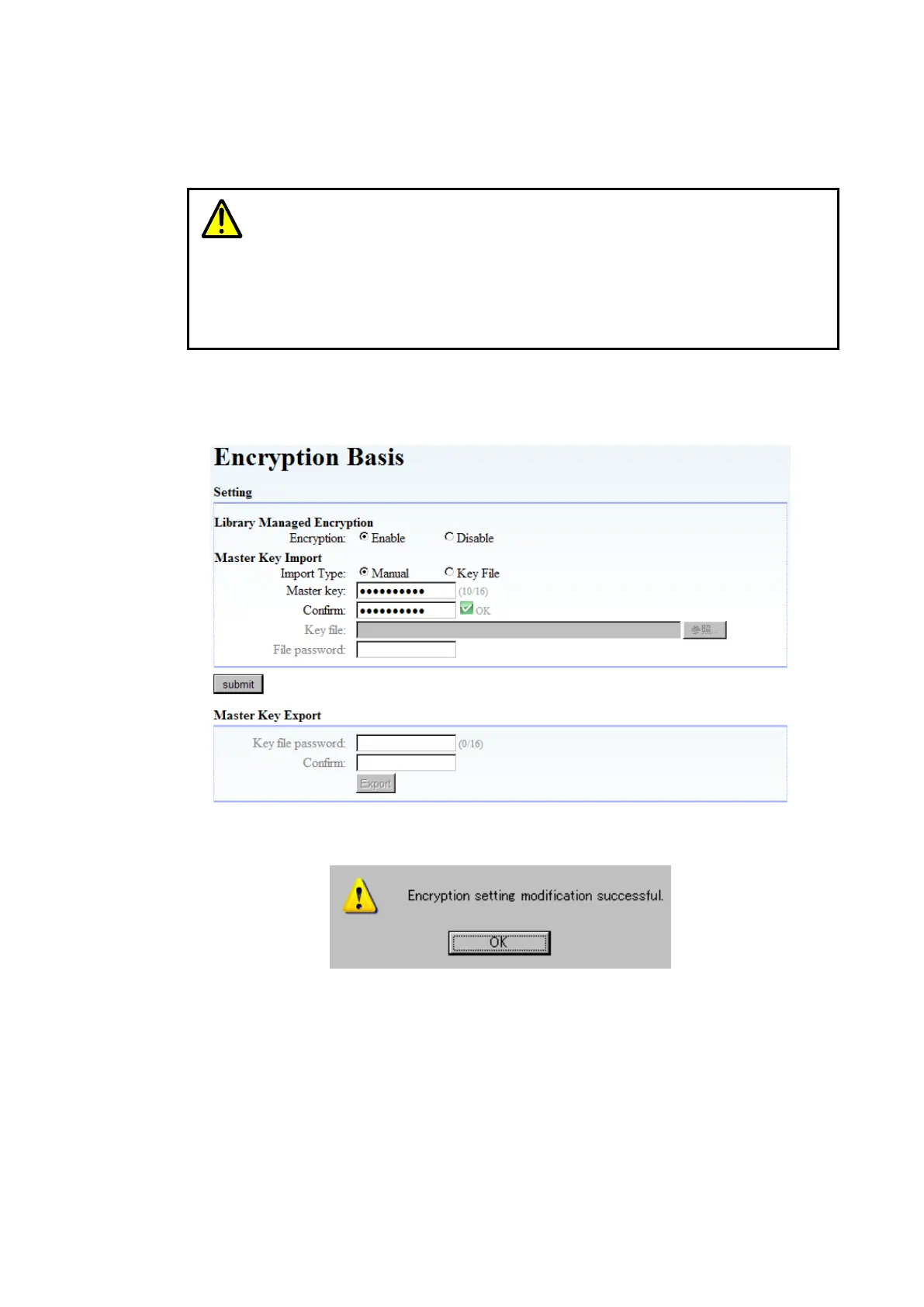
1. Manually entering the master key
Select [Master Key Import] of [Encryption Basis], and then select “Manual” for Import Type.
Next, enter values for Master Key and Confirm Key (the same character string), and then click
“Submit”.
Figure 6-5 Manual Input of Master key
When you click “Submit”, the message below should appear. Click “Yes”.
After rebooting the device automatically, the master key becomes effective.



 To Next Page