-142-
Please pay careful attention when inputting the key. An incorrectly input
encryption key might be used for encryption.
(Remark)
What is a key ID?
A key ID is used to write specific information that corresponds to the encryption key into the
tape media.
Key IDs are not used for this encryption key management function.Do not change the “Key
ID”setting from “Auto”.
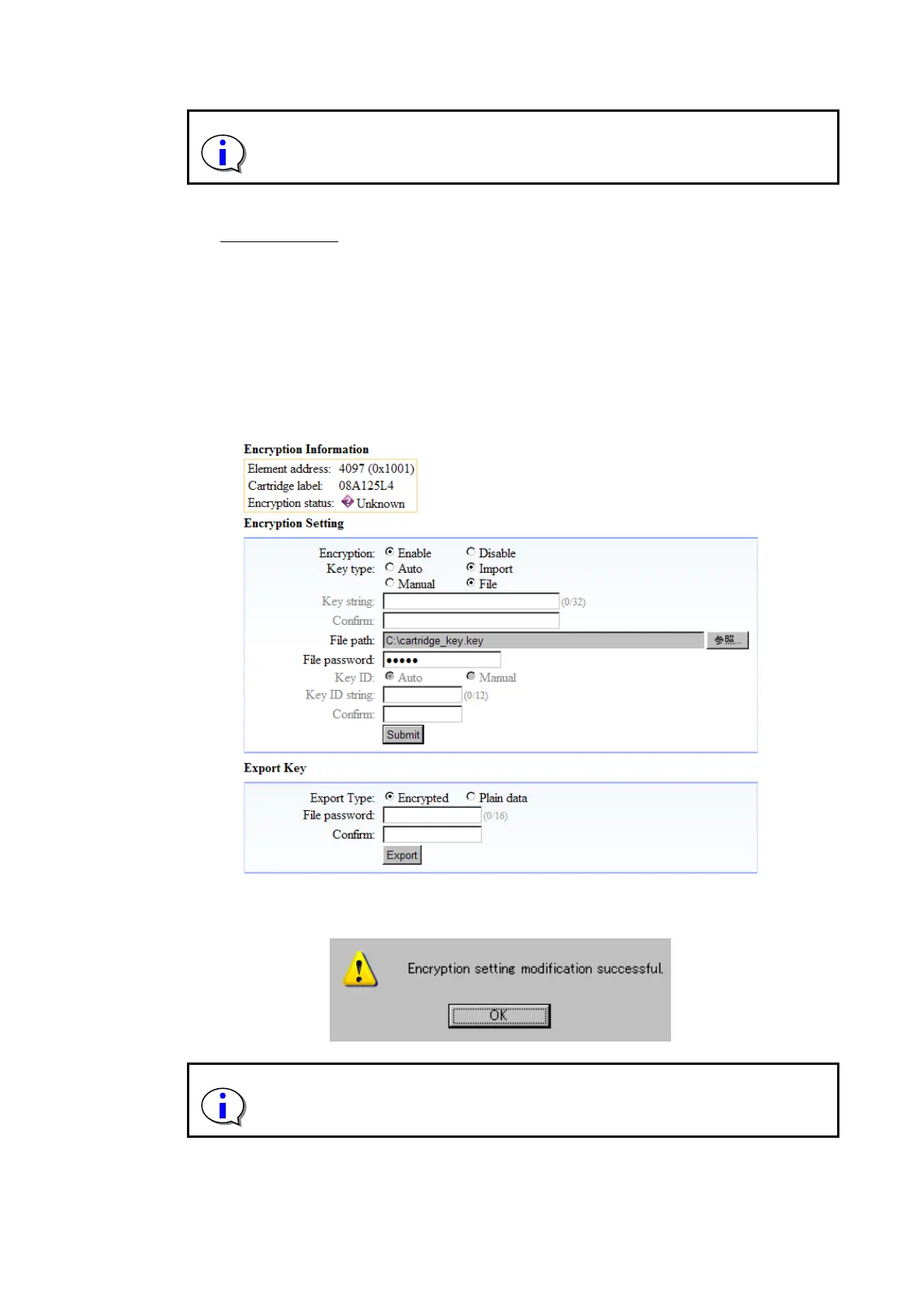
2. Inputting the encryption key file
Select “Import” and “File” for “Key Type”, input values for “File Path” and “Password”, and
then click “Submit”.
(No password is required when importing a file that was exported in plain text.)
Figure 6-12 file inputting of the encryption key
When you click “Submit”, the message below should appear. Click “Yes”.
The “Password” used for importing is the one you specified when exporting the
encryption key. Note that the encryption key cannot be imported if this password
is unknown.



 To Next Page