-115-
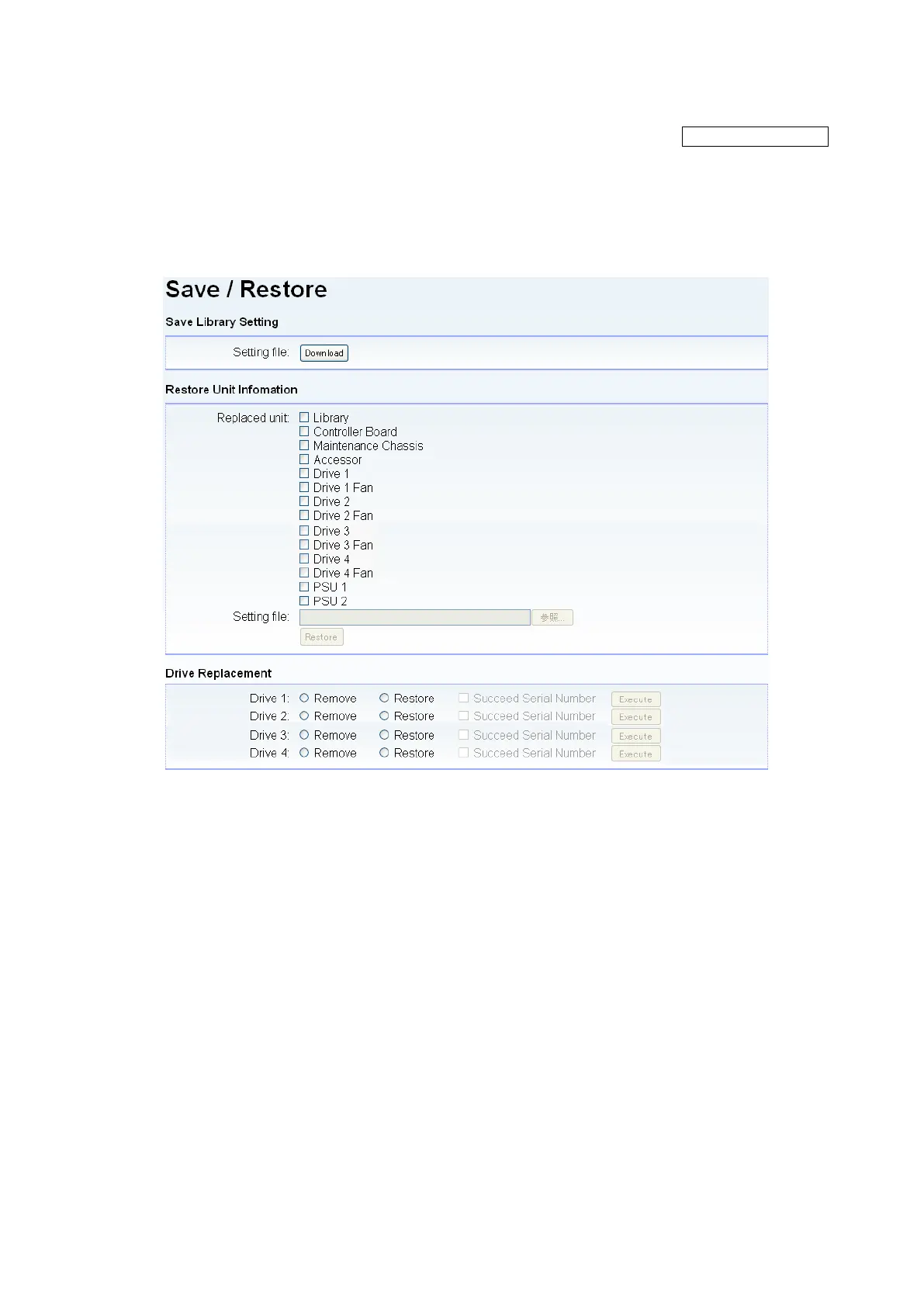
5.6.5.11 Saving the File Setting / Restore Screen (Save and Restore)
[Configure Library] - [Save and Restore] Service/Administrator
[Function]
This window is used to save a present setting calue and restore the saved set value.
The setting of the device can be succeeded by restoring the data saved when the maintenance chassis
are exchanged to a new maintenance chassis.
[Information]
Figure 5-31 Save/Restore
1. Download button
Save a present set value of the library.
2. Restore target
Select the restore target.
3. Refer button
Select the setting file.
4. Restore button
Restore the selected file.



 To Next Page