-132-
2. Entering the master key file
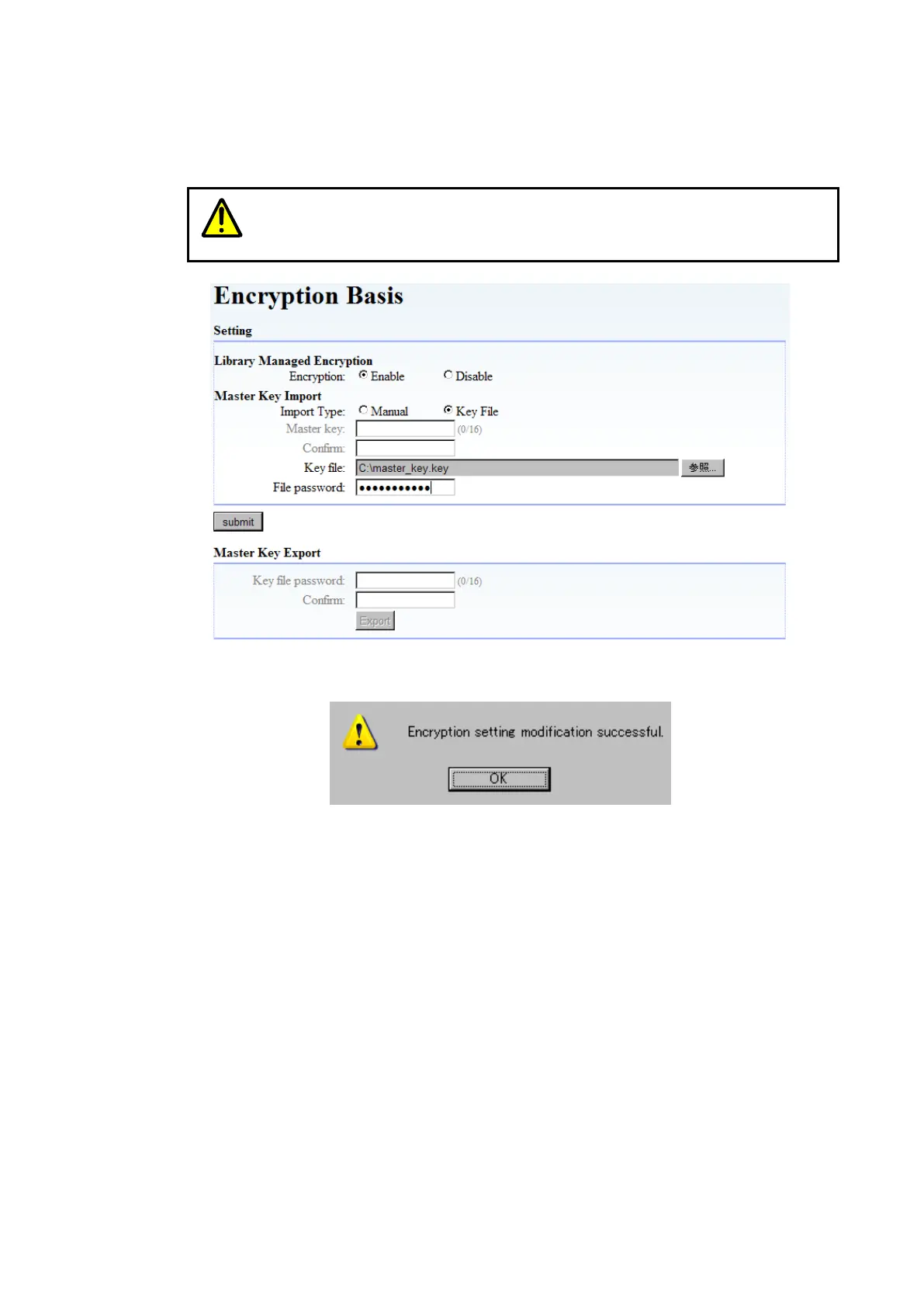
Select [Master Key Import] of [Encryption Basis], and then select “Key File” for Import Type.
Next, enter the master key file and password, and then click “Submit”.
Use the password you entered when exporting the master key.
Be careful because the master key cannot be imported if you forget that
password.
Figure 6-6 File Input of Master key
When you click “Submit”, the message below should appear. Click “Yes”.
After rebooting the device automatically, the master key becomes effective.
3. Checking master key registration
After rebooting the Library, you can make sure that the master key is registered by selecting
[Master Key Import] of [Encryption Basis], and then making sure that Master Key Import shows
“Master Key was registered”.



 To Next Page