-169-
10.1.2 Restoring Maintenance Information
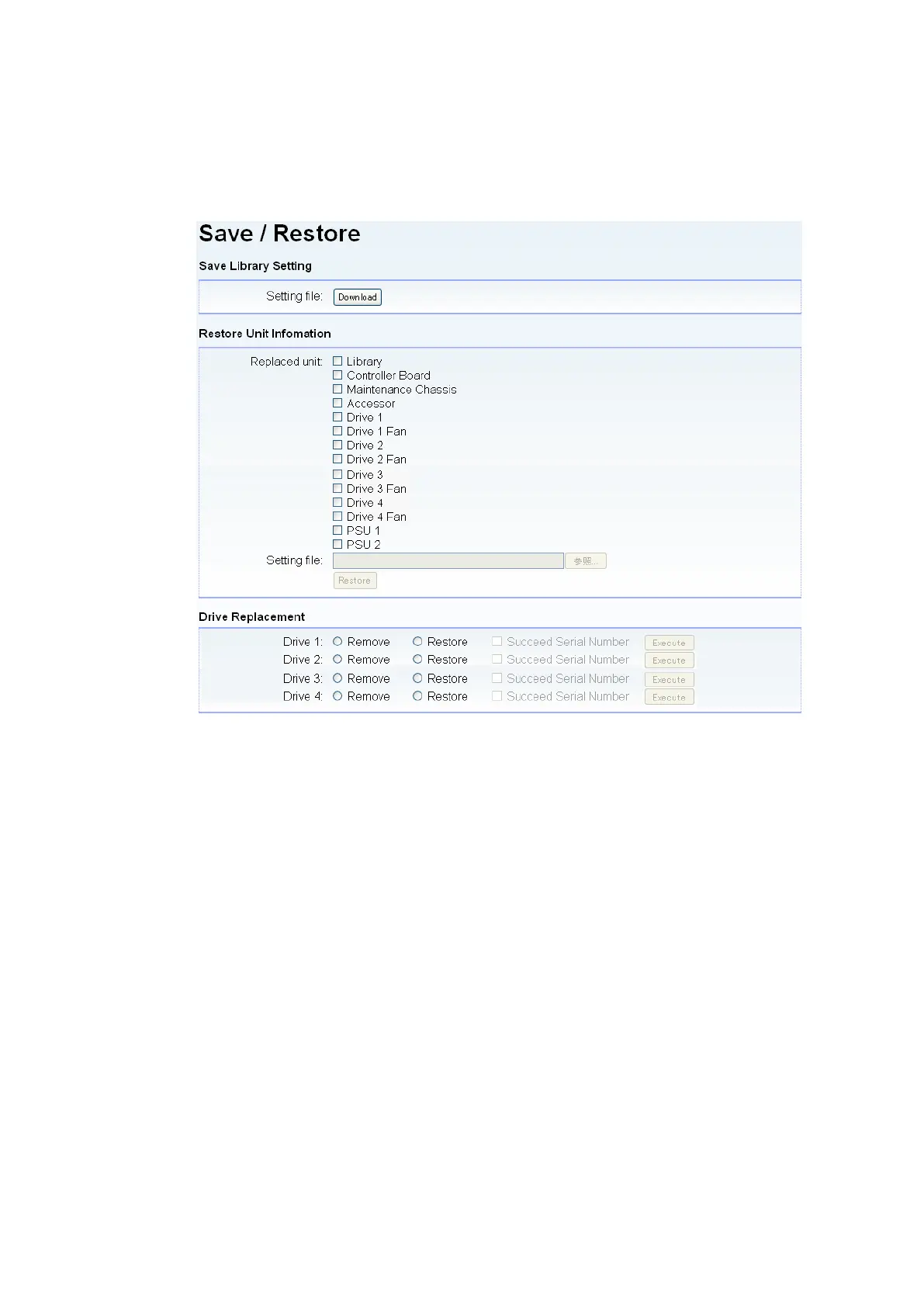
1. Log into the remote management interface as a user with service authority.
(Account name: service, password: ser001)
2. Click the [Save/Restore] menu and click the [Restore] button.
Figure 10-2 Save/Restore Window
3. Choose the replaced unit by a check box.
4. Specify the maintenance information file saved in "10.1.1 Saving Maintenance Information."
5. Exit the browser and turn on power to the library again.
The library maintenance information is now the same as the information used before library
replacement.



 To Next Page