-107-
5.6.5.5 Date and Time setup window (Date and Time)
[Configure Library] - [Date and Time] Service/Administrator
[Function]
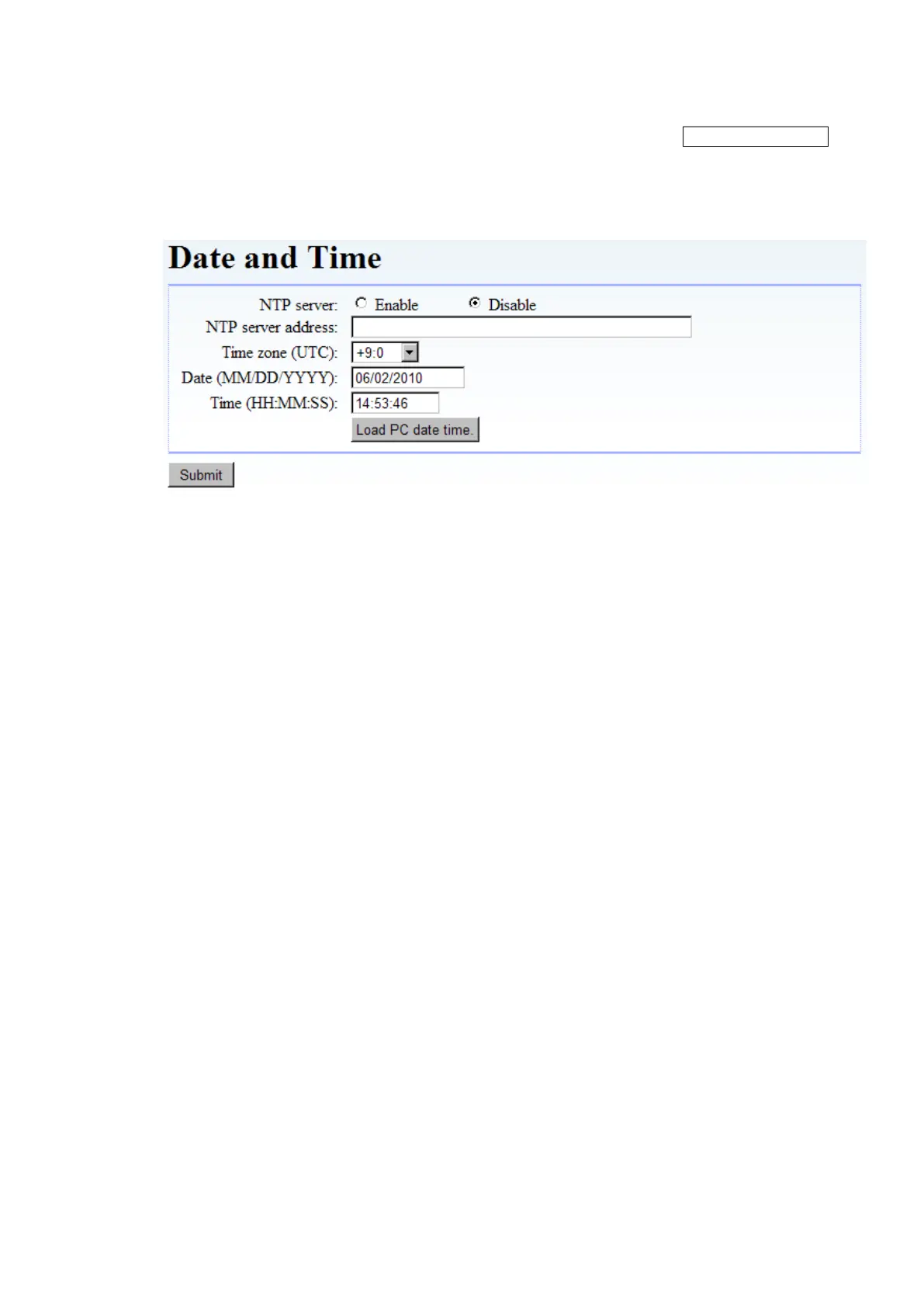
This window is used to set the Library's calendar/clock function.
[Information]
Figure 5-23 Date and Time setup
1. NTP server
This sets time updating from the Time Server (NTP server) as enabled or disabled.
Enable: Time information is retrieved from the NTP server.
Disable: Time information is not retrieved from the NTP server.
2. NTP server address
Specify the NTP server's address here.
3. Time Zone(GMT)
Select the local time zone from the drop-down list. (GMT -12:00 to GMT +13:00)
For example, Japan time is +09:00
4. Date(MM/DD/YYYY)
This sets the current date in MM/DD/YYYY format.
5. Time(HH:MM:SS)
This sets the current time in HH:MM:SS (24-hour display) format.
6. Load PC date time button
The time set to PC is loaded.
7. Submit button
This button is used to confirm settings.



 To Next Page