-71-
4.7.2 Removing from the drive
This operation should be performed only during emergencies, such as when the
operation cannot be controlled from a host device.
The following describes the steps for moving a cartridge from the drive.
In this example, the cartridge in drive 1 will be removed into the slot1.
1) [Login]. See Section 4.3Login for detail.
2) If the library is in online state, set it to offline. See Section 4.5.4Switching between ONLINE
and OFFLINE for details.
Select [Unload] from [Commands] to eject a cartridge from the drive.
If you select [Unload], you are prompted to select the drive to unload. Specify the relevant
drive and execute the command. When [Unload] is executed, the cartridge moves to the drive
bay.
3) Select [Move Cartridge] from [Commands].
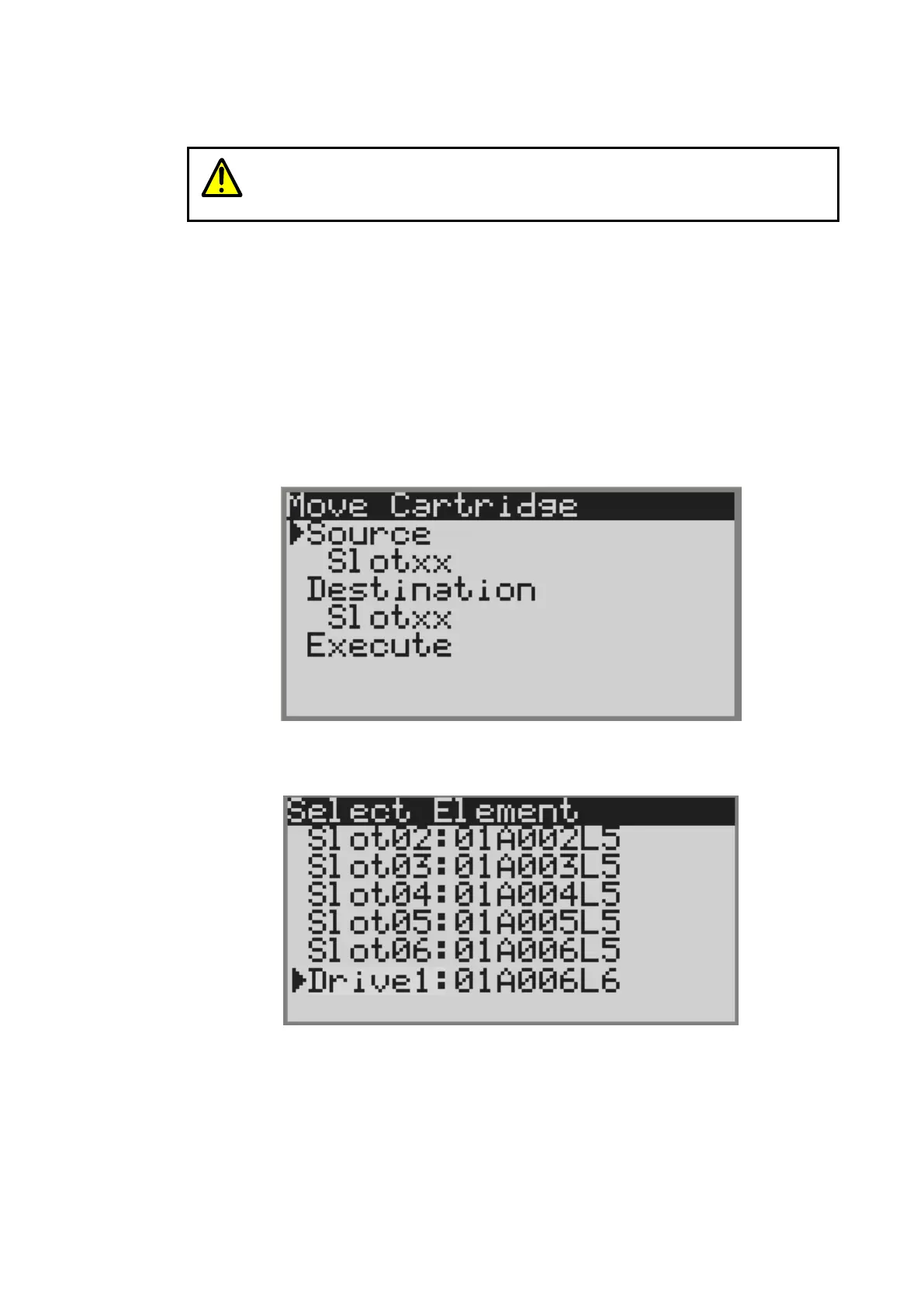
4) The screen to specify the Source and Destination is displayed.
Figure 4-14 Move Cartridge
5) Select [slotxx] under [Source], and the slot where the cartridge is stored is displayed.
In this example, select Drive1.
Figure 4-15 Select source screen



 To Next Page