-105-
5.6.5.4 Network setup window (Network)
[Configure Library] - [Network] Service/Administrator
[Function]
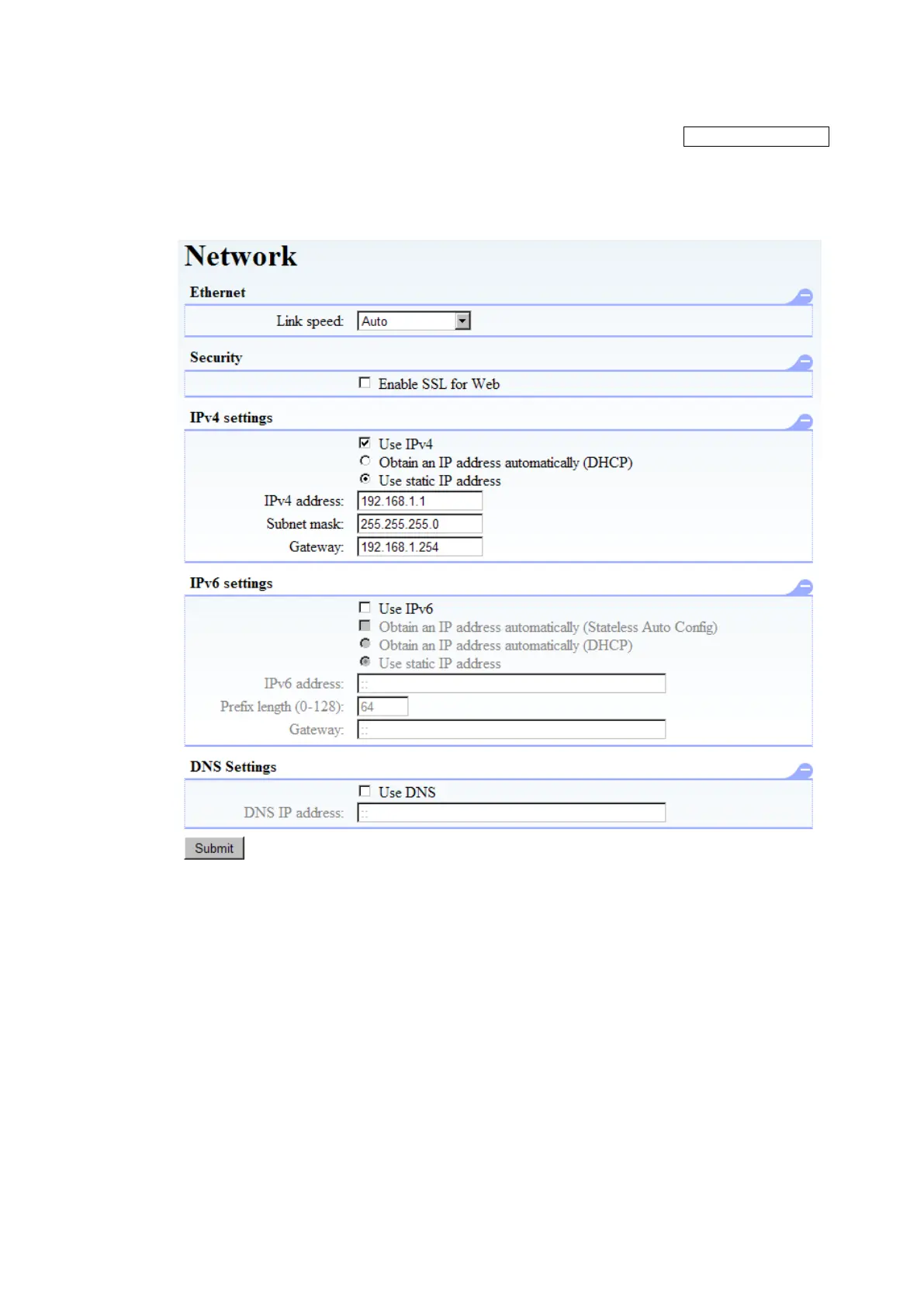
This window is used to set up network connections.
[Information]
Figure 5-22 Network setup
1. Ethernet setting
Link Speed: The network's link speed can be set as “Auto”, ”10Base-T Full”, “10Base-T Half”,
“100Base-TX Full”, “100Base-TX Half”, “1000Base-T Full”,or “1000Base-T
Half”.
2. Security setting
When "Enable SSL for Web" is checked, SSL is used between the Library and the Applet to set
encrypted communications.
3. IPv4 Settings
When "Use IPv4" is checked, the IPv4 protocol is used for communications.
Obtain an IP address automatically(DHCP):
The IPv4 address, subnet mask, and gateway are retrieved from the DHCP server and set
automatically.
Use static IP address
The IPv4 address, subnet mask, and gateway are set manually.



 To Next Page