-10-
1.3.6 Drive Sled Ingicator
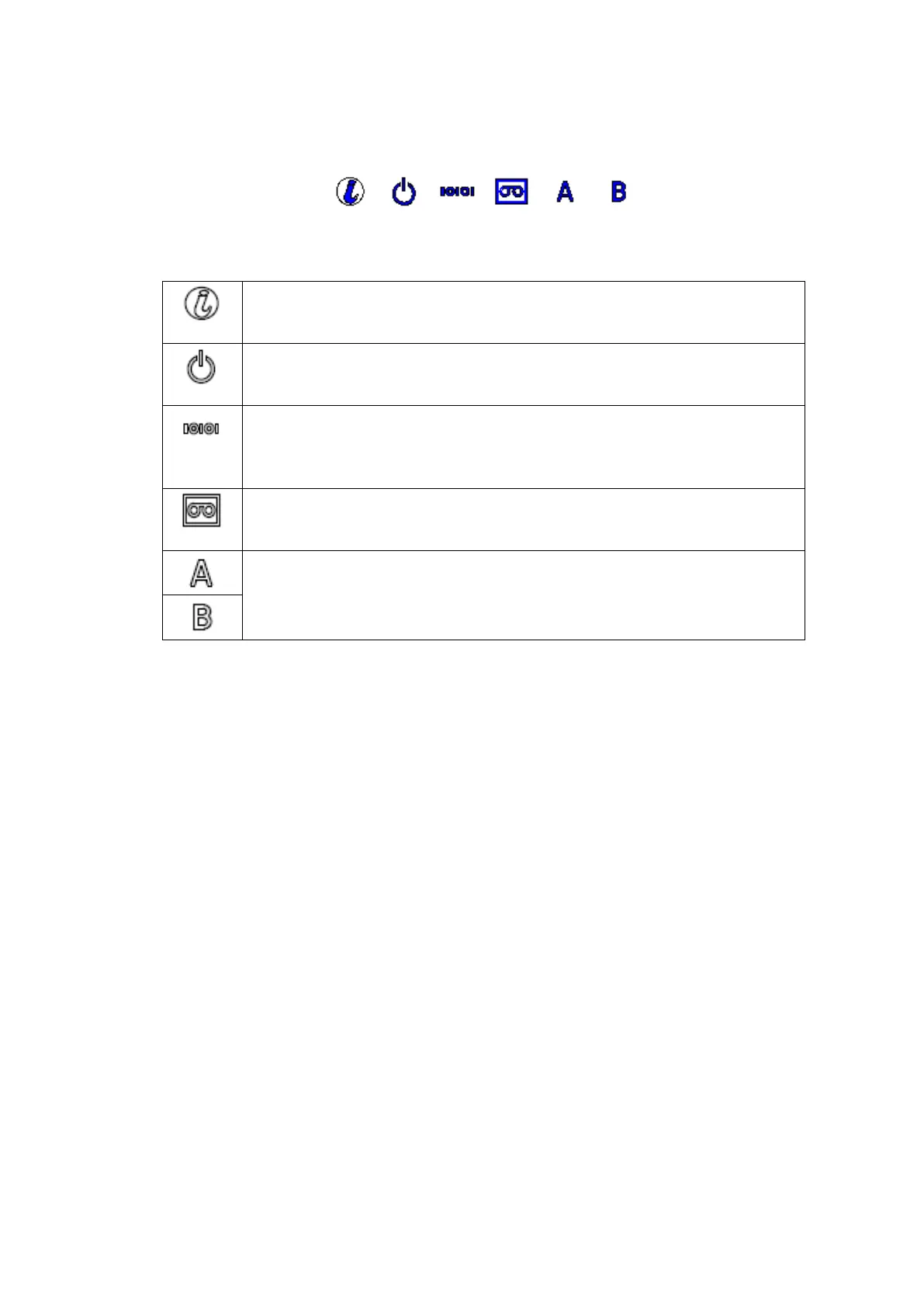
These indicate the states of the drive.
Table 1-5 Drive Sled ingicator
LED indicating the status and maintenance requirements
On :Maintenance request status.
Off :normal.
LED indicating the status of power supply
On :Power is supplied.
Off :Power is not supplied.
LED indicates the communication status to the library
On :Recognized from the library.
Blinking :Data transfer.
Off :Not recognized from the library.
LED indicating the status of the cartridge
On :Cartridge exist.
Off :No cartridge.
LED indicating the connection status with host.
On :Connected to the host.
Blinking :Data transfer or initializing state.
Off :Port closed or disconnected to the host.


 To Next Page