-90-
(3)Network
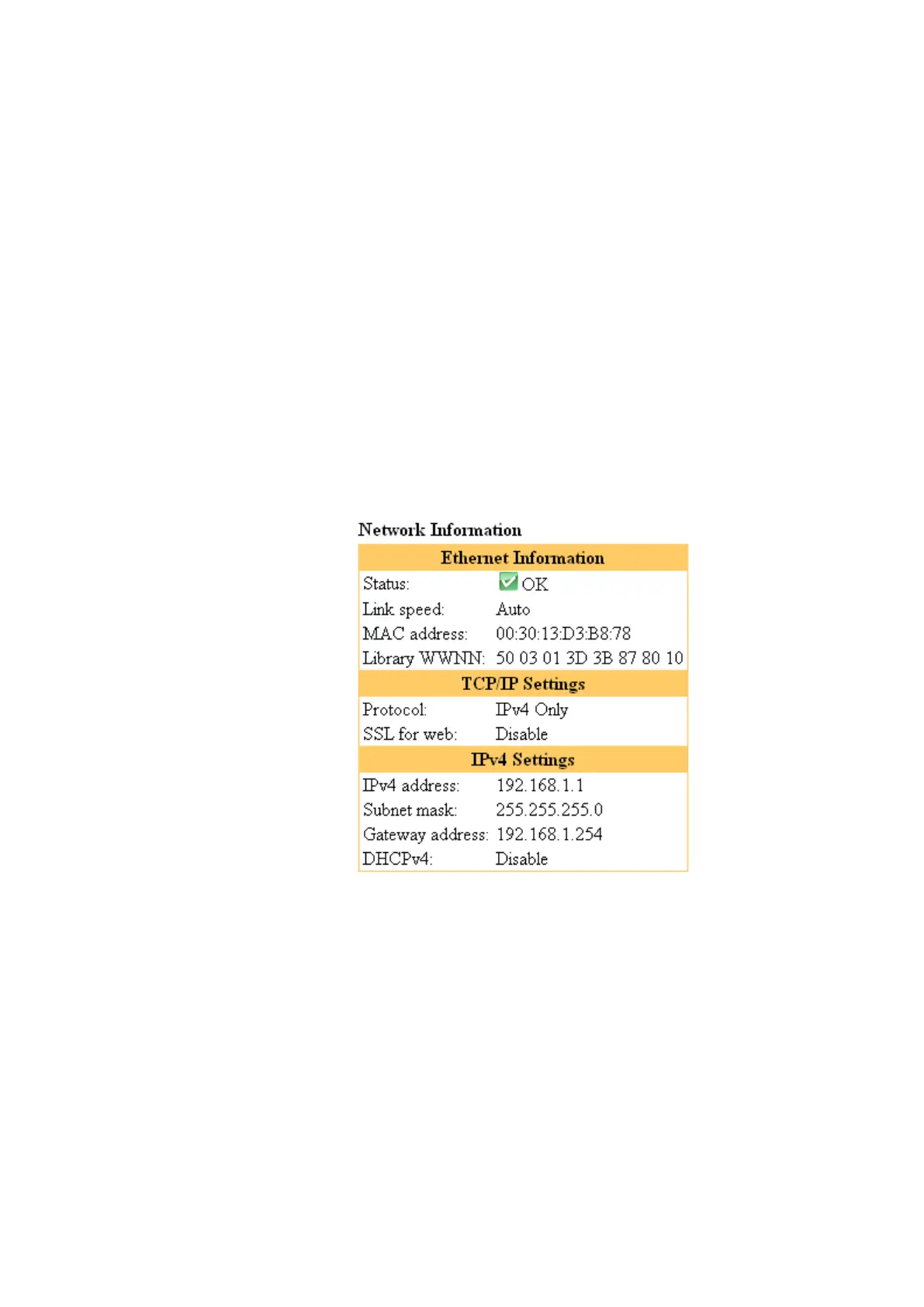
[Ethernet information]
This section shows detailed information about the Ethernet.
Status : Indicates the Ethernet's status.
Link Speed : Indicates the Ethernet link speed.
MAC address : Indicates the Library's MAC address.
Library WWNN : Indicates the Library's World Wide Node Name.
Protocol : Indicates the currently set protocol.
SSL for web : Indicates settings of the SSL for web.
IPv4 Settings
IPv4 address : Indicates the Library's IPv4 address.
Subnet mask : Indicates the IPv4's subnet mask.
Gateway Address : Indicates the IPv4's gateway address.
DCHPv4 : Indicates the DHCPv4's setup status. (Enabled, Disabled)
IPv6 Settings
IPv6 address : Indicates the Library's IPv6 address.
DHCPv6 : Indicates the DHCPv6's setup status. (Enabled, Disabled)
Stateless IPv6 Address: Indicates the current setting. (Enabled, Disabled)
Static IPv6 Address : Indicates the current setting. (Enabled, Disabled)
NTP server : Indicates the address of the NTP server used by the Library.
SNMP Trap : Indicates the recipient of SNMP trap notification.
E-mail address : Indicates the recipient of email notification.
Figure 5-9 Network information



 To Next Page