-92-
4. Details (Drive)
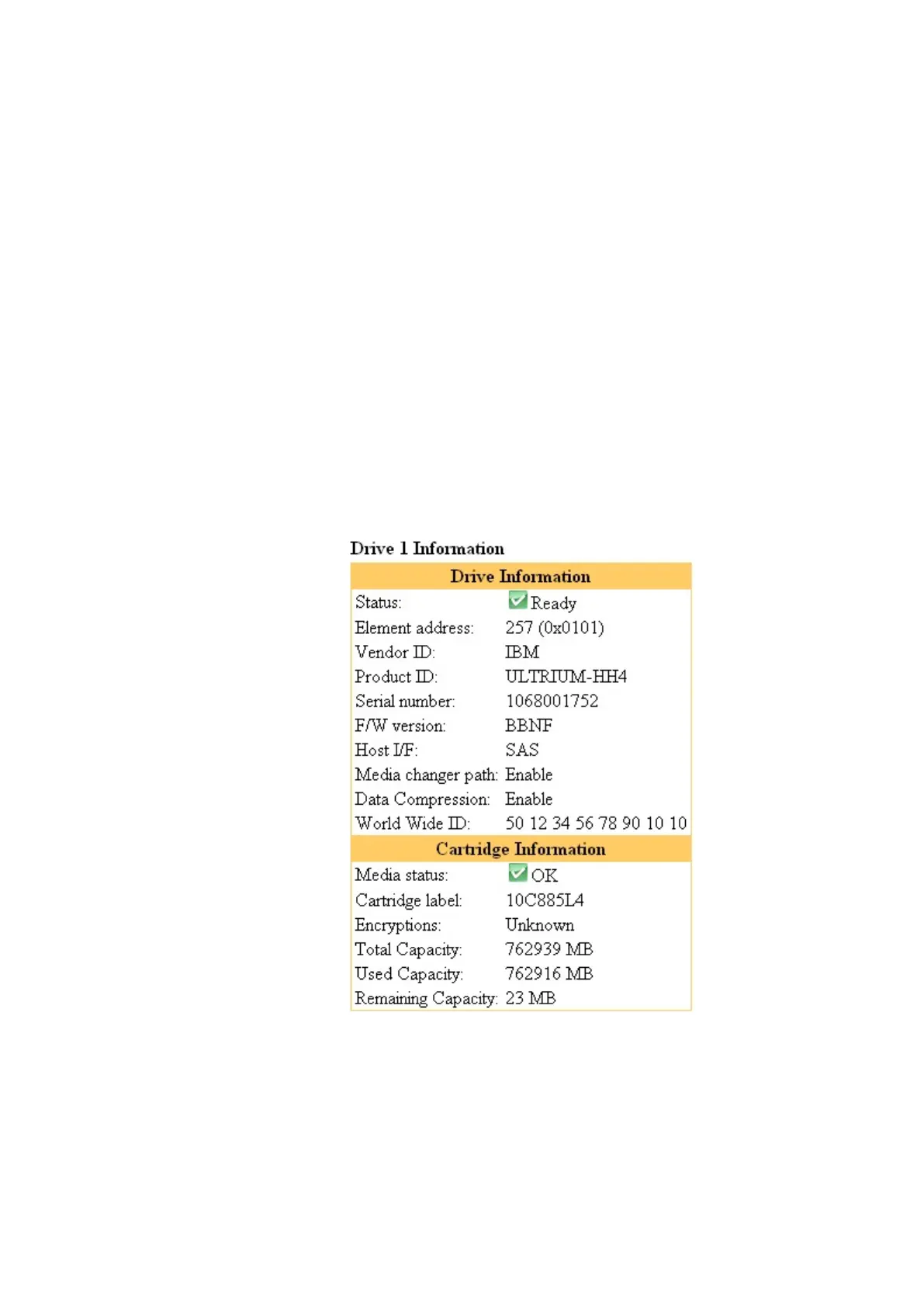
(1)Drive n information
This section shows drive information.
Status : Indicates the drive's status.
(Ready / Degraded / Failed / Drive FAN Error / Media Error / Cleaning Request)
Element Status:Indicates the drive’s element status.
Vendor ID : Indicates the LTO drive manufacturer
Product ID : Indicates the drive's product name.
Serial number: Indicates the drive's serial number.
F/W version : Indicates the drive's firmware version.
Host I/F :Indicates the I/F of the drive.(SAS / FC)
Media Changer path : Indicates the setting of media changer path.
World Wide ID: Indicates the drive's WWN.
(2)Cartridge Information
When there is a cartridge in the drive, the cartridge's detailed information is shown.
Cartridge label : Indicates the cartridge's bar code label.
If there is no bar code label, "unknown" is displayed.
Write Protect : Indicates the cartridge's write protection status.
Media Status : Indicates the cartridge's status. (OK, Expired, Bad Media, etc.)
Encryption : Indicates encryption setting.(Enable,Disable)
Total Capacity :Indicates the total capacity of tape cartridge.
Used Capacity :Indicates the used capacity of tape cartridge.
Remaining Capacity :Indicates the remaining capacity of tape cartridge.
Figure 5-11 Drive information



 To Next Page