-143-
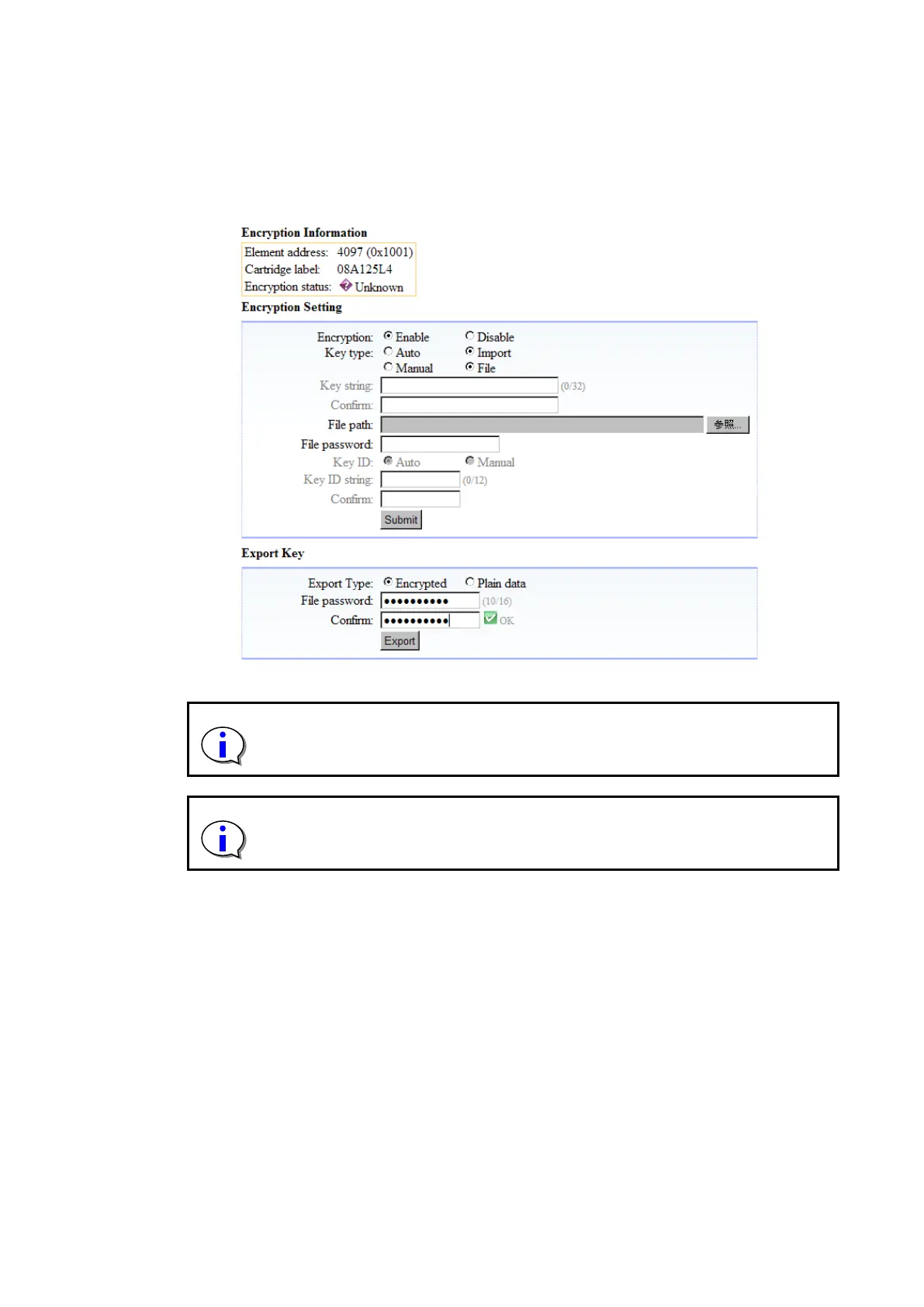
6.3.2.3 To export an encryption key
After selecting the exporting cartridge from Encryption Detail, the encryption key selects Export
Type.
When Encrypted is selected, it is possible to export by inputting the password and Confirm, and
pressing Export. (Export is pressed as it is for Plain data. )The password set at this time is needed at
import.
Figure 6-13 Export of the encryption key
An automatically generated encryption key is not generated until the tape media
is loaded into the drive. If you try to export the encryption key before it is
generated, an error occurs.
If you select “Plain Data” to export a file, the encryption key is displayed in text
format when the exported file is opened with a text editor. Therefore, take extra
care when outputting a file with “Plain Data” selected.



 To Next Page