-33-
4.1.2 Status Display screen
[Status Display screen] changes its display when no button operation is performed within certain
period of time on [Menu screen], or when Cancel button is pressed on [TopMenu] menu.
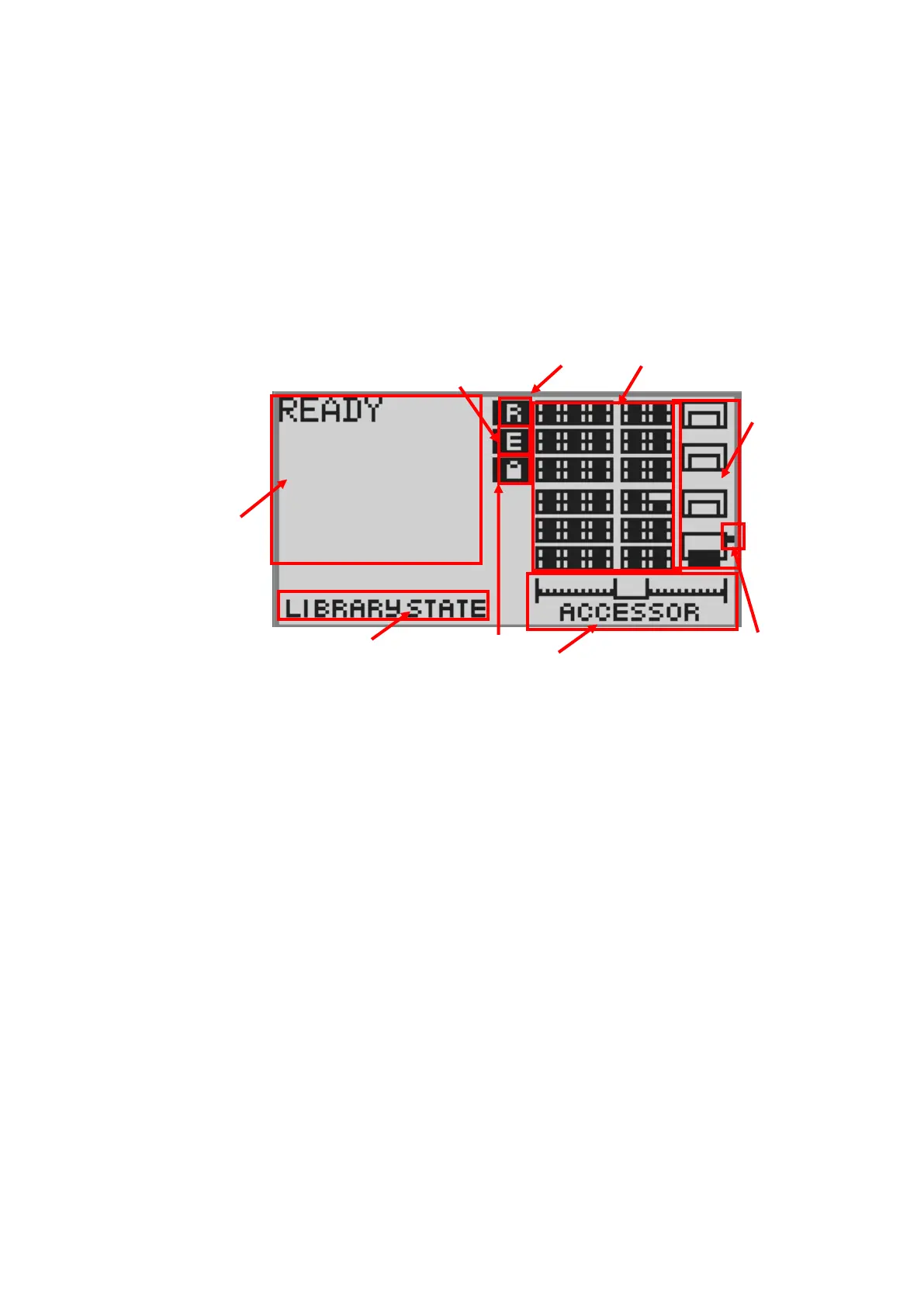
Shown below is the [Status Display screen]. The [Status Display screen] has the [Library State] that
displays a status of library and [Drive State] that displays a status of drive.
Each screen can be switched by pressing buttons other than Enter.
4.1.2.1 Library State
In this example, library state that installed four half-Height drives is displayed.
Figure 4-2 Component of Operator Panel
Library State is composed of the following.
1.Library status display
The following terms are used to indicate the status of the library.



 To Next Page