-120-
5.6.6.4 Firmware Refresh Screen (Firmware Update)
[Service Library] - [Firmware Update] Service/Administrator
[Function]
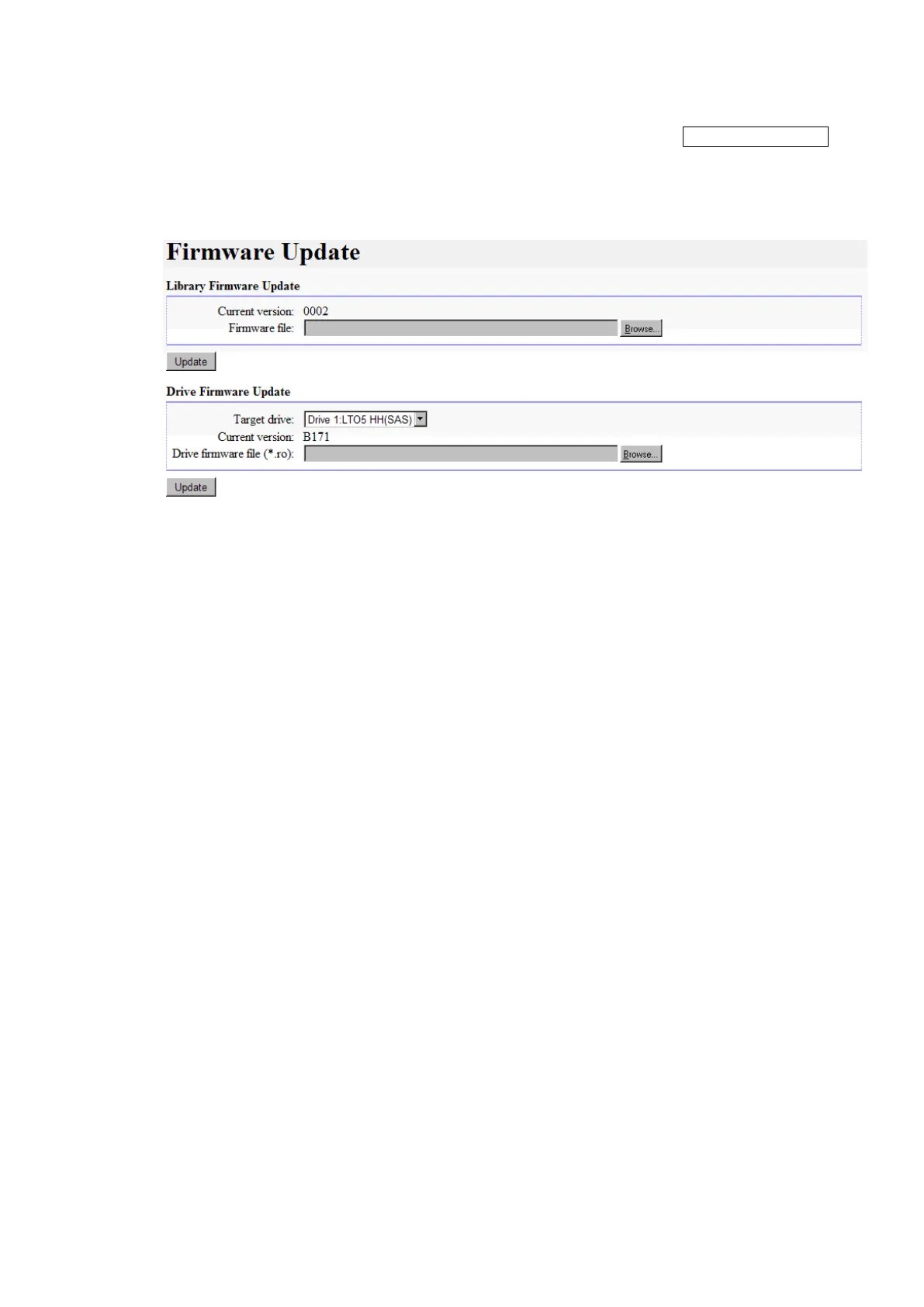
The firmware update of library or drive is done.
[Display contents]
Figure 5-35 Firmware Update
1. Library Firmware Update
Select "library firmware file".
The file designation is only possible by clicking the "Browse" Button.
2. Update button
Clicking "Update" Button will start the firmware update process.
3. Drive Firmware Update
Select the drive to update firmware.
Select "Drive firmware file".
The file designation is only possible by clicking the "Browse" Button.
4. Update button
Clicking "Update" Button will start the firmware update process.



 To Next Page