-168-
10.1 Saving and Restoring Maintenance Information
Some maintenance part replacement procedures may require maintenance information to be saved and
restored. These procedures are described below.
10.1.1 Saving Maintenance Information
1. Log into the remote management interface as a user with service authority.
(Account name: service, password: ser001)
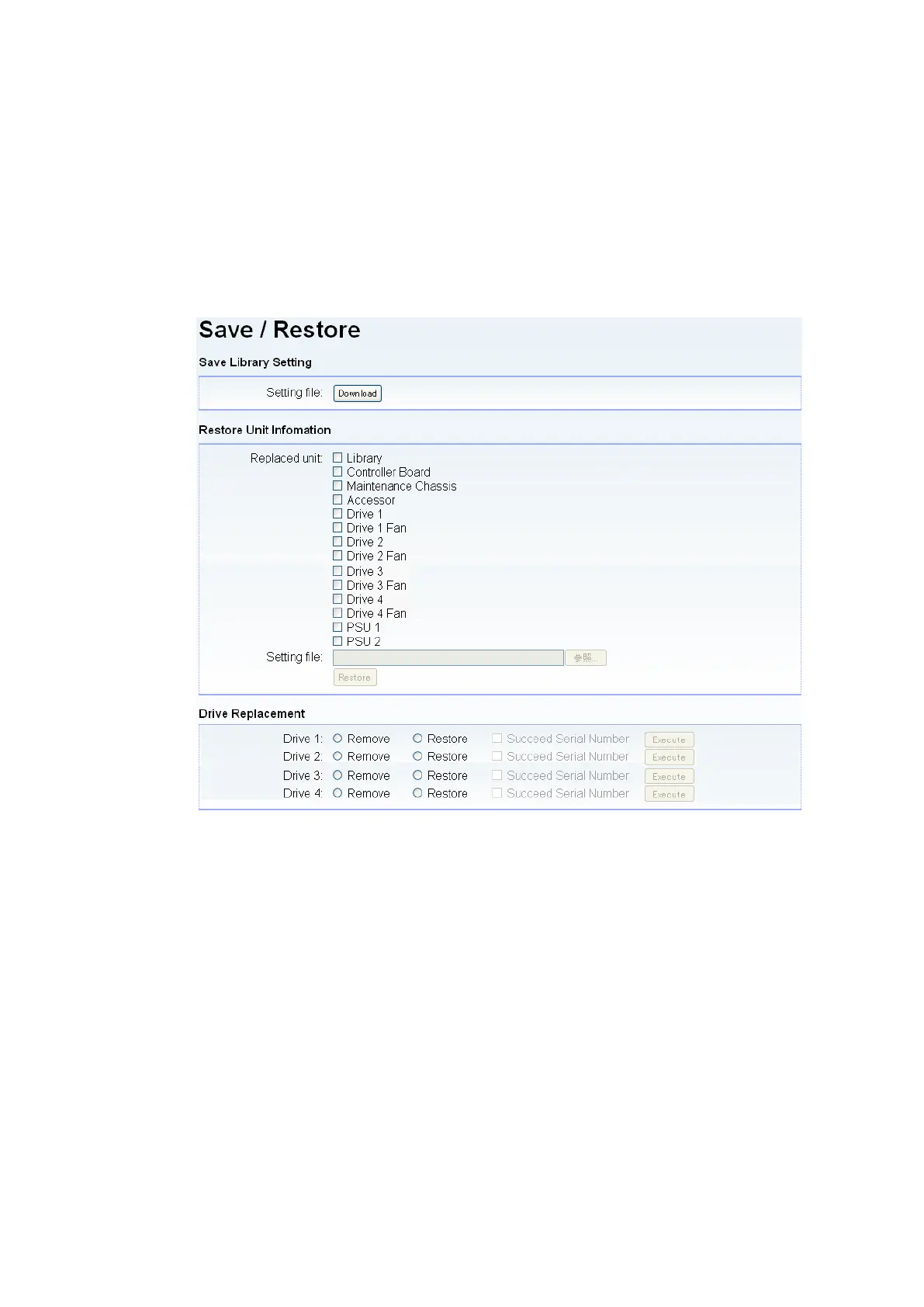
2. Click the [Save/Restore] menu and click the Download button.
Figure 10-1 Save/Restore Window
3. Specify the name of the folder and file for saving maintenance information.
4. Exit the browser.
This completes saving the library device maintenance information in the folder specified in step 3.



 To Next Page