-89-
(2)Library
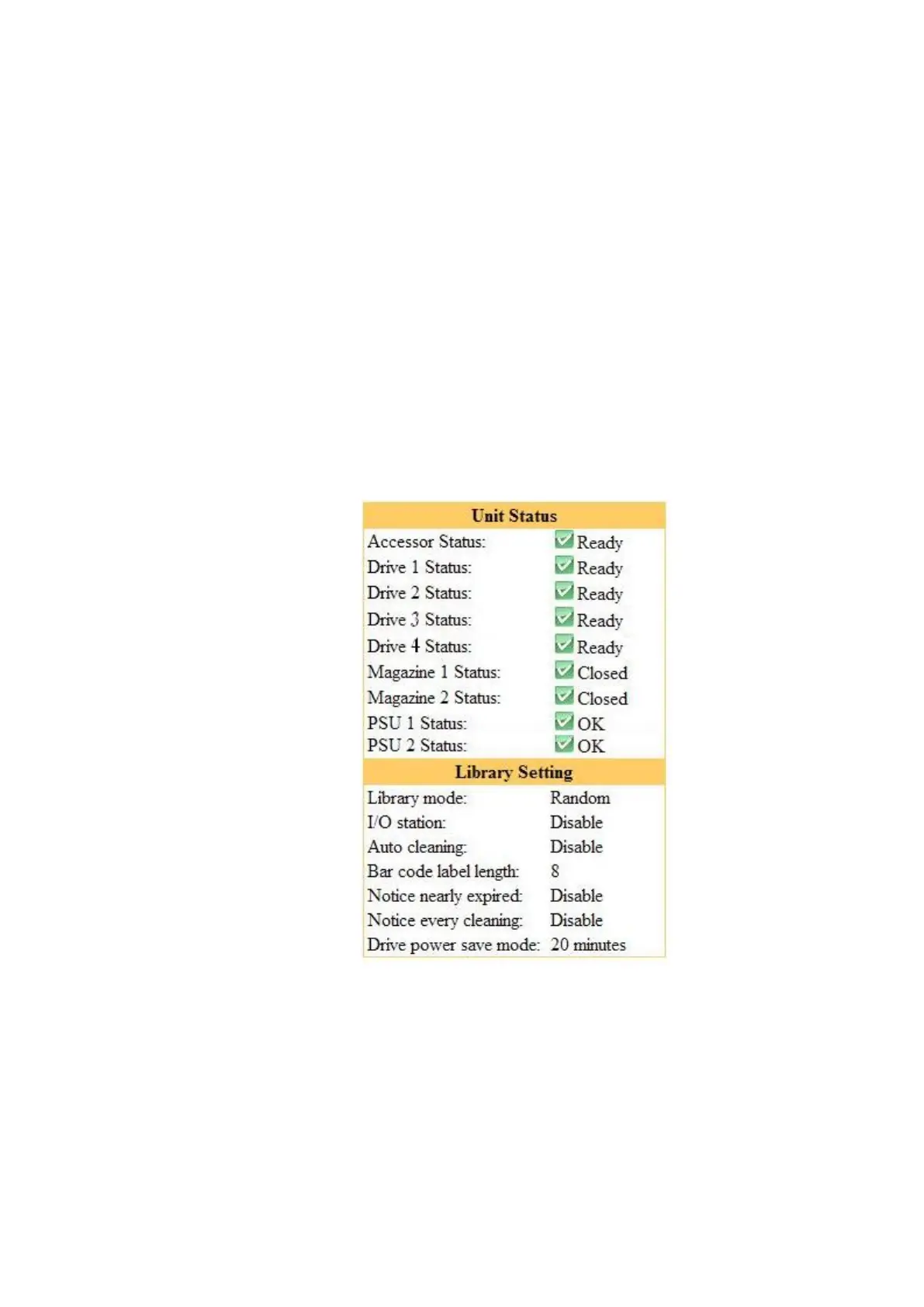
[Library information]
This section shows detailed information about the library.
Accessor Status : Indicates the Accessor's status.
(Ready,Degraded,Failed,Not Ready,etc)
Drive n status : Indicates the drive's status.
(Ready / Degraded / Failed / Drive FAN Error / Media Error / Cleaning Request)
Magazine n status : Indicates the magazine's status.
PSU n status :Indicates the PSU’s status.
Library mode : Indicates the Library's operation mode. (Random,etc)
I/O Station : Indicates the I/O Station's setup status. (Disable, Enable)
Auto cleaning : Indicates the auto cleaning settings. (Disable, Enable)
Bar code label length: Indicates settings of the bar code label lenghth.
Notice nearly expired : Indicates the setup of the Nearly Expired trap of a cleaning cartridge.
In Disable, a Nearly Expired trap is not notified.
In Enable, indicates the setup value.
Notice every cleaning: Indicates a setup of whether for it to remain for every cleaning
execution and to notify the trap of the number of times.
Drive power save mode: Indicates time for a drive to shift to energy-saving mode.
If there are no time and servo operation of a drive which are displayed,
it will shift to energy-saving mode.
Figure 5-8 Library information



 To Next Page