-108-
5.6.5.6 Event Notification setup window(SMTP)
[Configure Library]-[SMTP] Service/Administrator
[Function]
This window is used to set the destination to notify the Library information via email.
[Information]
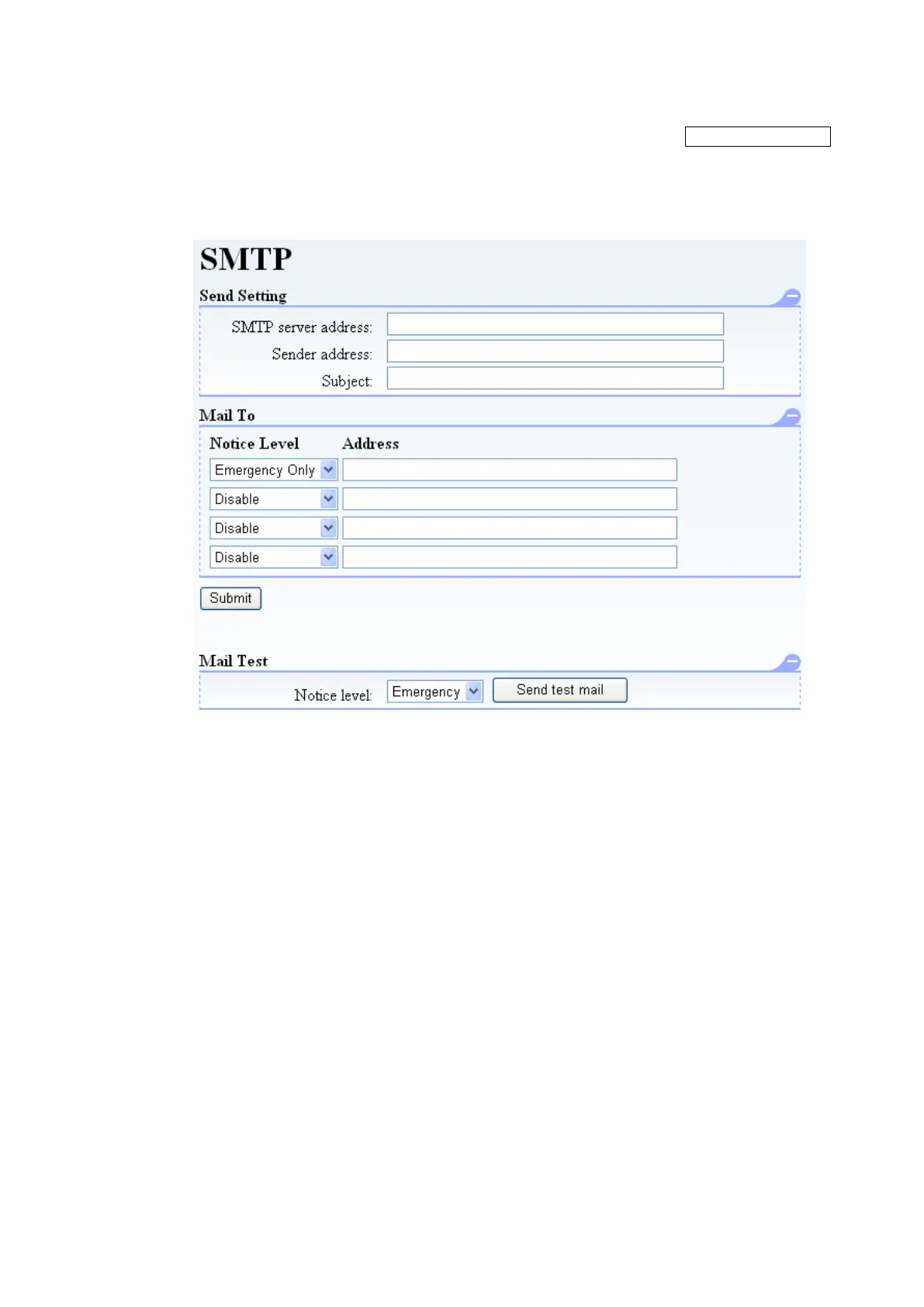
Figure 5-24 SMTP setup
1. Send Setting
SMTP server address: Specify the mail server's IP address or domain name.
Sender address:Specify this Library's email address.
Subject: Specify the subject of email sent from the Library.
2. Mail To
Specify the destination email addresses for Library information.
3. Notice Level
Select one type of event for email notification.
(Emergency Only / Over Error / Over Warning / Over Information / Disable)
If Emergency Only is chosen, only the event of Emergency is notified.If Over Error is chosen, the
event of Emergency /Error is notified. If Over Warning is chosen, the event of Emergency
/Error/Warning is notified. If Over Information is chosen, all the events are notified.
4. Submit button
This button is used to confirm each setting.
5. Test button
Click this button to send test email to a registered "Mail to:" address to confirm email notification.



 To Next Page