-175-
10.7 Replacing the Operator Panel PKG
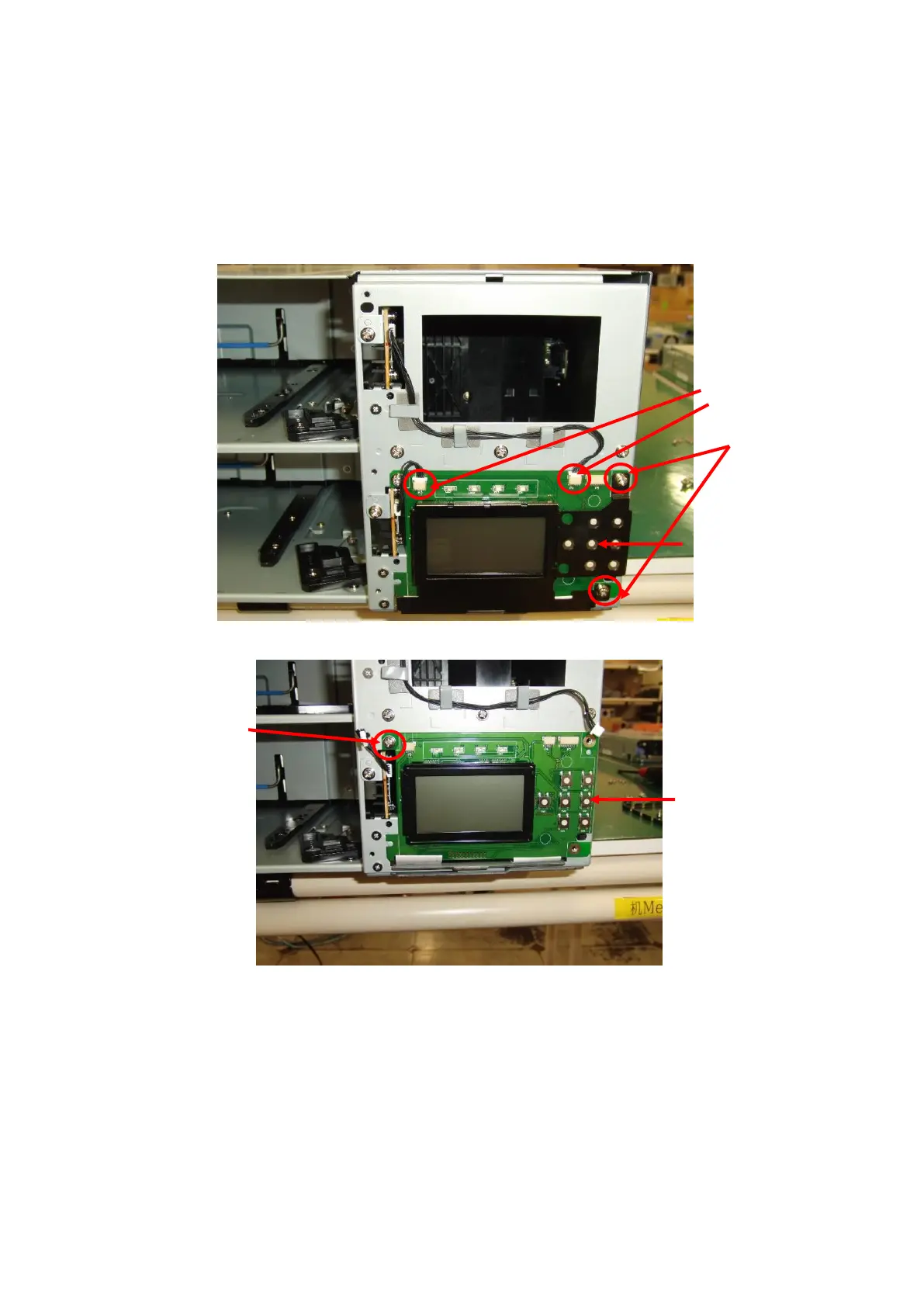
1. Remove bezel R, referring to "10.14Replacing the Front bezel R".
2. Remove the cables from the operator panel PKG connectors.
The figure below shows T60A. For T30A, remove only the left cable.
No cable is connected to the right connector.
Remove the two screws shown below and demount the LCD cover frame.
3. Remove the screw shown below and demount the operator panel PKG.



 To Next Page