-133-
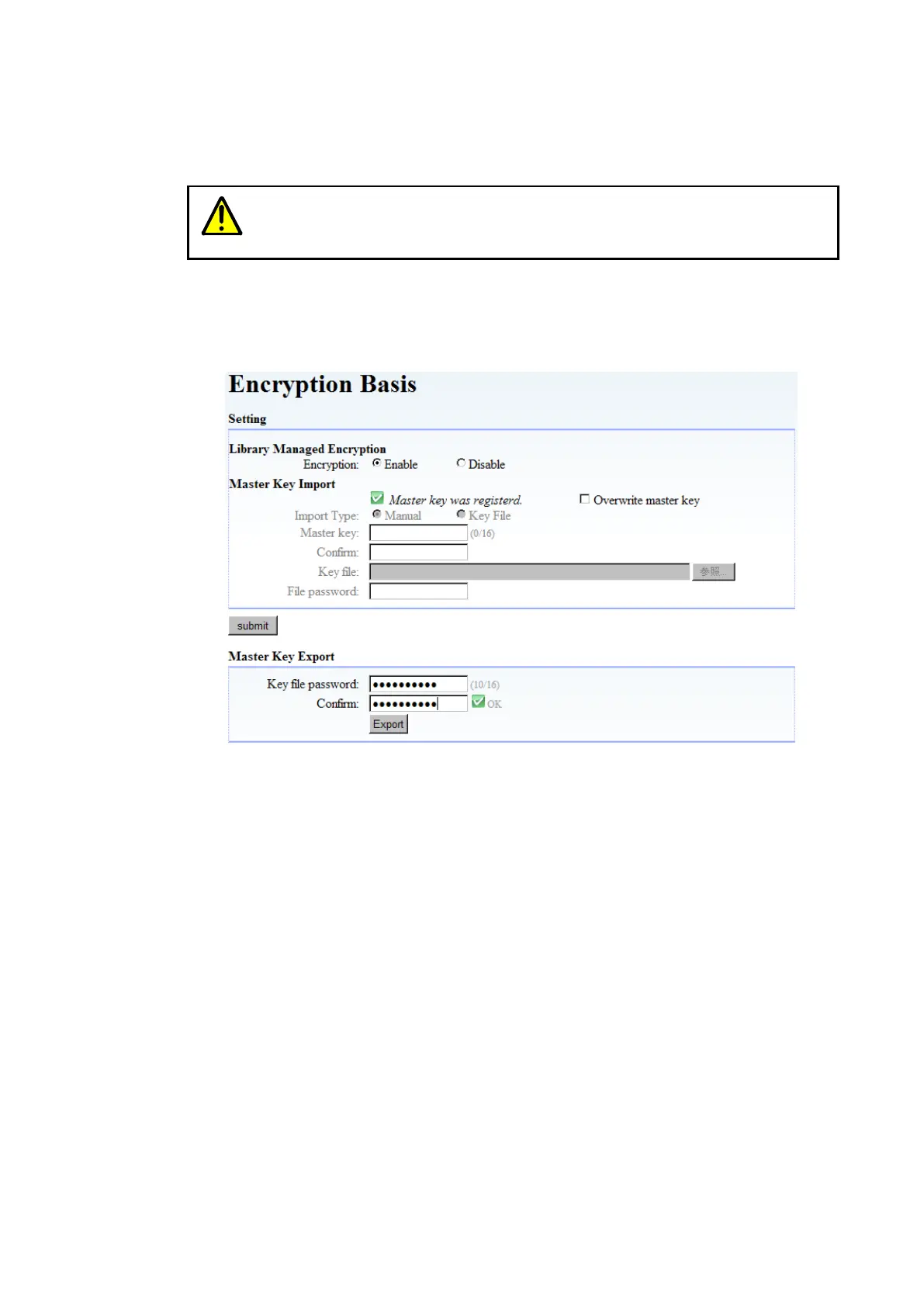
6.2.1.5 Exporting (backing up) the master key
It is recommended to export and save (back up) the master key in a file after setting it so that you
can use it in the case of a device failure or other problem.
Note that it might become impossible to decrypt encrypted data if the master key
is lost.
You can share tape medium by importing the exported master key to other Libraries. For details
about how to share medium using the master key, see section 6.2.3.1.
When you click “Export”, the dialog box below appears. Specify the file to which you want to
export the master key, enter the password for the master key, and then click “Export”.
Figure 6-7 Export of Master key



 To Next Page