-180-
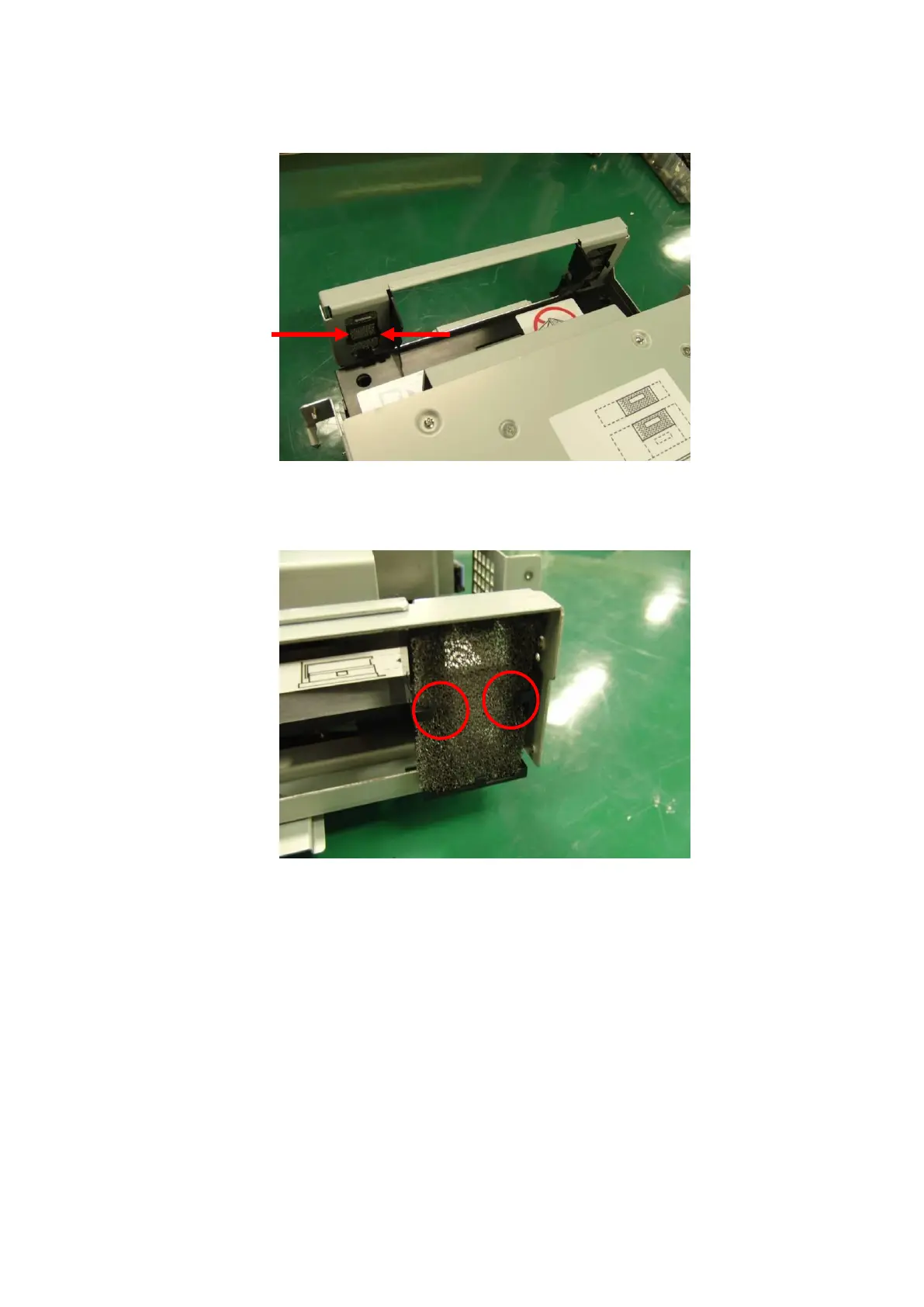
5. Pull the air filter forward while pinching and releasing the right and left claws anchoring the air
filter.
6. Mount the new air filter. When mounting the new filter, be careful about its orientation. When
inserting it, push the sections circled in red below on the other sides of the claws with your finger
to confirm that the claws have completely latched onto the sheet metal hole edges.
7. Insert the removed bezel and temporarily fasten the four screws removed in step 4.
8. Tighten the upper-right screw while strongly pushing the bezel against the sheet metal. Then,
tighten the remaining screws in the order of upper-left, lower-left, and lower-right.
9. Push the I/O station until it is locked.
10. Insert the front magazine into the library. This completes replacement.



 To Next Page