HOTSPOT GATEWAY
122 System Administration
See also:
z “Adding a RADIUS Service Profile” on page 122
z “Adding a Realm Routing Policy” on page 125
Adding a RADIUS Service Profile
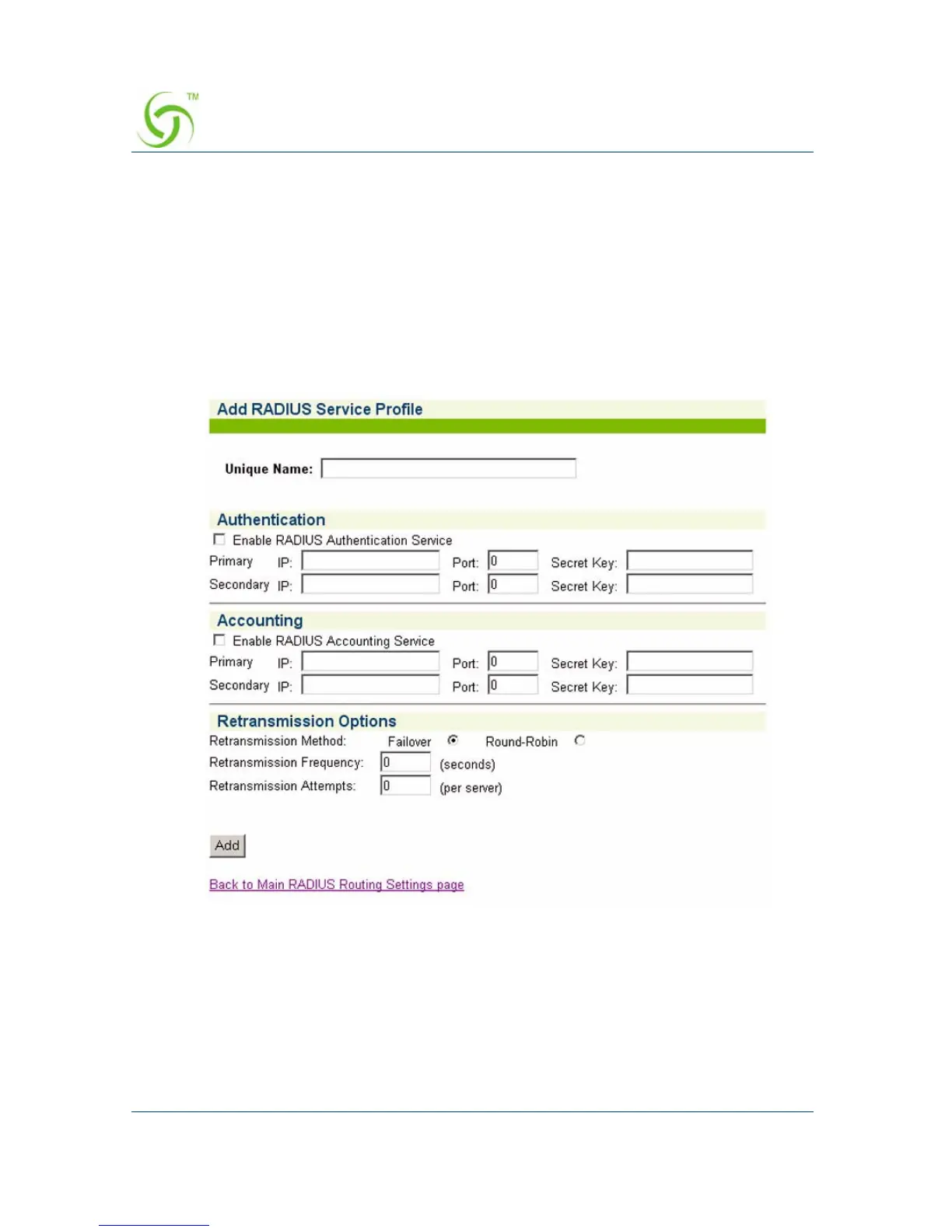
1. To add a RADIUS Service Profile, click on the appropriate Add button. The Add
RADIUS Service Profile screen appears:
2. Enter a name of your choice for this service profile in the Unique Name field.



 To Next Page