HOTSPOT GATEWAY
106 System Administration
Enabling the Meeting Room Scheduler {Meeting Room Scheduler}
The MRS allows hotel desk clerks to schedule and reserve conference rooms on
behalf of their hotel guests and generate the necessary invoices in advance. Hotel desk
clerks can now effectively schedule meetings and collect payments directly.
1. From the Web Management Interface, click on Configuration, then Meeting
Room Scheduler.
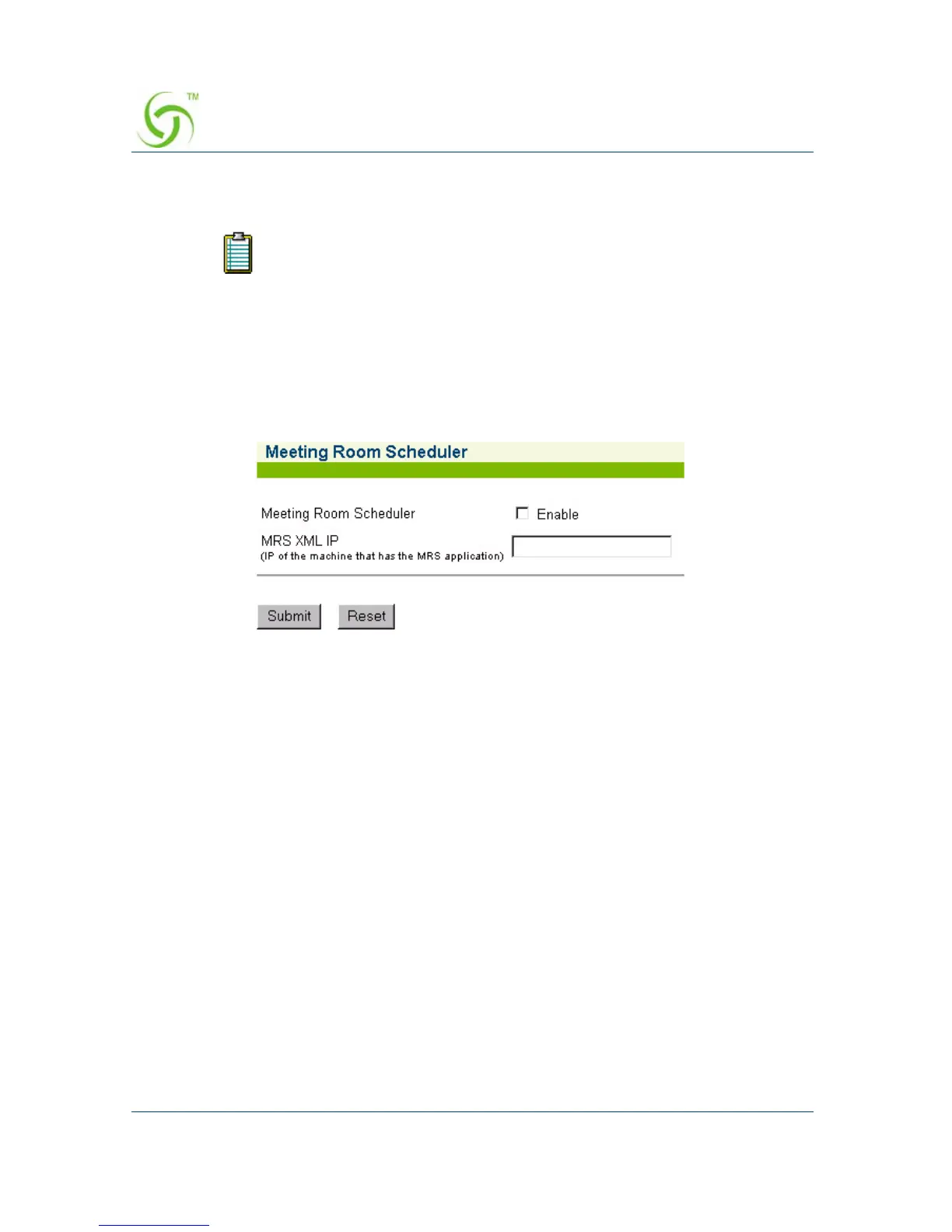
The Meeting Room Scheduler screen appears:
2. Click on the check box for Meeting Room Scheduler to enable this feature.
3. In the MRS XML IP field, enter the IP address of the machine that will process
XML commands for the Meeting Room Scheduler (MRS) application.
4. Click on the Submit button to save your changes, or click on the Reset button if
you want to reset all the values to their previous state.
For detailed information about installing, configuring, and using the
NOMADIX™ Meeting Room Scheduler application, refer to the following
documentation:
z Meeting Room Scheduler User’s Guide (P/N 200-1007-001)
5. Click on the Submit button to save your changes, or click on the Reset button if
you want to reset all the values to their previous state.
The Meeting Room Scheduler is an optional standalone application
delivered on CD-ROM.



 To Next Page