HOTSPOT GATEWAY
192 System Administration
Assigning Banners
11. From the Subscriber Console (Information and Control Console - ICC) Setup
screen, click on the
Configure Banners link.
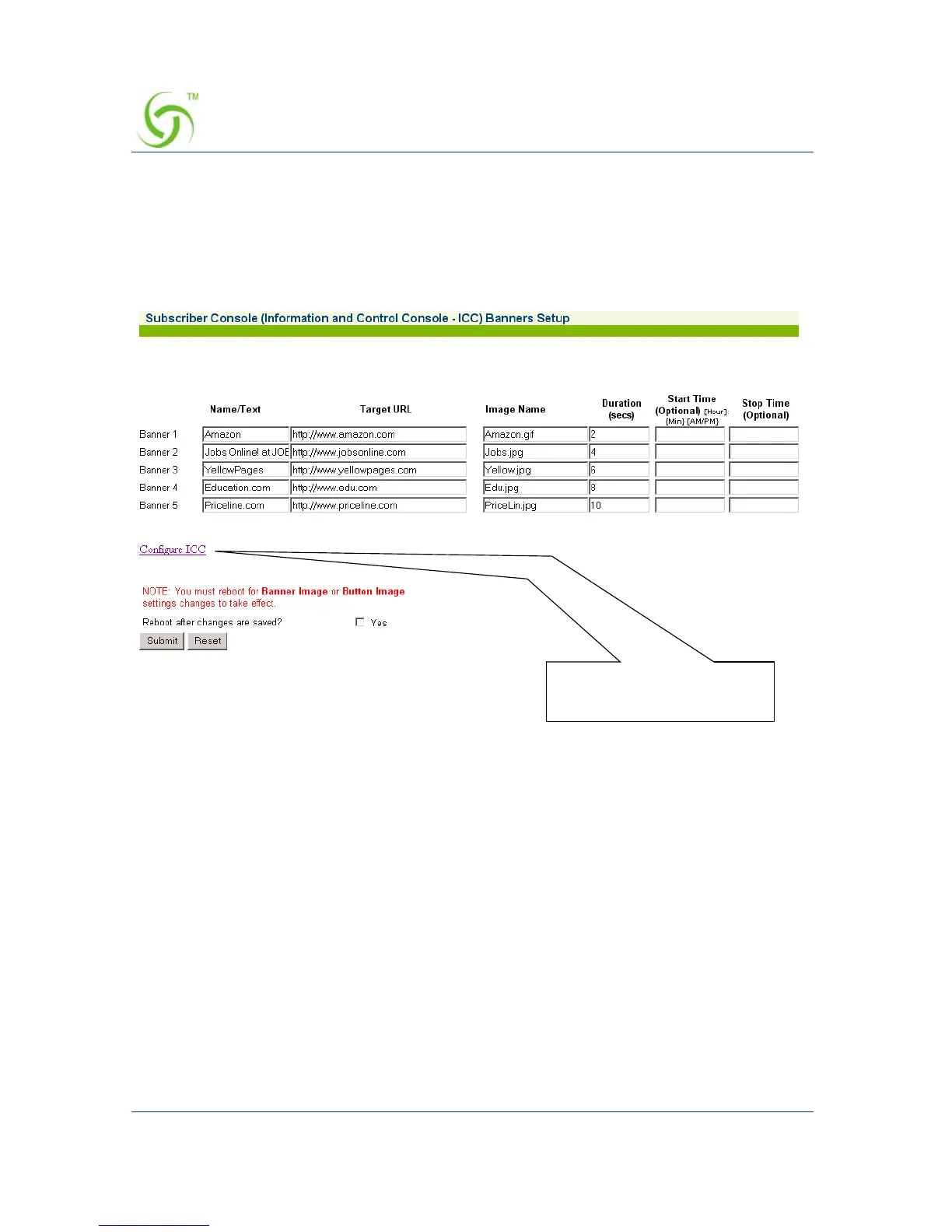
The Subscriber Console (Information and Control Console - ICC) Banners Setup
screen appears:
You can display up to 5 banners, but they must be defined here. Banners require
all the same parameters that “buttons” use (see “Assigning Buttons” on
page 191), with the addition of 3 (three) more. These are:
z Duration – Defines how long the banner is displayed in the ICC.
z Start Time – This is an optional parameter that you set if you want to assign a
“start” time (for when the banner is displayed).
z Stop Time – This is an optional parameter that you set if you want to assign a
“stop” time (for when the displayed banner closes).
When assigning images and times for banners, refer to: “Pixel Sizes” on page 194
and “Time Formats” on page 194.
Click here to return to the
previous screen



 To Next Page