HOTSPOT GATEWAY
System Administration 135
Setting Up URL Filtering {URL Filtering}
The HSG can restrict access to specified Web sites based on URLs defined by the
system administrator. URL filtering will block access to a list of sites and/or domains
entered by the administrator using the following three methods:
z Host IP address (for example, 1.2.3.4)
z Host DNS name (for example, www.yahoo.com)
z DNS domain name (for example, *.yahoo.com, meaning all sites under the
yahoo.com hierarchy, such as finance.yahoo.com, sports.yahoo.com, etc.).
The system administrator can dynamically add or remove specific IP addresses and
domain names to be filtered for each property.
1. From the Web Management Interface, click on Configuration, then URL
Filtering.
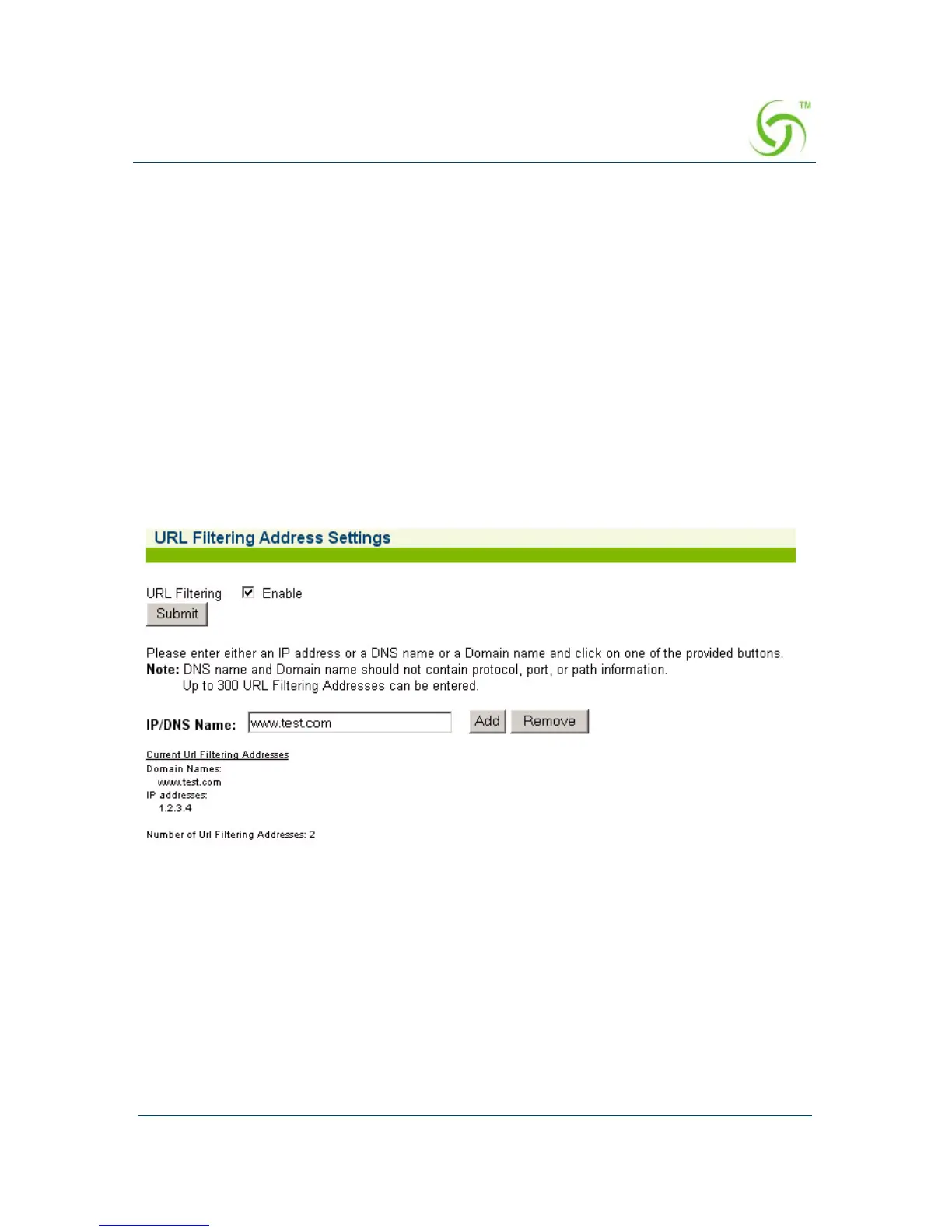
The URL Filtering Address Settings screen appears:
2. If you want to enable this feature, click on the check box for URL Filtering.
3. Click on the Submit button to save your setting.
4. If URL Filtering is enabled, you can add (or remove) up to 300 addresses in the
IP/DNS Name field. After entering the address you want to add, simply click on
the
Add button (the address will be added to the displayed list). Add or remove
addresses, as required.



 To Next Page