HOTSPOT GATEWAY
176 System Administration
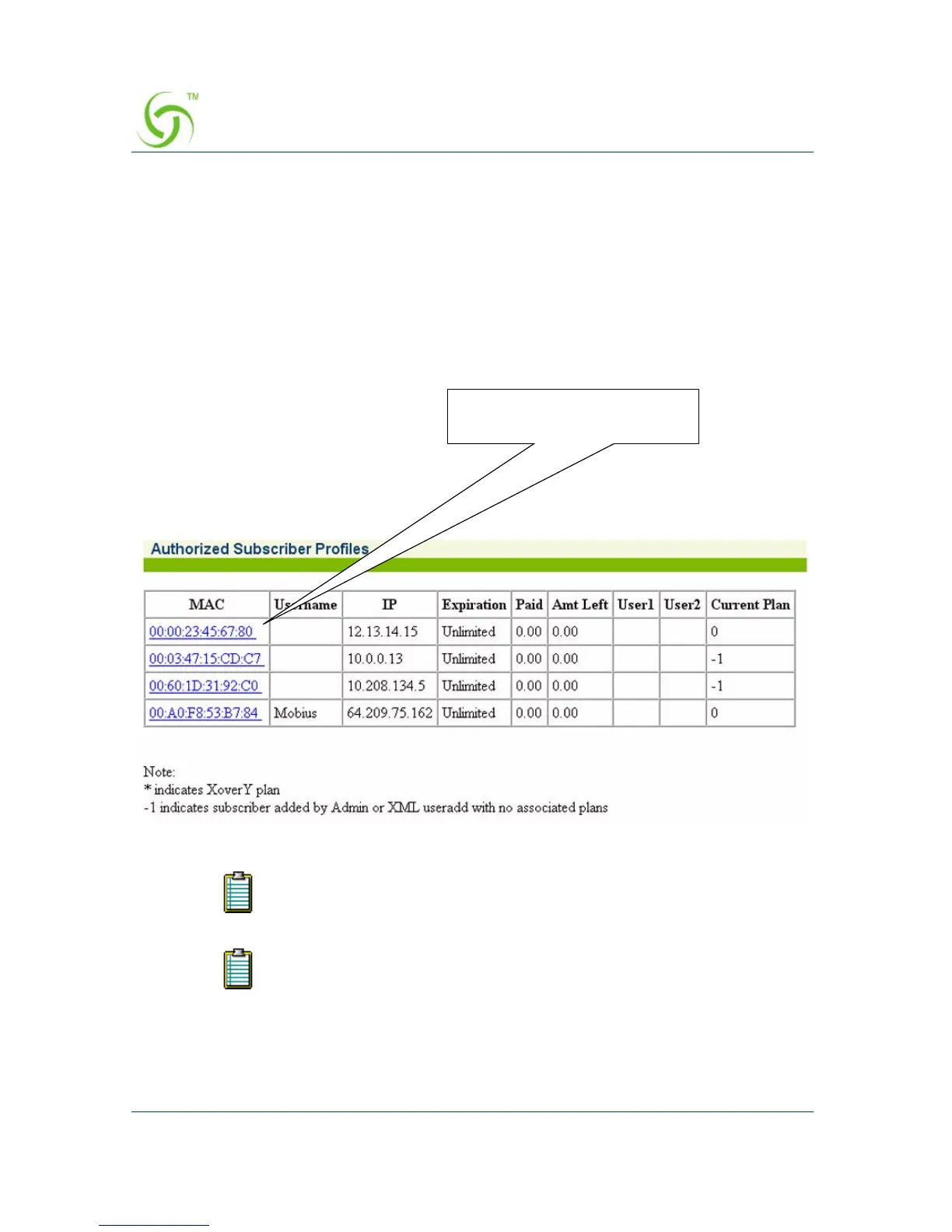
Listing Subscriber Profiles by MAC Address {List by MAC}
You can display the currently active database of authorized subscribers, based on
MAC addresses.
To view the list of Authorized Subscriber Profiles, go to the Web Management
Interface, click on
Subscriber Administration, then click on List by MAC.
The Authorized Subscriber Profiles screen appears:
* indicates X over Y plan.
-1 indicates a subscriber added by Admin or XML useradd with no
associated plans.
Click on a link to view the
associated subscriber



 To Next Page