HOTSPOT GATEWAY
System Administration 169
Displaying Current Subscriber Connections {Current}
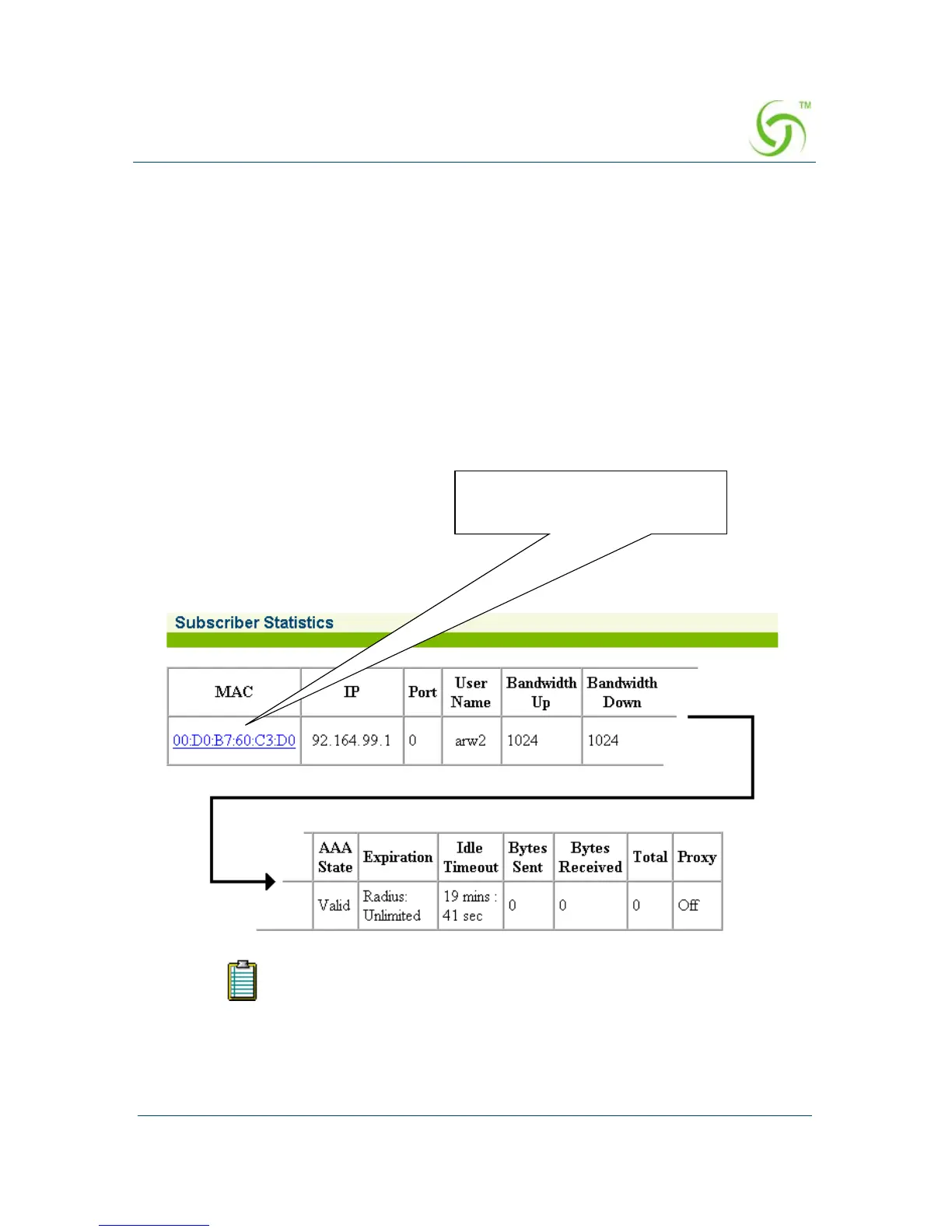
You can display a listing of all the subscribers currently connected to the system. The
list includes the MAC addresses of the subscribers, their active state, the individual
expiration times, port numbers (if assigned), and the number of bytes that have been
passed from the subscriber to the Internet. This data can be used if a dispute arises
between the subscriber and the solution provider (for example, if a subscriber claims
that their connection to the Internet was not completed). By reviewing the “byte”
statistics, you can clearly see if the subscriber made a successful connection.
To view the list of Current Subscriber Connections, go to the Web Management
Interface, click on
Subscriber Administration, then click on Current.
The Subscriber Statistics screen appears (split here for clarity), showing the usage
statistics for all subscribers currently connected to the system:
To view individual subscribers, simply click on the linked MAC address.
In the State field, “Valid” denotes that the subscriber has been
authenticated. “Pending” indicates that the subscriber is still waiting
for authentication.
Click on a link to view the
associated subscriber



 To Next Page