HOTSPOT GATEWAY
150 System Administration
Adding and Updating Port-Location Assignments {Add}
Port-locations can be assigned at any level (for example, a specific room in a hotel or
apartment building, a floor number, wing, or building). There may even be multiple
ports assigned to a single room or location. The HSG uses a port-location
authorization table to manage the assigned ports and ensure accurate billing for the
services used by a particular port.
Adding a Port-Location Assignment
This procedure shows you how to add a port-location assignment. If you want to
update an existing assignment, go to “Updating a Port-Location Assignment” on
page 152.
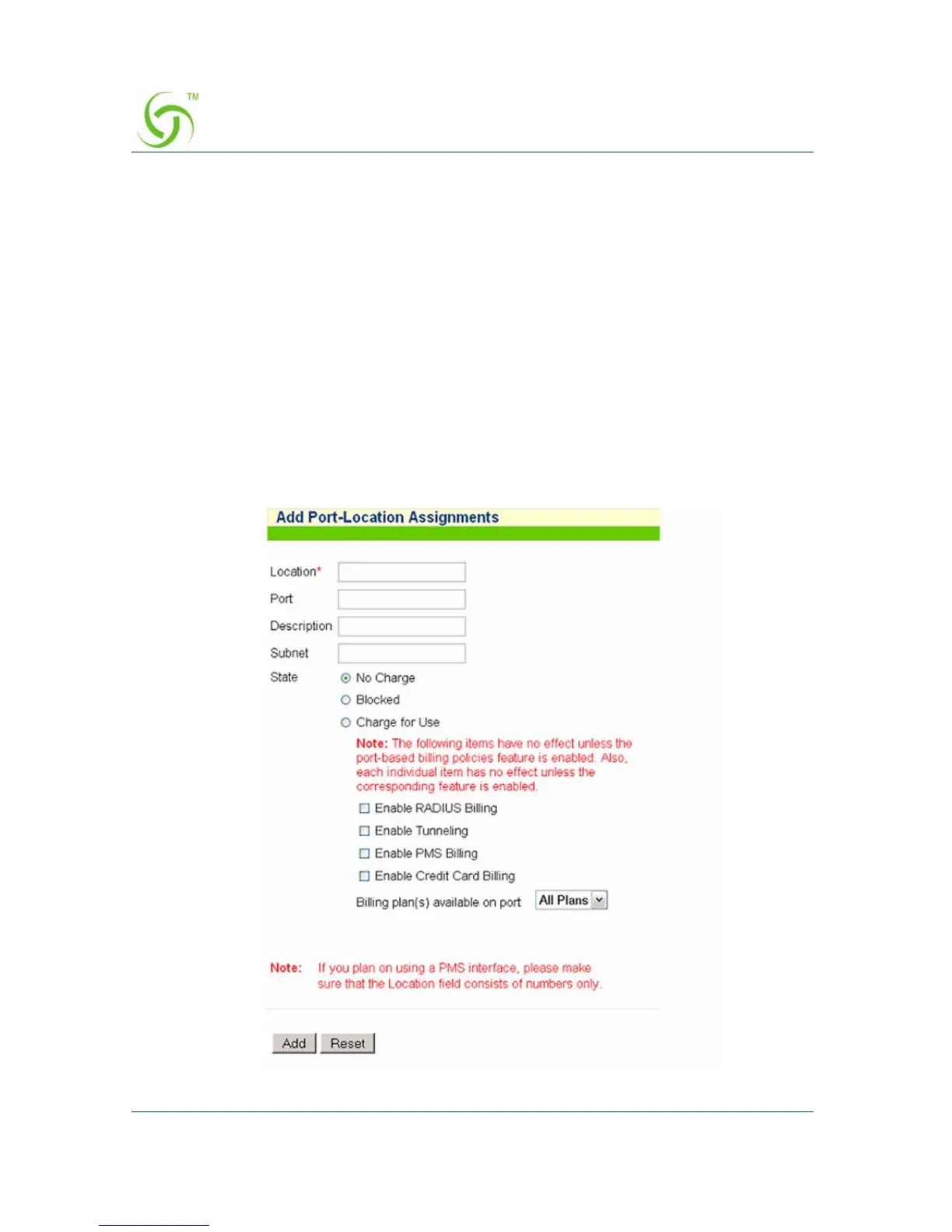
1. From the Web Management Interface, click on Port-Location, then Add. The
Add Port-Location Assignments screen appears:



 To Next Page