HOTSPOT GATEWAY
254 The Subscriber Interface
Information and Control Console (ICC)
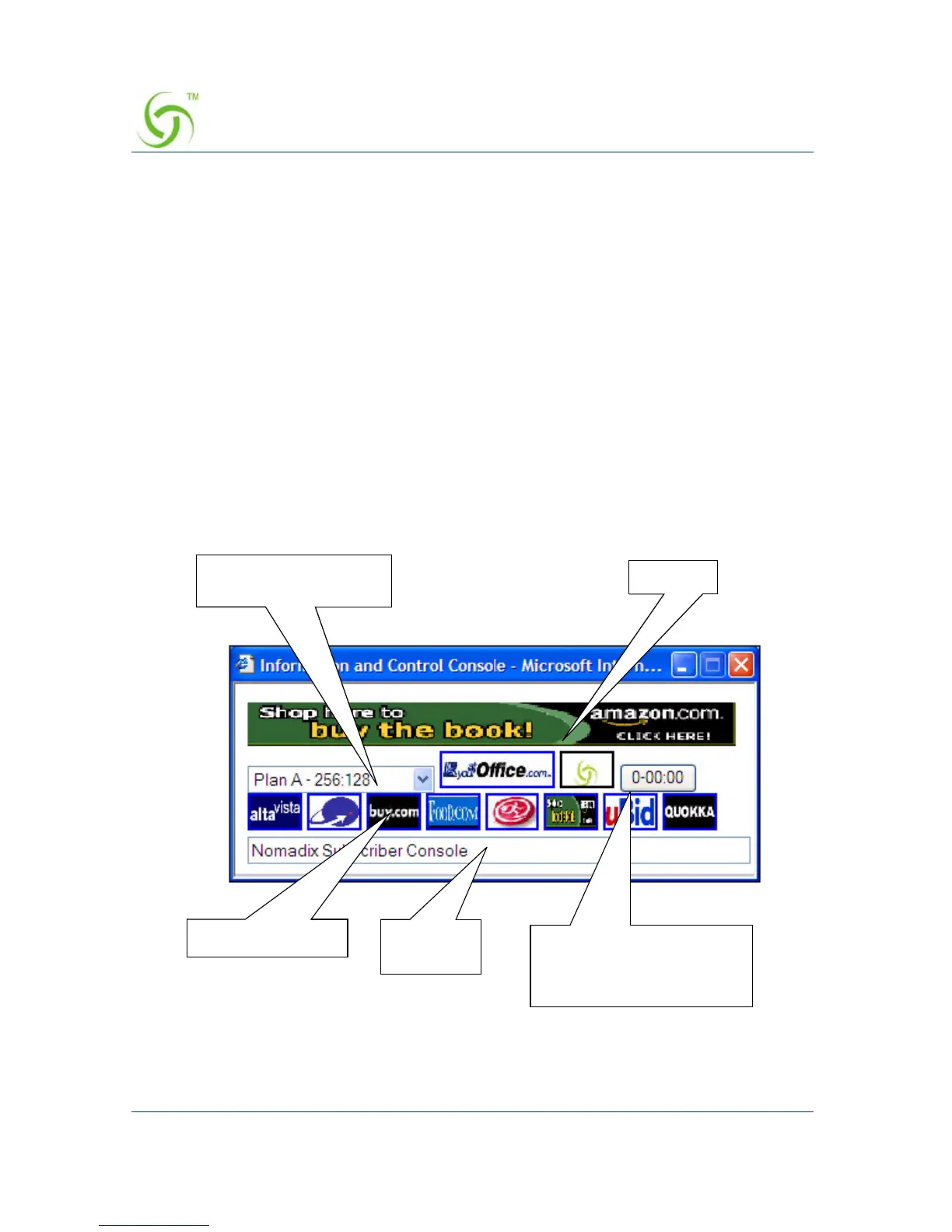
The Information and Control Console (ICC) is a HTML pop-up window that is
presented to subscribers, allowing them to select their bandwidth and billing options
quickly and efficiently, and displays a dynamic “time” field to inform them of the time
remaining on their account. The ICC also offers service providers an opportunity to
display advertising banners and provide a choice of redirection options.
For information about configuring the ICC, refer to “Setting Up the Information and
Control Console {ICC Setup}” on page 188.
ICC Pop-Up Window
The ICC displays a HTML-based applet in the form of a pop-up window from which
subscribers can dynamically control their billing options and bandwidth, and which
allows service providers to display advertising banners and redirect their subscribers
to predetermined Web sites.
The pop-up window automatically displays at Home Page Redirection (HPR) or
whenever the subscriber brings up a new browser window.
Bandwidth selection
(pull down)
Banner
Redirect buttons Message
Bar
Time remaining
or:
“Logout” (RADIUS only)



 To Next Page