HOTSPOT GATEWAY
220 System Administration
Importing the Factory Defaults {Factory}
This procedure shows you how to replace the current configuration settings with the
settings that were established at the factory.
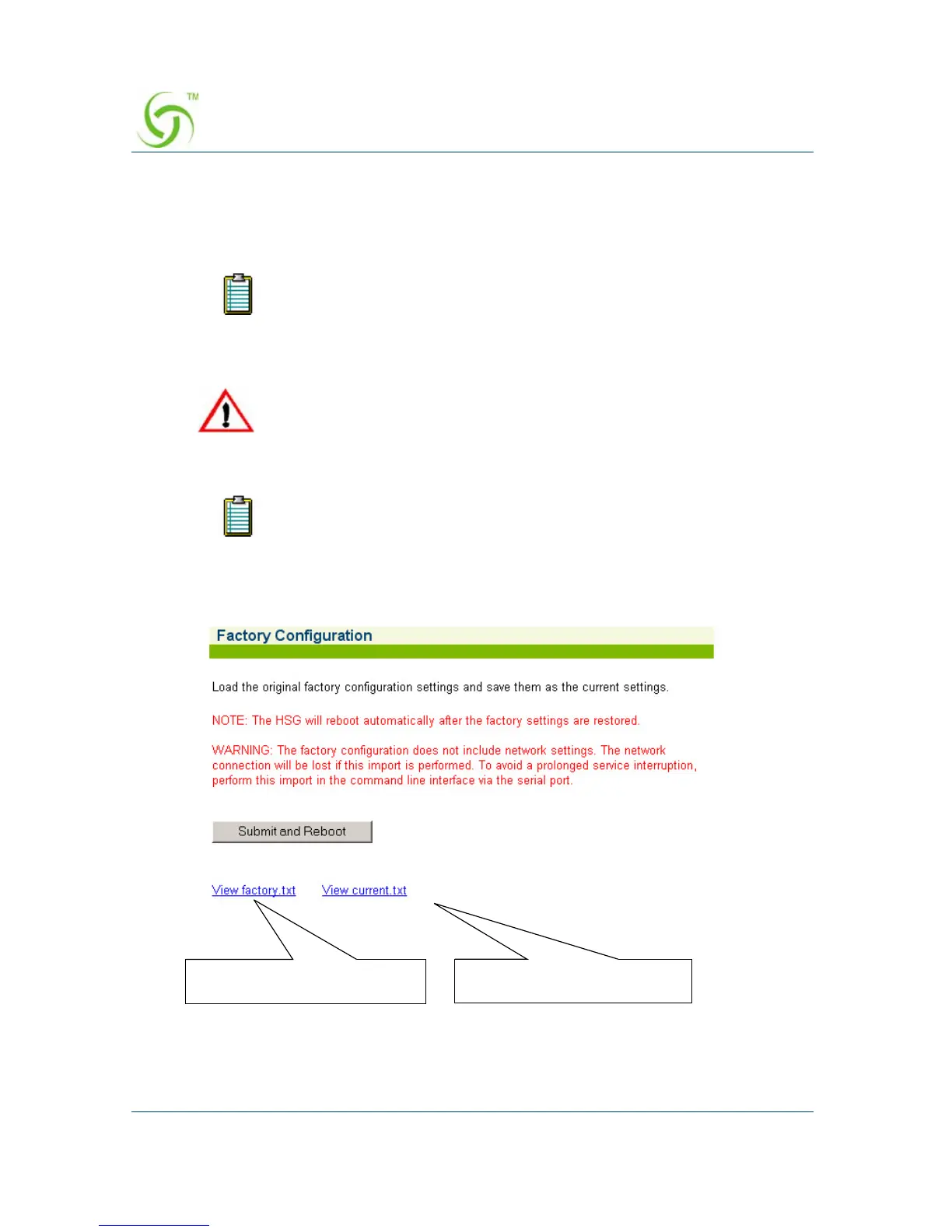
1. From the Web Management Interface, click on System, then Factory.
The Factory Configuration screen appears:
2. Click on the Submit and Reboot button to replace the current system
configuration settings with the factory default settings and reboot the HSG.
If you restore the factory default configuration settings, you will no
longer be able to access the HSG remotely. However, you always have
the option of using the “import” function to restore system
configuration settings from the archive file.
The factory default configuration does not include the network
settings. The network connection will be lost if this “import” function
is performed. To avoid a prolonged service interruption, perform this
procedure from the Command Line Interface via the serial port.
You will need to reboot the system for some of the imported default
settings to take effect (especially DHCP).
Click here to view the
“current.txt” file
Click here to view the
“factory.txt” file



 To Next Page