4
Setting up network printing
4-32 MP1020/1025/1035
For NetWare 4.x/5.x/6 Print Server mode (NDS)
To use the Print Server mode, IPX protocol must be loaded on the NetWare
server.
1 Log on to NetWare as an administrator from a client computer.
2 Start up NWadmin.
3 Select either the organization or organizational unit container that of-
fers the print service, and then click “Print Services Quick Setup (non-
NDPS)” on the “Tools” menu.
4 Enter the appropriate names in the “Printer Server Name”, “Printer
Name”, “Print Queue Name”, and “Print Queue Volume” fields, select
“Other/Unknown” from the “Printer Type” field, and then click the
[Create] button.
5 For queue user privileges, printer notification option, assignment of
multiple queues, and passwords, refer to the NetWare documentation,
and specify settings as necessary.
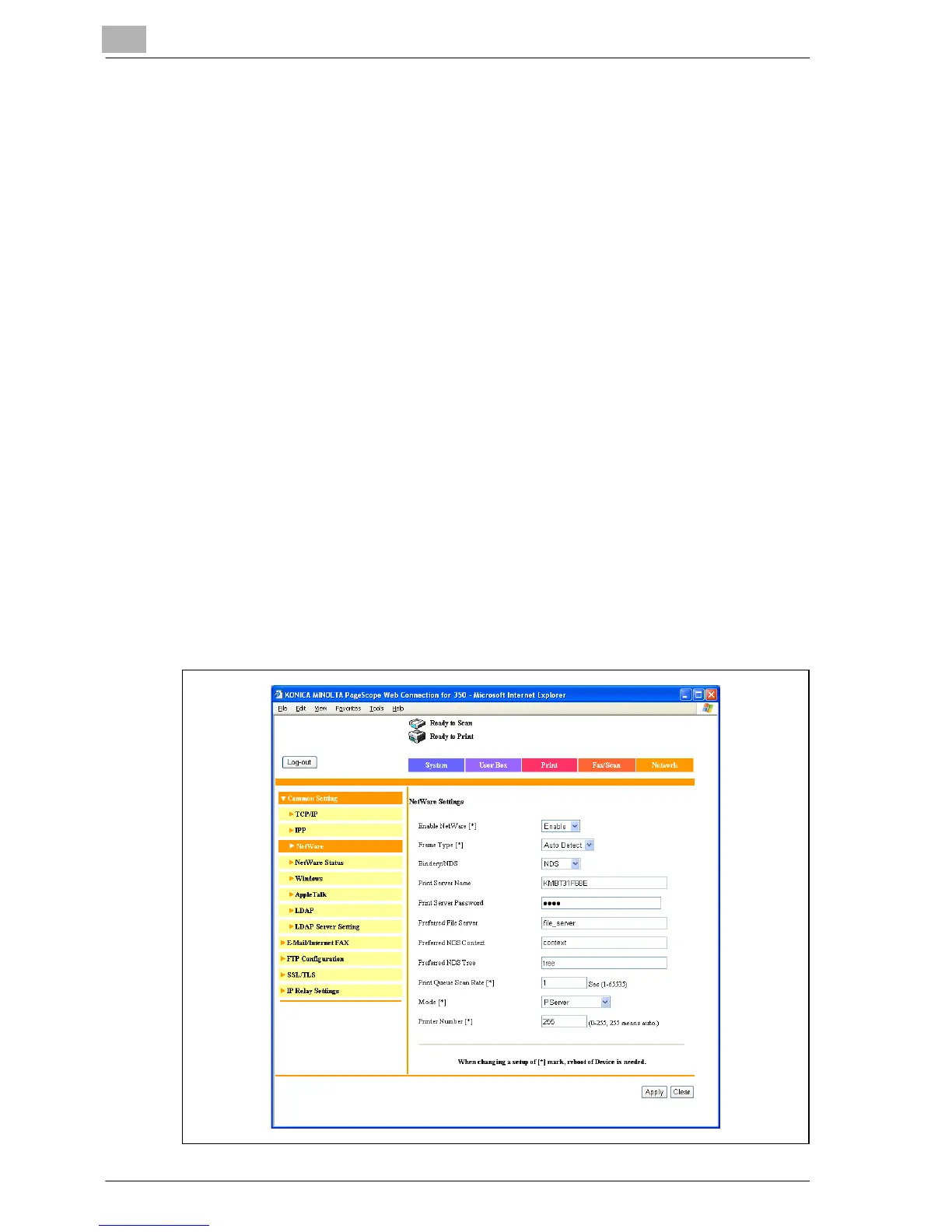
6 In Administrator mode of Web Connection, select “Common Setting”,
then “NetWare” from the Network tab, and then specify the following
settings.



 To Next Page