Previous Page Table of Contents Section Contents
Back
Index Next Page
LIFEPAK 20/20e Defibrillator/Monitor Modes of Operation
Setup Mode (continued)
Displaying the Setup
Menu
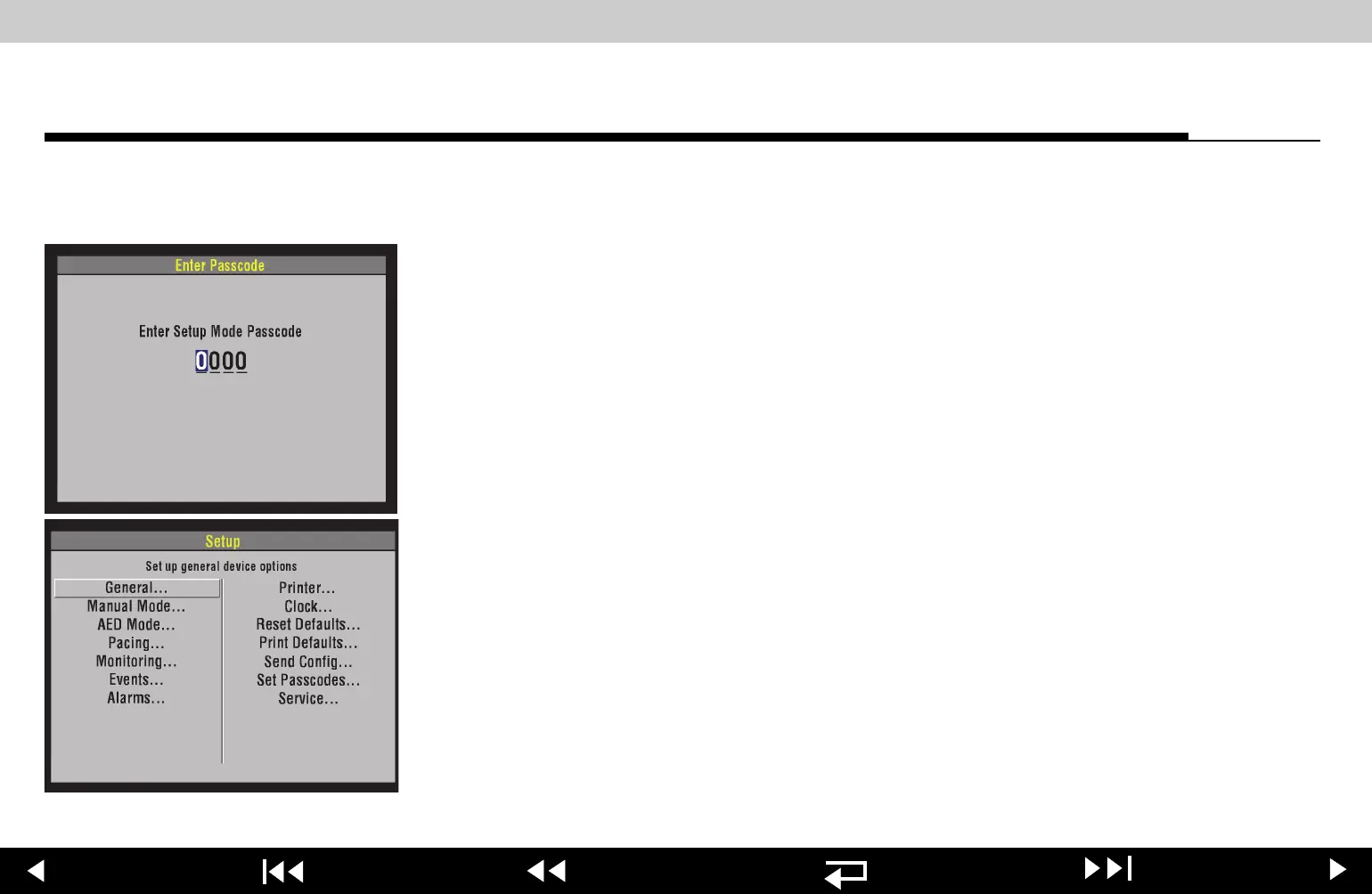
To display the SETUP menu:
1. Press and hold the
OPTIONS and EVENT buttons, and then press the ON
button. When the
ENTER PASSCODE overlay appears, release the buttons.
The
SPEED DIAL LED illuminates, indicating that the SPEED DIAL is active.
2. To enter the passcode, rotate the
SPEED DIAL to select a number and then
press the
SPEED DIAL. As a number is selected, it changes to an asterisk for
passcode protection, and the next digit in line highlights.
Note: The factory default passcode (
0000) or the reserved technician
passcode (
5433 or LIFE) can be used in place of other passcodes to gain
access to the
SETUP and SERVICE menus.
3. When you have entered the passcode, press the
SPEED DIAL. The SETUP
menu appears. The
PASSCODE INCORRECT-TRY AGAIN message appears if
an incorrect passcode is entered.
To exit the
SETUP menu, turn the device OFF.
4-6
















 To Next Page