Previous Page Table of Contents Section Contents
Back
Index Next Page
LIFEPAK 20/20e Defibrillator/Monitor Replacement Procedures
Front Case (continued)
Front Case Removal
To disassemble the front case:
1. Remove the A07 Battery.
2. Remove the top case.
3. Discharge the A13 Energy Capacitor.
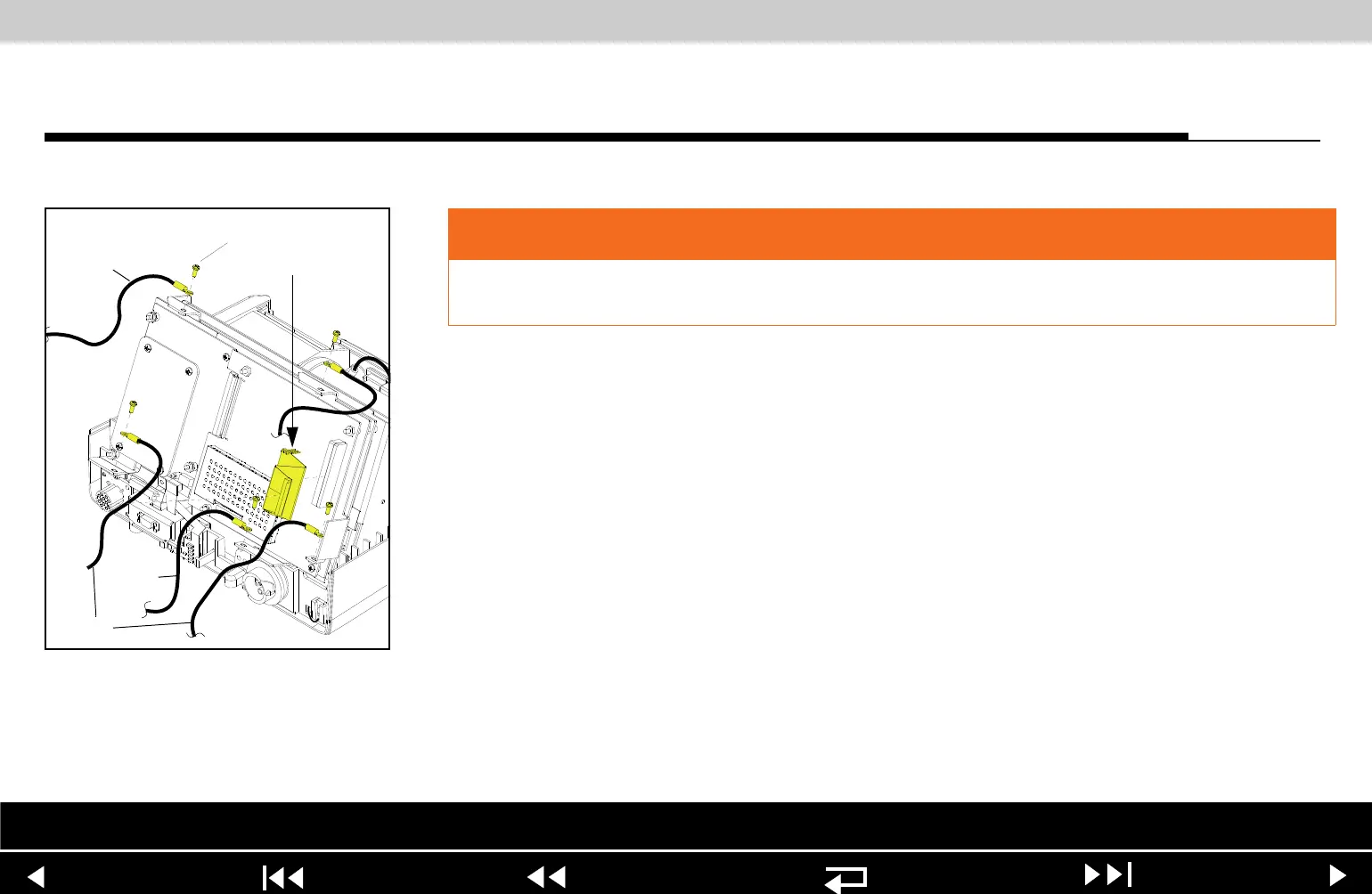
4. Disconnect the two grounding harnesses (219) that connect the A11 Active
Display to the top of the PCB support bracket by removing and discarding
the two screws (173).
Note: Replace any broken or frayed grounding straps.
5. Pull the front case away from the boardstack assembly and disconnect the
W18 UI Flex Cable from the A02 Patient Parameter (PP) PCB at J21 and
J22.
WARNING
SHOCK HAZARD. Carefully follow disassembly instructions to avoid a shock or
damage to wires during disassembly.
Parts List Interconnect Front Case View Rear View Main Assemblies
9-33
















 To Next Page